


Clockify vs Harvest
Clockify is the accessible all-rounder. Harvest is the tracker built around invoicing. If your team spends the day in Microsoft Teams and Outlook, there's a third option worth a look: Lucen Track logs time inside the Microsoft 365 apps you already use.
14-day free trial of Track · No credit card required · Free migration support



Which one fits how your team works?
Pick Clockify if price is the deciding factor. Its free plan covers five people and paid plans start at $3.99, with kiosk clock-ins, GPS and scheduling on the higher tiers.
Pick Harvest if invoicing is the job. Invoices and online payments are on every plan, including the free one, and it connects to QuickBooks, Xero and Stripe.
Track is for teams whose work already runs through Microsoft 365. People log time in Teams, meetings come in from Outlook and tasks come in from Planner and Azure DevOps, so timesheets get filled in without anyone having to remember.
Coming from Clockify or Harvest? Bring your history with you.
Import your projects and time entries, keep your history, and get your team tracking in Track the same week.
Create your free account
Start a 14-day trial in minutes. No credit card, no setup call required to begin.
Import from Clockify or Harvest
Export your projects and time entries to CSV from either tool and import them into Track. Our team helps make sure nothing gets left behind.
Get your team tracking
Most teams are up and running within a day, tracking time inside the Microsoft tools they already use.

“Another significant benefit of using Track [formerly Timeneye] is that I receive weekly reports directly in my inbox... Ultimately, this helps ensure that we are pricing our projects correctly.”
Adam Fraser Technical manager - DACI
Bringing a larger team?
For teams migrating dozens of seats, our team can run a guided, done-for-you migration so your projects, rates, and history land exactly where they should.
See what your team saves
Illustrative, based on list prices: Track at $7/user/month vs Harvest Pro at $9/user/month.
Clockify vs Harvest vs Track
How the three compare on the things teams ask about most.
Based on each vendor's public pricing, integrations and security pages, October 2026. Prices are per user per month, billed annually.
When the time tracker lives in a different tab from the work
Clockify and Harvest are both good trackers. These are the gaps Microsoft 365 teams tell us about.
Votre plan est dans un outil, mais la direction attend autre chose.
Les plans restent dans Microsoft Excel, mais les mises à jour doivent être prêtes à être présentées. Lucen Plan structure le travail, et Lucen Timeline le transforme en une vue claire pour les parties prenantes en un seul clic.
Vous suivez les dépendances, mais les priorités bougent.
Les petits changements se propagent rapidement à travers les plans, les échéances et les parties prenantes. Lucen Plan maintient les dépendances structurées à la source, tandis que Lucen Timeline reflète l'impact instantanément pour que vous gardiez le contrôle à mesure que les priorités évoluent.
Vous passez plus de temps à rapporter qu'à livrer.
Les rapports d’avancement ne devraient pas nécessiter de refaire les présentations. Lucen Timeline maintient des rapports fiables et à jour grâce à des modèles standardisés et une mise à jour en un clic.
Track: a comprehensive solution for the Microsoft Ecosystem
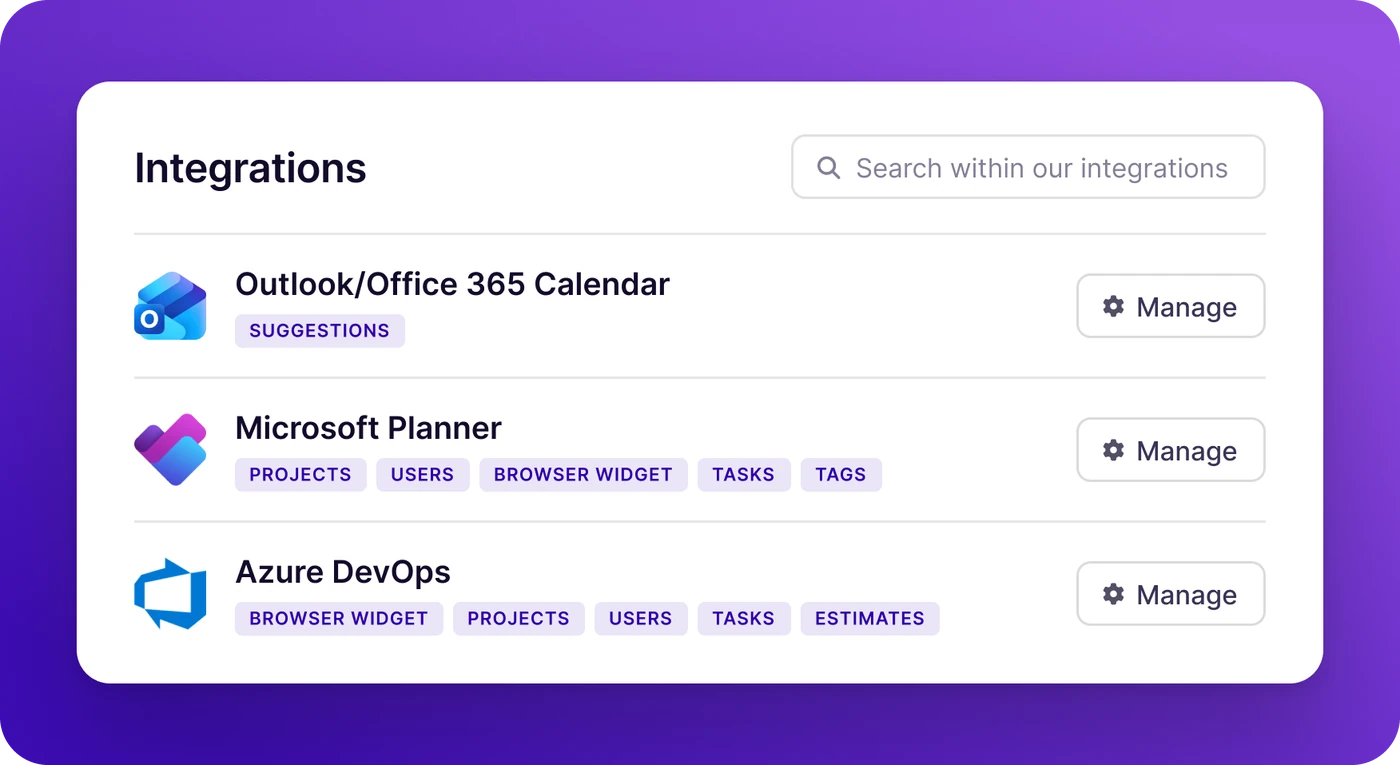
If your team runs on Microsoft 365, Track is built for you. Track seamlessly integrates across the Microsoft ecosystem: with Microsoft Teams, and Microsoft Planner for project management, and Outlook Calendar and Microsoft Teams Calls for automatic meeting tracking.
Log time directly from a Teams call. Pull projects from Planner. Capture meetings from Outlook automatically. Connect your data to Power BI for reporting that goes wherever your stakeholders are.
Microsoft Teams - Log time and check project status without leaving your workspace.
Outlook Calendar - Automatically capture meetings as time entries.
Microsoft Planner - Sync tasks and projects directly into your time tracking workflow.
Power BI - Connect Track data to your existing dashboards and reports.
Azure DevOps - Keep dev teams and project teams in sync, with work items and tracked time in one place.
Trusted by professionals worldwide





What our customers say
Common questions
Clockify wins on price and Harvest wins on invoicing, but both ask people to open a separate app to log time. For teams that work in Microsoft Teams and Outlook, Lucen Track is often a better fit than either: people log time inside Teams, Outlook meetings and Planner tasks become time entries, and every plan includes single sign-on with Microsoft Entra ID. Choose Clockify for the lowest price per seat, Harvest if billing clients is the main job, and Track if your work runs on Microsoft 365.
Lucen Track is built for teams that work in Microsoft 365. People log time from Microsoft Teams, Outlook meetings and Planner tasks show up as suggested entries, and a Power BI connector feeds live data into the reports leadership already uses. Professional services firms, agencies and consultants use it to bill and report on time without chasing timesheets. Plans start at $7 per user per month, billed annually, with a free plan for two users.
No. Neither Clockify nor Harvest lists a Microsoft Teams app among its integrations; both can only pull in Outlook calendar events. Lucen Track has a native Teams app on every plan, turns Outlook meetings into time entries, and syncs Planner tasks and Azure DevOps work items. For teams that live in Microsoft 365, that's the biggest difference between the three.
Not directly. Clockify has no official Power BI connector and Harvest has none, so reporting in Power BI means exporting CSVs. Lucen Track has a Power BI connector with live data on its Premium plan, so time, budget and project data lands in the dashboards your team already shares in Teams.
Yes, on list price. As of October 2026, Clockify starts at $3.99 per user per month and Harvest Teams at $9, both billed annually, and Harvest bills extra invoices, projects, clients and tasks on usage. The seat price isn't the whole cost, though. Single sign-on is Enterprise-only at both, from $11.99 per user at Clockify and $14 at Harvest. Lucen Track includes Microsoft Entra ID sign-in on every plan, and paid plans start at $7.
Both have limited free plans. Clockify Free covers up to five users but leaves out invoicing, approvals and GPS tracking. Harvest Free covers one seat and two projects. Lucen Track's free plan covers two users and already includes the Microsoft Teams app and single sign-on, which Clockify and Harvest keep for paid or Enterprise plans. Paid trials run 7 days at Clockify, 30 days at Harvest and 14 days at Track, with no credit card needed.
Harvest is the stronger pure invoicing tool: invoicing is on every plan and it collects payments through Stripe. Clockify adds invoicing on its Standard plan at $5.49. Lucen Track creates invoices from tracked time on its Starter plan at $7, and because hours are logged from Teams, Outlook and Planner as the work happens, fewer billable hours go missing before the invoice goes out.
Harvest doesn't take screenshots or track the apps you use. Clockify offers optional GPS tracking and an activity monitoring agent on its Pro and Enterprise plans. Lucen Track doesn't monitor people at all: no screenshots, keystrokes or location. Instead, it fills timesheets from the work people already do in Teams, Outlook and Planner.
Only on Enterprise plans: from $11.99 per user per month at Clockify and $14 at Harvest, where it comes as SAML SSO. Lucen Track includes Microsoft Entra ID sign-in on every plan, including Free, so IT can roll it out to the whole team on day one. On certifications, Clockify publishes SOC 2 Type II and ISO/IEC 27001, and Harvest relies on its server host's SOC 2 audit.
Yes. Export your projects and time entries to CSV from Clockify or Harvest and import them into Track. Our team helps with the move, larger teams can get a guided migration, and most teams are tracking time in Track within a day.
Yes. Track's free plan covers up to two users and includes the Microsoft Teams app and single sign-on. Paid plans start at $7 per user per month, billed annually, and you can try any plan free for 14 days without a credit card.

Comparing Clockify and Harvest?
Try the one built for Microsoft 365.
Start a free 14-day trial of Track and see your team's time land where the work happens.
No credit card required · Free migration support · Cancel anytime