
Overview
A timeline turns time itself into something you can see. By arranging events in chronological order, a timeline makes change, sequence, and duration legible at a glance — which is why the same basic format shows up across history, education, science, data analysis, personal planning, and project management.
This page is the hub for all of it: what a timeline is, the main types, how to create one, and the tools and templates that help. Use the Learning Hub below to jump straight to the use case you care about — including the project timeline guidance many readers arrive looking for.
What is a timeline?
A timeline is a display of events arranged in chronological order over a time frame. It typically runs along a bar — sometimes called a timeband — on a linear scale where a unit of distance equals a set amount of time. Depending on the subject, that scale might span years, months, or days.
Because they make sequence and duration visible, timelines are used across many fields:
- History — mapping eras, events, and cause-and-effect over long spans;
- Education — helping students visualize processes and chronologies;
- Data and research — tracking datasets and temporal trends;
- Personal planning — goals, milestones, and career growth;
- Project management — planning and tracking the course of a project from start to finish.
That last application is where timelines become most structured — and where one specialized form, the Gantt chart, adds task dependencies and a critical path on top of the basic timeline. (More on how those two relate in the FAQ.)
Timeline learning hub
Pick the lane that matches what you're building. Each guide goes deeper than this overview:
- Introduction to timelines — what timelines are, how they work, and why they're powerful across every field.
- Types of timelines — linear, chronological, Gantt-style, vertical, and when to use each.
- Creating personal timelines — map goals, milestones, and career growth.
- Educational timelines — make learning visual for students and educators.
- Project management timelines — plan and track projects, tasks, and deadlines.
- Historical timelines — turn complex periods into clear visual stories.
- Interactive timelines — clickable timelines that let users explore.
- Advanced timeline visualization — color coding and multi-layered visuals.
- Timelines in data science — track datasets and communicate temporal relationships.
- Expert-level analysis — patterns, dependencies, and critical paths.
Timelines in project management
In project management, a timeline represents the planned course of a project from start to finish — broken into stages, tasks, and milestones so everyone knows what's due and when. A clear project timeline shows what's being worked on now, what's done, and what's next, which is why it sits at the center of successful delivery.
The benefits are consistent across teams: keeping everyone aligned at every stage, holding owners accountable, communicating dates and approvals, sharpening estimates, and improving resource management.
For the full treatment — building a project timeline step by step, maintaining and sharing it, and keeping dates accurate as the plan shifts — see the dedicated project management timelines guide. If your project needs linked dependencies and a critical path, you likely want a Gantt chart.
How to create a timeline
Four steps get you from idea to timeline:
- Build the work breakdown — list your main goals, deliverables, and tasks to define scope.
- Break it down and sequence it — split deliverables into smaller units and milestones in logical order; group them into phases if the work is complex.
- Estimate time — assign durations and due dates to each item.
- Map dependencies — note where one task affects another, and (for project work) identify the critical path.
From there, build it with a timeline template, your usual office tools, or a dedicated timeline maker. For step-by-step, tool-by-tool tutorials, see the timeline how-to hub:
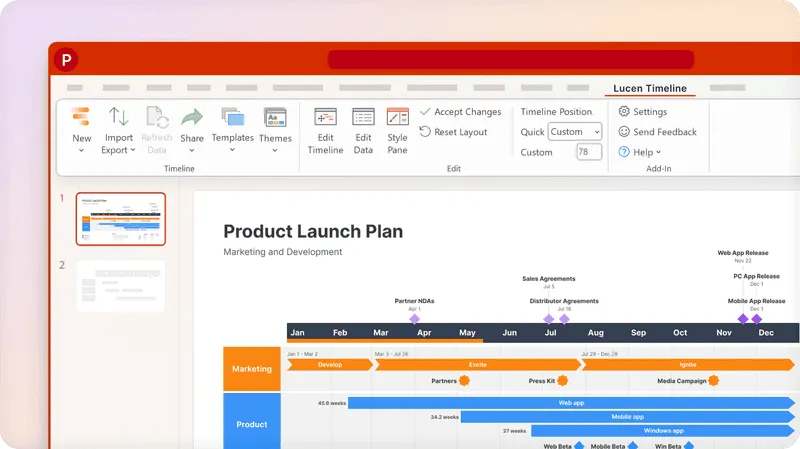
Timeline maker for PowerPoint
Create a stunning timeline directly in PowerPoint with just a few clicks.

Timeline examples
Timelines vary by purpose, but most share a common set of elements:
- A timeband (usually horizontal) representing the timescale;
- A list of events, tasks, or milestones;
- Short descriptions;
- Start and end dates;
- Durations;
- Progress or percent complete.
Browse formats across use cases in our timeline examples and templates.
Templates for timelines
A timeline template is a predefined sample you customize by entering your own data into an existing frame. Built on tested structures, templates cut the guesswork and save real setup time — turning complex information into an at-a-glance output.
Get started faster with our free timeline template collection: download one, enter your events and dates, and you have a presentation-ready timeline.
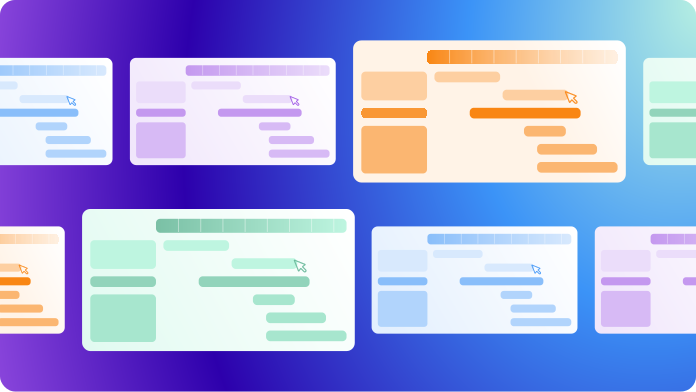
Ready-made timeline templates
Beautiful timeline templates to customize in minutes.
Timeline software
Timeline software is any tool that automates timeline creation and supports more advanced work — adding milestones, setting dependencies, grouping and assigning tasks, importing and exporting data, refined formatting, real-time tracking, and easy sharing.
Desktop vs. online. Desktop tools give you a single local version per license — fine for working individually with no pressing need to share. Online tools are built around sharing and collaboration: teammates without a license can be invited to view and update a timeline in the cloud.
Must-have features. Reusable templates, an intuitive interface, a rich set of visual options, flexible import/export, integrations with other tools, broad browser/OS compatibility, and strong collaboration features.
Choosing one. The best fit depends on your team, but most situations call for flexibility (an agile framework that absorbs change), strong visuals (so stakeholders grasp progress instantly), and collaboration features. See our 10 best timeline creators for a shortlist.
One option that covers all three is Lucen Timeline — a desktop and online tool that turns project data into presentation-ready PowerPoint slides.
Frequently asked questions
A project timeline is a chronological view of a project's events and milestones. A Gantt chart is a specialized type of project timeline that adds task dependencies, a critical path, and resource assignments — so it shows not just when tasks happen but how they affect each other. If you need linked scheduling, you want a Gantt chart; if you need a clear chronological overview, a timeline is enough.
Lucen Timeline is a PowerPoint add-in with a wide range of customizable templates. Browse the template gallery.
See our review of ten of the best timeline creators, or try the free timeline creator from Lucen Timeline.