

Track time. Strengthen performance and profitability with Lucen Track

Lucen Track (formerly Timeneye) brings operational clarity to project-based teams, natively inside the Microsoft 365 tools they already use.

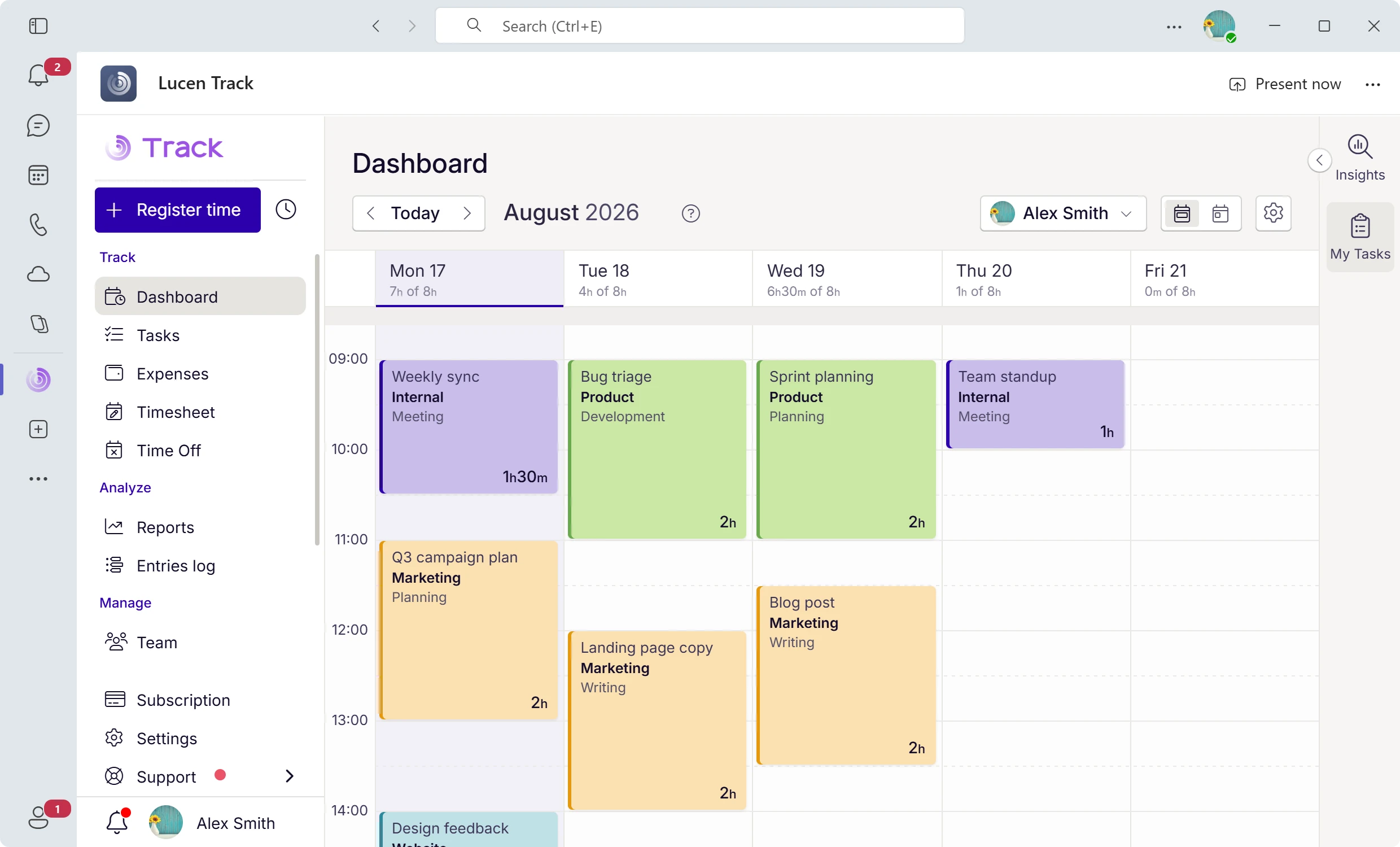
Lucen Track app interface showing a weekly calendar view with color-coded time entries for meetings, projects, and tasks

Where is our time actually going?

Without clear visibility into effort, decisions rely on assumptions, reporting becomes reactive, and capacity issues surface too late.

What changes with LUCEN TRACK

Teams understand where work goes

Forecasting is grounded in real data

Reporting supports faster decisions

Operational clarity improves across projects

Effort becomes visible in real time

From effort capture to operational clarity

Lucen Track shows where time goes. And how it affects performance, budgets, and decisions.

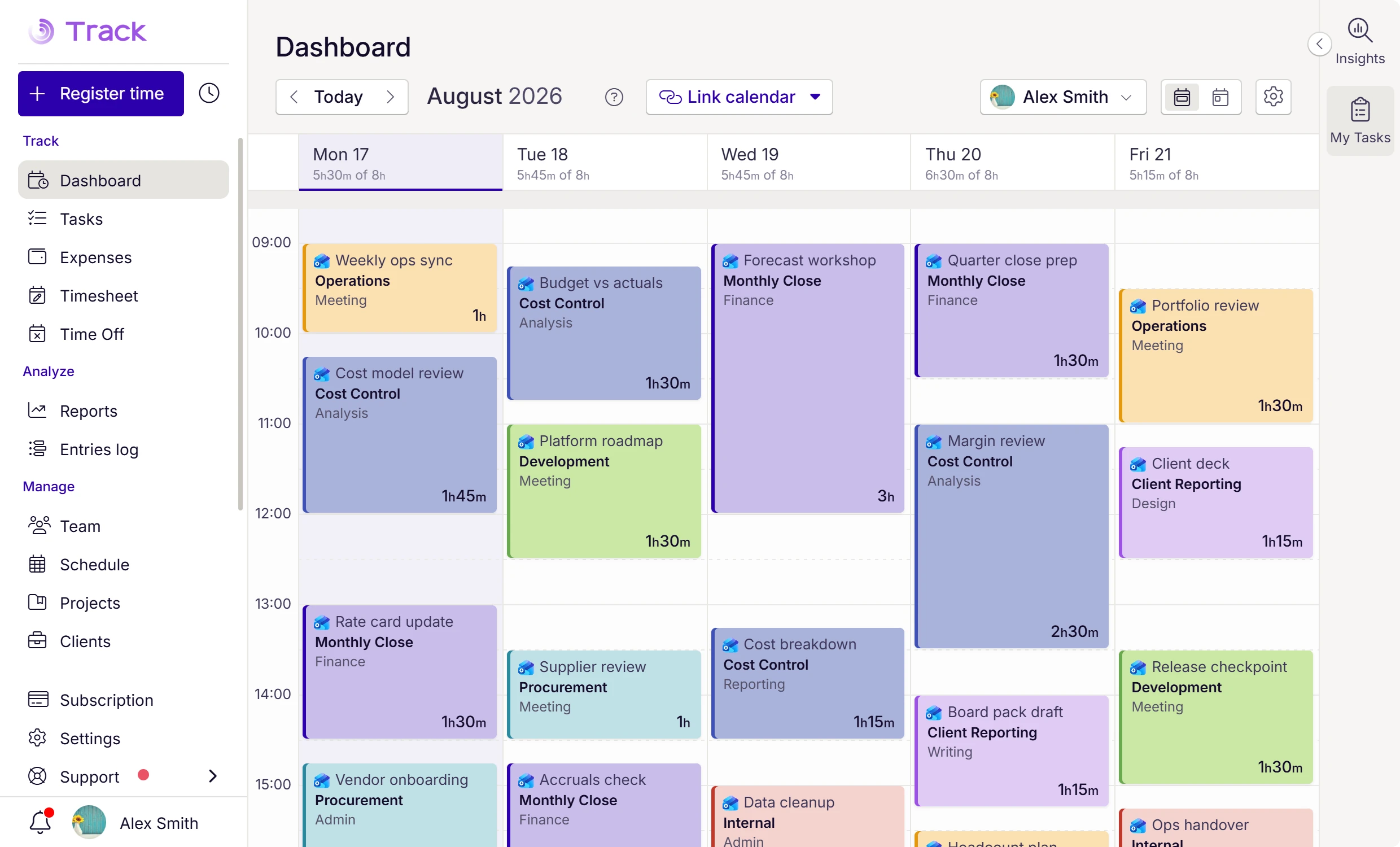
Time tracking calendar view with color-coded time entries for meetings, projects, and tasks

Capture effort naturally.

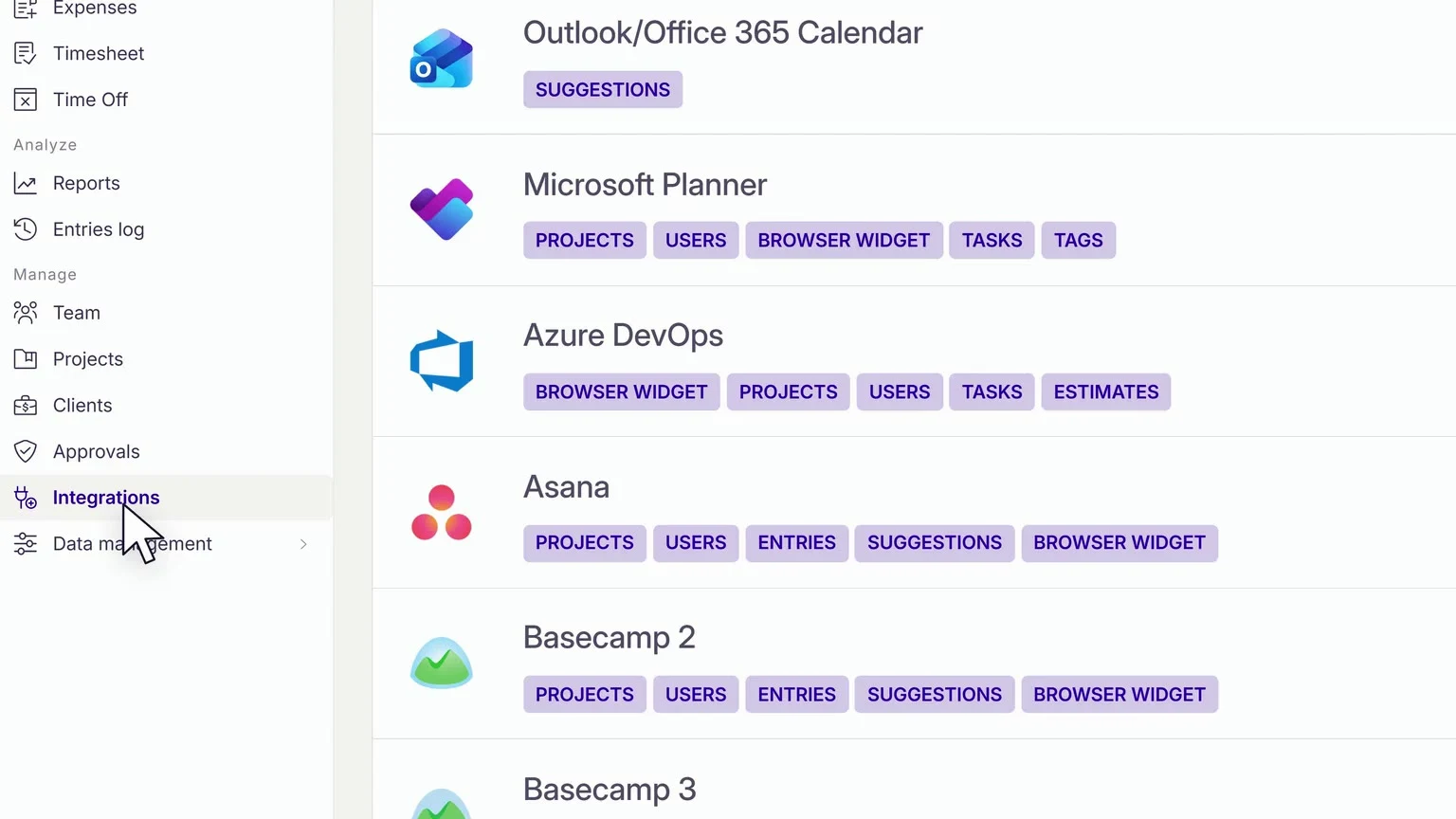
Lucen Track fits into the way teams already work, natively in Microsoft Teams, Microsoft Planner, Azure DevOps, Power BI, and more.

  • Native MS Teams app. No tab-switching required
  • Track time on tasks your team already owns in MS Planner and Azure
  • One-click reporting in Power BI for finance and ops leads
  • Capture effort against meetings as they happen in Outlook
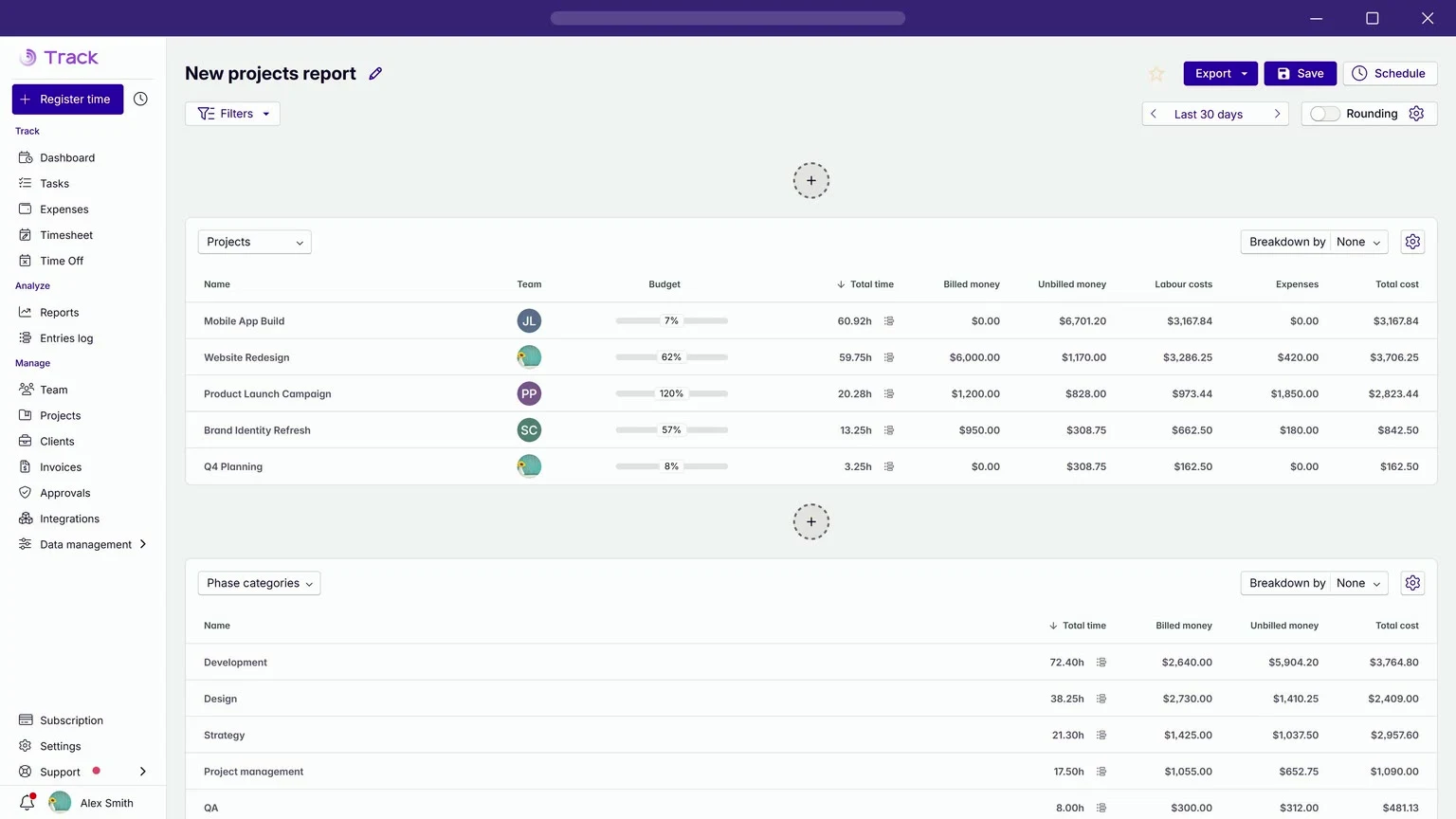
Project time tracking chart showing effort and progress trends across 9 projects

Understand workload and progress.

Move from individual entries to forward-looking insight across projects and teams.

  • Monitor project and team-level trends early
  • Gain insight into team effort
  • Monitor capacity to prevent bottlenecks
Entries report table showing logged hours by user across projects with Billing status and total time columns

Turn data into smarter, more profitable decisions.

Transform captured work into structured insight that supports delivery performance and financial outcomes.

  • Clear reporting for delivery and client reviews
  • Billable vs non-billable tracking for accurate invoicing
  • Margin and utilization insight
  • Forecasting grounded in real data
What you can do

See effort clearly. Manage performance confidently.

Project progress reporting
Effort across projects
Team utilization insights
Project profitability tracking
Multi-project oversight
Client project tracking
Microsoft-native

Built where your work already happens

Lucen Track works inside Microsoft 365, giving teams visibility without switching tools or changing their workflows.
Microsoft Entra ID SSO | SOC II compliant | GDPR Compliant

MICROSOFT TEAMS

Reach employees where they are with the Microsoft Teams App

Find the Track integration directly in your Microsoft Teams desktop app.

Automatically add your team members from your Microsoft account, and track time directly inside your Microsoft Teams desktop app.

Key capabilities:

  • Top-rated Microsoft Teams app in the Microsoft Marketplace
  • Time tracking, project management, timesheets, reports, in Microsoft Teams. No more tab switching.
  • Built-in access and permissions control
OUTLOOK CALENDAR

Connect Outlook calendar, track time for meetings

Simply sync your calendar with Lucen Track, and all your appointments, meetings, and tasks will automatically be added to your Dashboard as time entries.

Key capabilities:

  • Outlook Add-in available: install it directly from Outlook
  • Automated time tracking suggestion based on daily meetings
  • Assign meetings to clients, projects, and billable activities so every minute is accounted for

MICROSOFT PLANNER

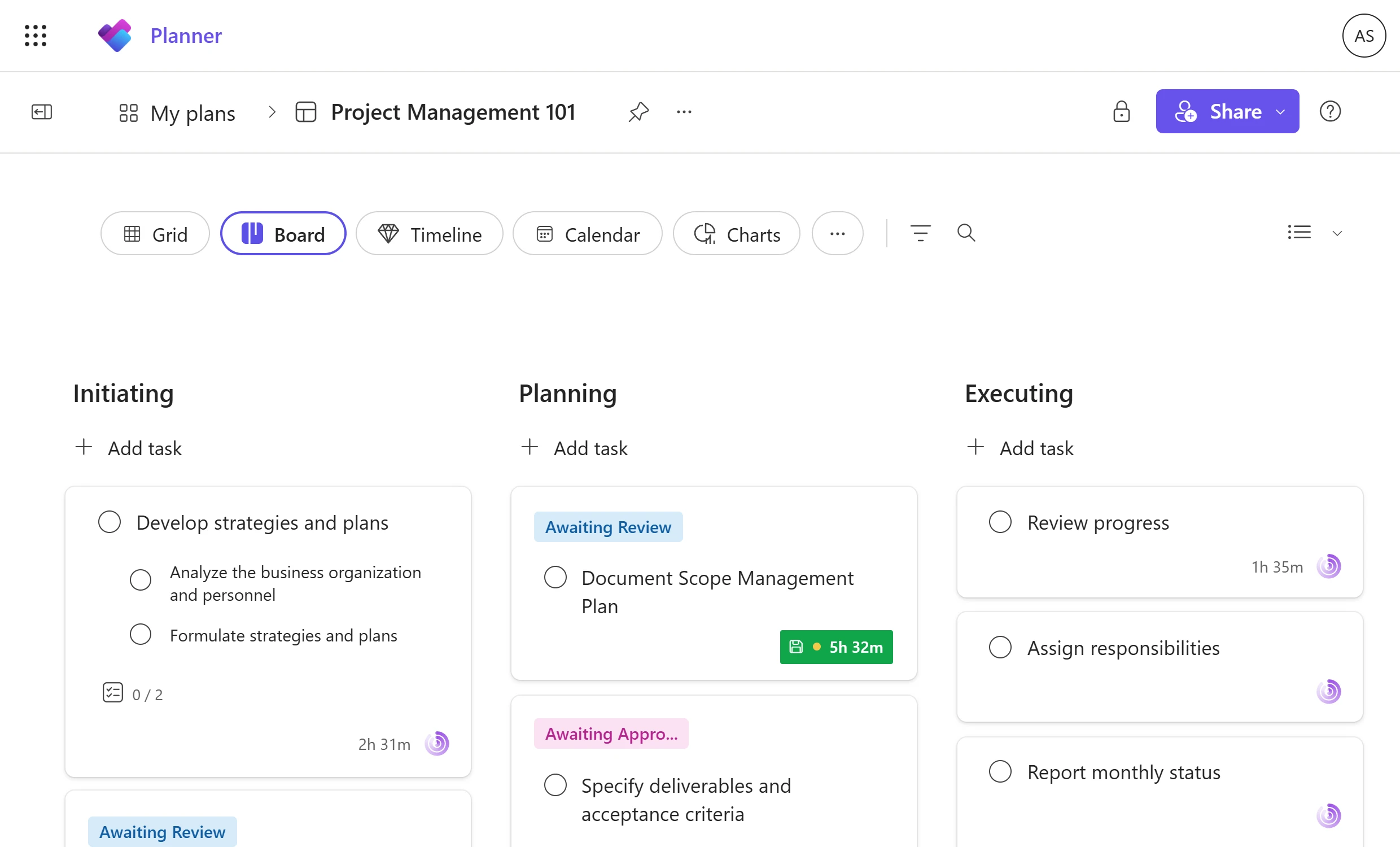
Track your tasks in Microsoft Planner

Track allows you to register work hours in one click, seamlessly from the Microsoft Planner web app. Sync the integration so you can start keeping track of your projects without ever leaving Microsoft Planner.

Key capabilities:

  • Import projects and tasks from Microsoft Planner to Track
  • Sync labels across tools to keep tagging consistent
  • Onboard your team directly from Microsoft 365

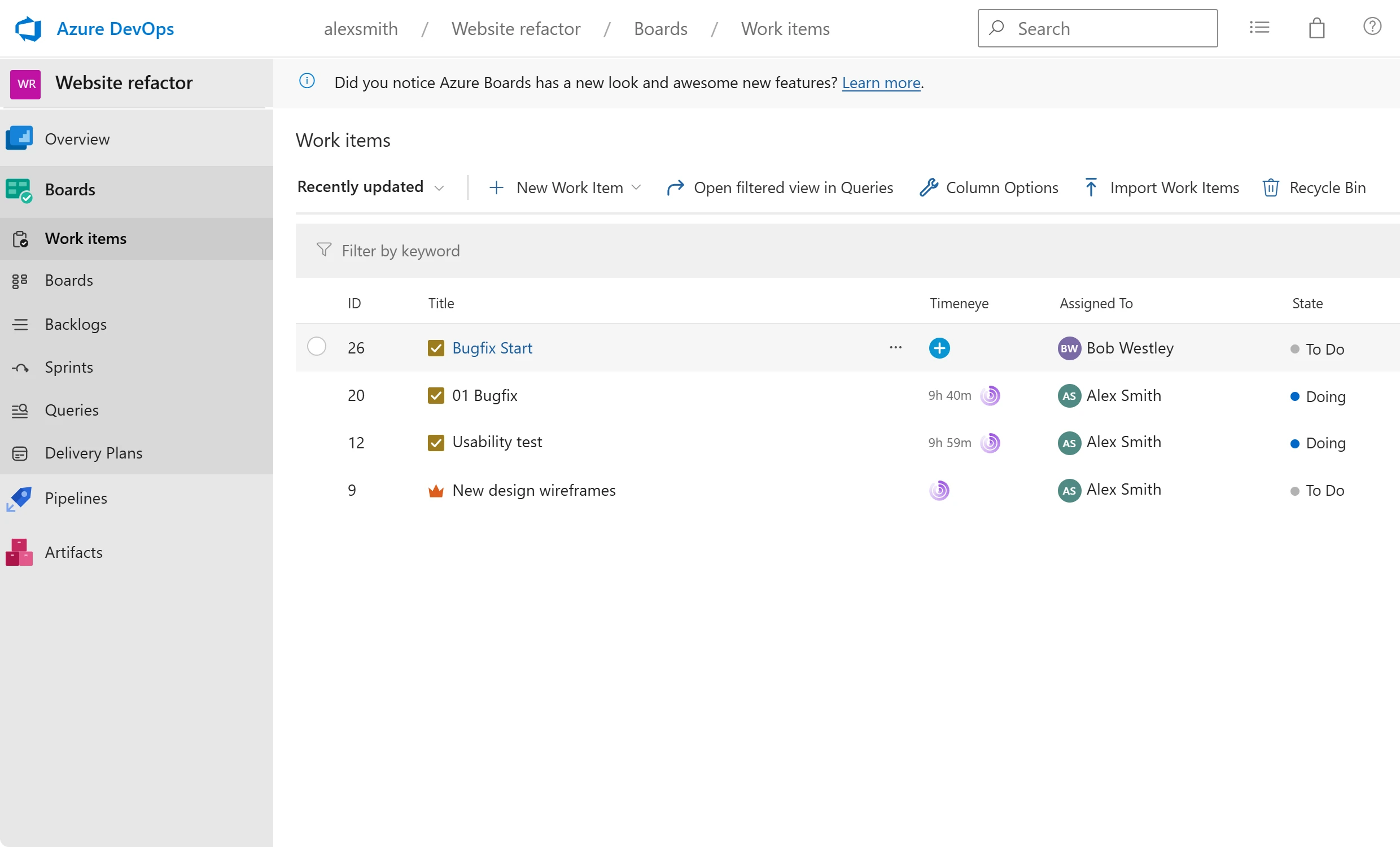
AZURE DEVOPS

Simplify your workflow in Azure DevOps

Track your issues, keep projects monitored, and run productivity reports, all in one place. Thanks to Lucen Track, you can sync your projects and track time for Azure DevOps issues seamlessly.

Key capabilities:

  • Import projects and work items from Azure DevOps to Track
  • Time tracking lives inside Microsoft Azure, no context or tab switching
  • Compare planned vs. logged time to plan sprints more accurately
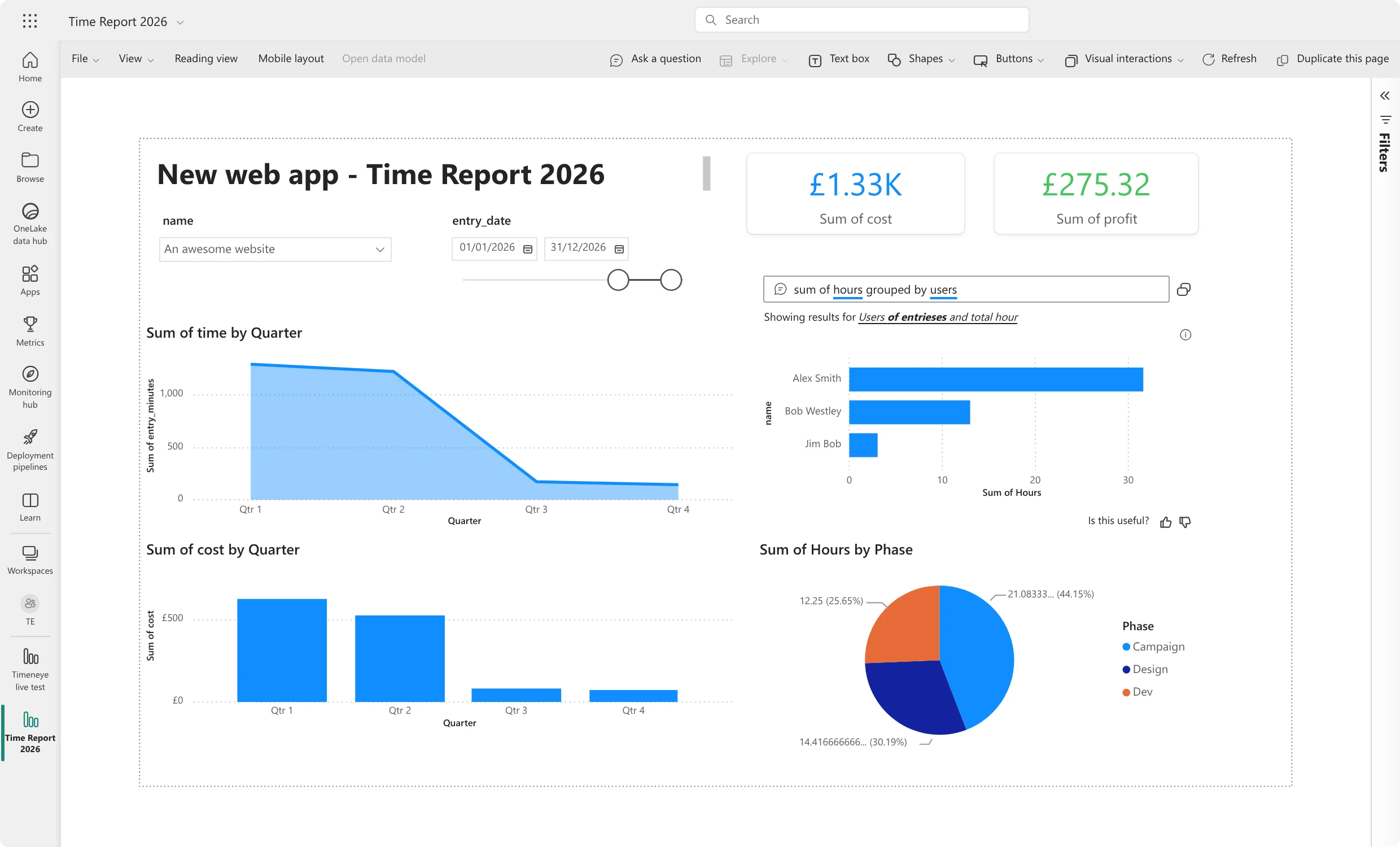
POWER BI

Turn time into insights with Power BI

Transform your time tracking data into powerful visualizations and detailed analyses. Get insights on team productivity and drive better results with Track and Power BI.

Key capabilities:

  • Connect Track to Power BI with our custom connector, no manual exports
  • Build Power BI visualizations using Track as a live data source
  • Create reports and share insights in Power BI and Microsoft Teams

Lucen Track is trusted by teams logging thousands of hours every day

800K
hours captured
each day in Track
4.7 / 5
Average user
rating
3,000
dAILY
ACTIVE USERS
"Another significant benefit of using Lucen Track [formerly Timeneye] is that I receive weekly reports directly in my inbox… Ultimately, this helps ensure that we are pricing our projects correctly."
Adam Fraser
Technical Manager
,
DACI
Lucen Track plans

Start with visibility. Scale with confidence.

Whether you're exploring effort tracking individually or standardizing operational visibility across teams, Lucen Track is designed to grow with you. Choose the level of insight you need today and expand as your needs evolve.

Free
For individuals getting started
Explore the visibility of your personal effort and understand how you spend your time.
Starter
For teams standardizing tracking
Bring structure to team-level effort tracking with shared transparency and reporting.
Most popular
Premium
For organizations optimizing performance
Get clarity on profitability, approvals, budgets, and deeper operational controls.
Most advanced
Enterprise
For organizations scaling operational governance
Access advanced capabilities, integrations, and planned vs. actual tracking.
Additional information

Frequently asked questions.

What happened to Timeneye?

Timeneye is now Lucen Track. The product has not changed. Lucen Track, formerly Timeneye, continues to be the same team time tracking tool, now as part of the Lucen Software product suite.

Is Timeneye now called Lucen Track?

Yes. Timeneye is now Lucen Track. The name is new. The experience is the same.

What is Lucen Track?

Lucen Track is a team time tracking tool that helps organizations track work, measure productivity and gain insights into how time is spent. It is part of Lucen Software's integrated product suite, which helps teams bring planning, tracking and communication together.

Does Lucen Track replace my project management tools?

No. Lucen Track does not replace project management or work management tools. It works alongside tools teams already use to help them track time and communicate how work gets done.

Will my pricing or subscription change?

No. Your current subscription, pricing and plan will remain the same. There are no changes to your billing or plan structure as part of the Timeneye to Lucen Track transition.

How do I manage my Lucen Track account?

You will continue managing your Lucen Track (formerly Timeneye) workspace through the web application for now, just as you do today. Lucen Track customers will transition to the new Account Center in the future and more details on timing will be shared when available.

Do I need to update my bookmarks?

Not right away. Your existing Timeneye bookmarks will continue to work. When it is convenient, we recommend updating them to lucensoftware.com. You will be notified in advance before the Timeneye website is retired.

See where your effort really goes — with Lucen Track