


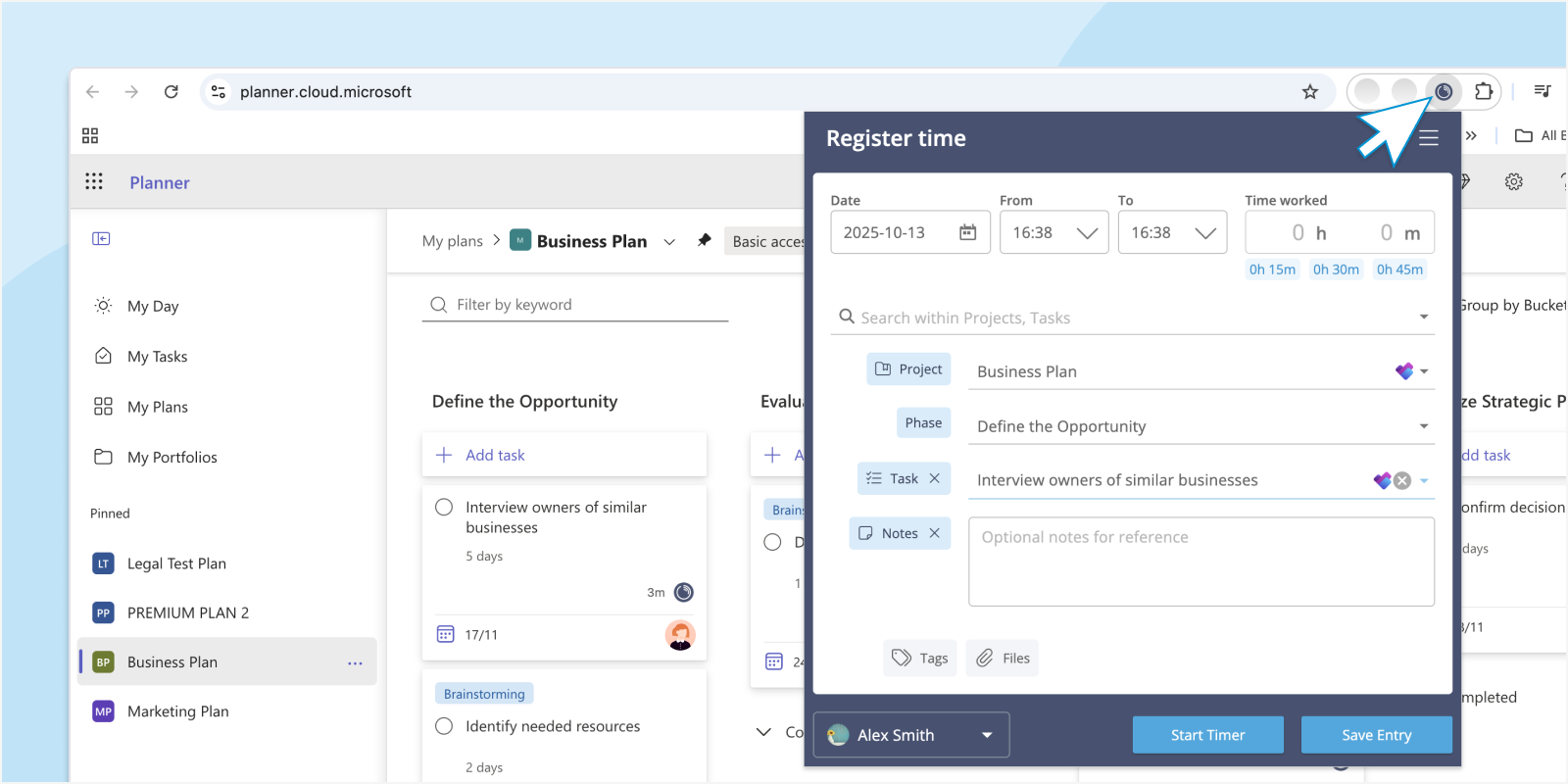
We know that switching between apps just to track time can be a distraction. That’s why we’ve redesigned the Lucen Track Browser Widget, to help you log your time quickly and easily, wherever you’re working on the web.
The new widget brings an improved design, better performance, and a more intuitive experience. Thanks to its connections with other tools, the widget helps you stay on top of time, without interrupting your workflow.
Same Widget, Smarter Design
The first thing you’ll notice is the refreshed look. The new Lucen Track Browser Widget now mirrors the familiar interface of the main Lucen Track web app that you already know and love.
A new menu in the top-right corner gives you easy access to your entries list, active timers, and settings.
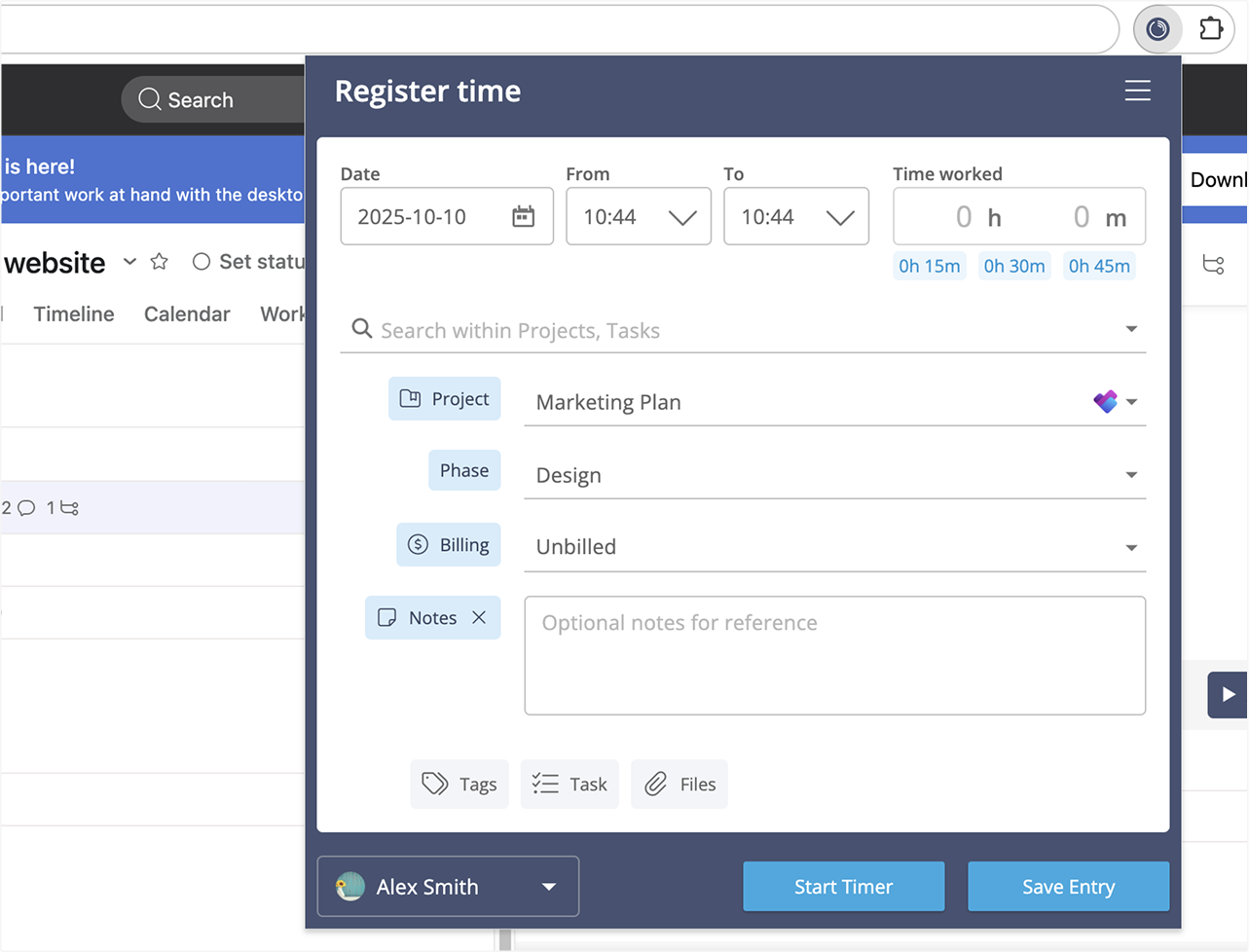
Just like before, you’ll see the Lucen Track icon in your browser. When a timer is running, the icon turns green, giving you a quick visual reminder that your work is being tracked (no need to open a new tab!).

When you open the widget, you’ll find the same simple interface you already use in the web app. Start, stop, or log time in seconds, right from your browser.
Timeline vs. Cards View in the Widget
In the Settings of your Lucen Track account, you can select the time tracking mode you prefer:
- Timeline View – Track time by selecting a “From… to” duration, perfect for visualizing your workday.
- Cards View – Use the traditional duration-based approach to start, stop, or manually add timers.
If you have Timeline View enabled in your Lucen Track account, you’ll also see it in the Lucen Track Browser Widget, so you can track time the way that works best for you.
To manage an active timer in the Timeline mode, click the menu icon in the top-right corner of the widget panel, then select Timers to view or stop any running timers.
Integrated with the Tools You Already Use
The new Lucen Track Widget keeps one of its most loved features: seamless integrations.
You’ll see a small Lucen Track button appear next to tasks, tickets, and to-dos in the tools you already use, ike project management platforms, issue tracking platforms, and to-do lists. This means you can start a timer directly from where you’re working, without switching tabs or losing focus.
Just look for the Lucen Track icon, click it, and start tracking.

👉 See the full list of supported integrations
Try the New Widget and Tell Us What You Think!
We’ve built this update to make time tracking faster, simpler, and more intuitive, so you can focus on your work, not your timers.
Give the new Lucen Track Browser Widget a try and let us know your thoughts. Your feedback helps us shape the future of Lucen Track!
💡 Follow our public roadmap to see what’s coming next.


Subscribe to our blog
Get all the tips, tricks and inspiration you need to create professional looking timelines, straight to your inbox.
