
Best Team Collaboration Tools for Project Managers Who Live in PowerPoint and Excel


Team collaboration tools for managers who still report in Excel and PowerPoint
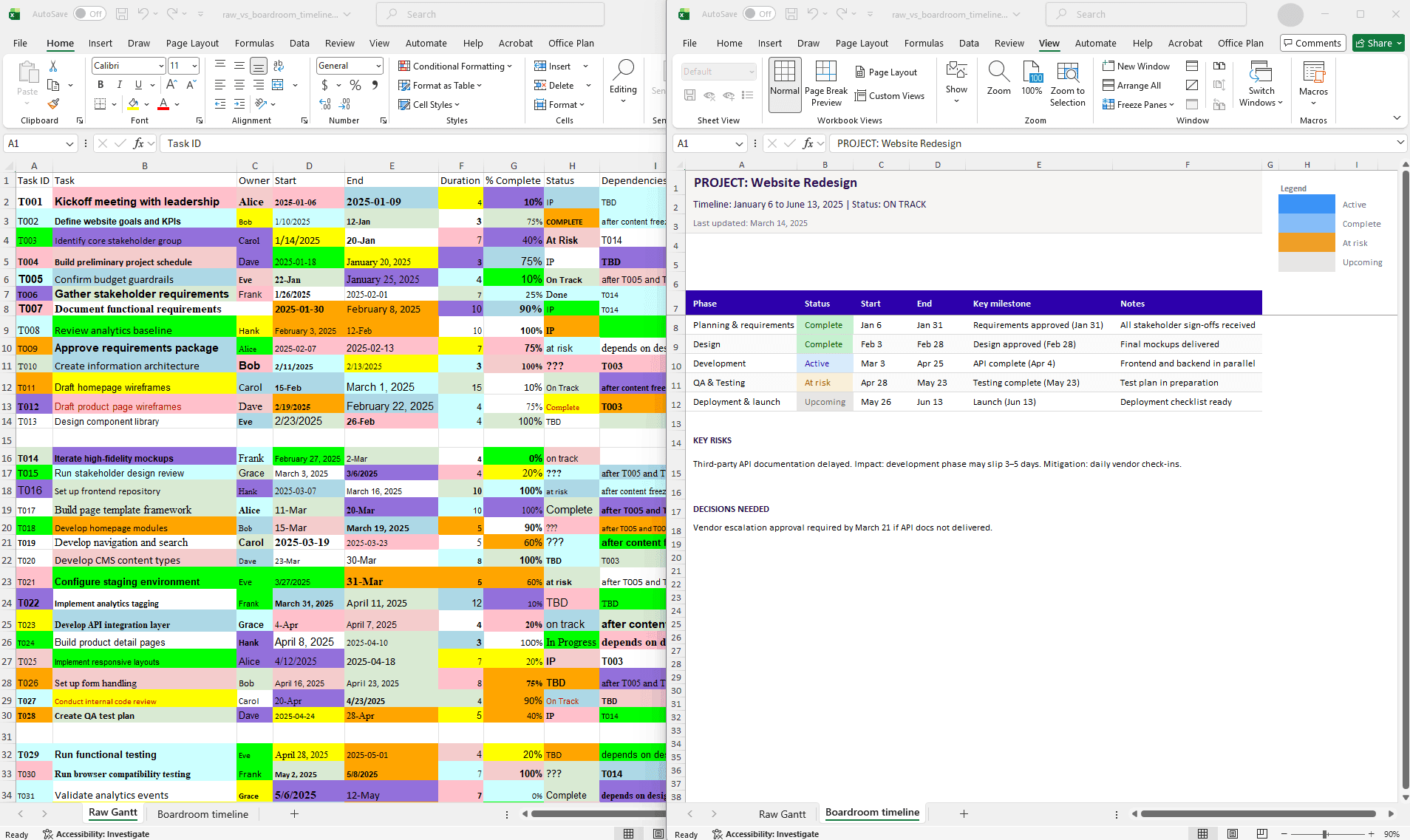
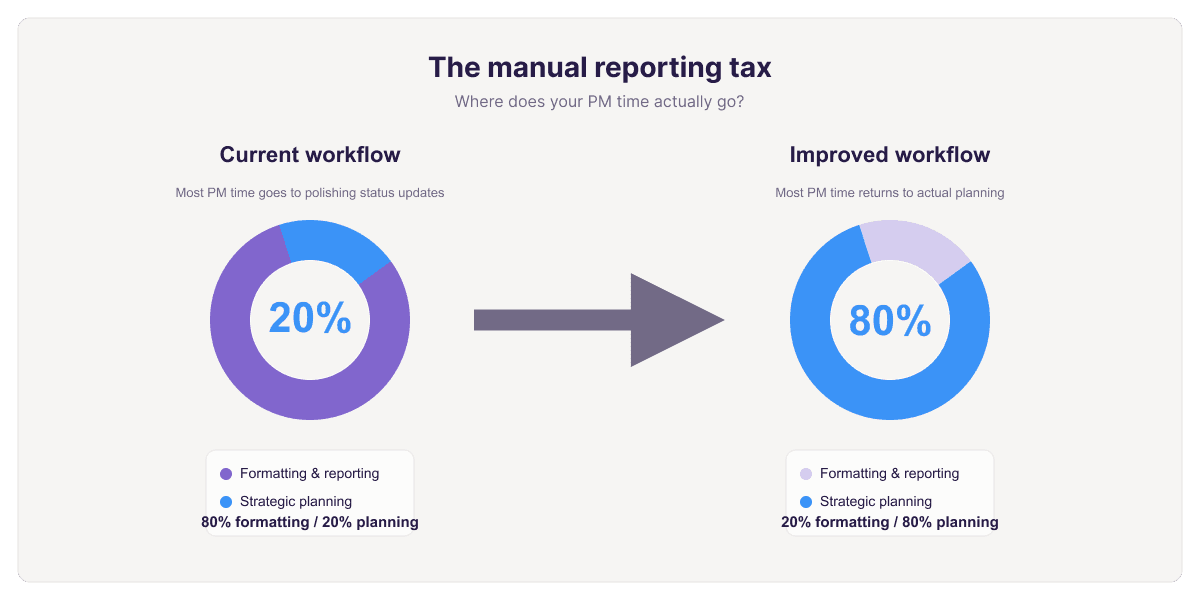
If your plan sits in an Excel sheet or a Microsoft Project file and your steering update sits in a deck, chat and file-sharing apps solve the wrong problem. The job is keeping three things in sync: the data, the schedule, and the slide an executive sees on Thursday. Most managers do that by hand, re-dragging bars, retyping dates, rebuilding the same roadmap every sprint.
So this list judges tools on five things: how well they fit Microsoft 365, whether dependencies and critical paths are visible, whether they track planned versus actual progress, whether time and effort tracking is built in, and how presentable the output is without manual cleanup. We compare broad collaboration suites against Microsoft-native timeline tools and gantt chart tools, not just task boards.
One note for cross-functional and regulated programs, like clinical or compliance work: a standard collaboration app rarely surfaces risk and slippage clearly enough for a governance review. Lucen's guidance on presenting project plans to stakeholders makes the same point: executive audiences need visuals, not a full Microsoft Project view.
Comparison of the main options for PowerPoint, Excel, and Microsoft 365 workflows
Most team collaboration tools assume your plan moves into their interface. If your source data sits in Excel and your review still lands in PowerPoint, that assumption decides the fit. Integration depth changes often. Confirm connector specifics with each vendor before you commit.
1. Lucen — Microsoft-native reporting for teams that present in PowerPoint
For managers whose plan lives in a spreadsheet and whose status update lives in a slide deck, Lucen works inside those two files instead of replacing them. Lucen Timeline connects to Excel or Microsoft Project and builds the PowerPoint timeline straight from that data, so shifting a date in the source refreshes the slide rather than triggering another manual rebuild the night before a steering committee.
The reporting depth is aimed at cross-functional programs: planned vs. actual progress, dependencies and critical paths, time and effort tracking for teams, Excel-native planning, and process mapping. Lucen's pharma governance page reports 200 hours saved per employee annually, 9 out of 10 satisfied customers, and 54x average ROI.
The tradeoff is real. Lucen is strongest when the team already works in Microsoft 365 and weakest as a standalone hub for chat, docs, and boards. monday.com, Smartsheet, and Asana all publish Microsoft 365 and Teams integrations; check each vendor's documentation for whether they output a finished slide or data you still assemble.
2. Asana — clearer chart categories for planning, execution, and reporting
Asana suits program managers who want one broad work-management system rather than a reporting layer bolted onto Office. It's the better fit when the core problem is coordination across dozens of workstreams, not slide production.
Its guide to project charts sorts visuals into three buckets: planning and resourcing, executing, and reporting, which gives managers a sensible way to decide what a chart is actually for before building it. That staging helps when managing team tasks across parallel workstreams: capacity views during planning, boards and timelines during delivery, dashboards at review time. Asana also publishes connectors for Microsoft Teams and data exports that feed Excel; check its integrations directory for what's current on your plan.
The tradeoff is the last mile. Asana's reporting lives in the browser, so a steering committee deck still means exporting, reformatting, and rebuilding charts on slides, then repeating that work when a date moves. If your executive updates ship as PowerPoint, budget time for that handoff.
3. Smartsheet — spreadsheet-style project control for status and dependencies
For program managers whose plans still live in Excel but keep outgrowing it, Smartsheet is the closest thing to a spreadsheet that behaves like a project system. Rows, columns, and formulas stay familiar, so adoption rarely stalls on training.
The difference from a workbook is structure. Smartsheet's grid can flip into Gantt, calendar, and card views, and it supports predecessors and dependencies, so a slipped date moves downstream tasks instead of quietly breaking your plan. Dashboards roll multiple sheets into a status view for stakeholders. Smartsheet also publishes connectors for Microsoft 365, including Teams and Outlook. Confirm the current integration list and plan tier with Smartsheet directly, since packaging changes.
Where it lands: a practical bridge for teams that want clean, structured data before the reporting step. The tradeoff is the last mile. Smartsheet gives you the grid and the Gantt chart; turning that into an executive deck is still a manual step, which is exactly where Lucen's PowerPoint-native build sits.
4. monday.com — flexible boards for cross-functional task management
monday.com is for program managers whose main problem is coordination, not slide production: a dozen workstreams, unclear owners, and no shared view of what's due this week.
The core unit is a configurable board, with rows for tasks, columns for owner, due date, status, priority, and custom fields. That structure suits cross-functional groups because marketing, engineering, and vendor teams can all sit on one board with a status column everyone reads the same way. Dashboards roll several boards into a portfolio view, which is the piece most spreadsheets can't do.
Microsoft questions come up constantly here, and they're worth answering before you buy. Check monday.com's own integrations directory and Microsoft AppSource for the current state of its Teams app, Excel import and export, and Microsoft 365 sign-on, then test with your own data.
One tradeoff to plan for: managing team tasks on a board is not the same as producing the executive slide. That handoff to PowerPoint is still a separate step.
5. Microsoft Teams, Planner, and SharePoint — the native stack for coordination
Best for: program managers whose IT policy keeps every file, chat, and approval inside Microsoft 365, and who want coordination handled before they add anything else.
The division of labor is straightforward. Teams carries the conversation, focusing on channels per workstream, meetings, and threaded decisions. Planner handles managing team tasks: buckets, assignees, due dates, and a per-person "My Tasks" roll-up. SharePoint holds the document library, version history, and permissions, so the charter and risk log live in one place instead of six inboxes. Most Microsoft Teams project management best practices come down to three habits: one channel per workstream, one named owner per Planner task, and one SharePoint library as the document of record.
Where the native stack stops is the executive layer. It coordinates work well; it does not convert Excel or Microsoft Project data into a board-ready slide. That gap is where Lucen sits. Lucen Timeline builds PowerPoint timelines directly from that data, and Lucen Track adds planned versus actual progress, dependencies, and critical paths on top.
6. Miro and Toggl — roadmap visuals and time tracking for teams
Pick these two when the gap is upstream of the status deck: Miro for the workshop and roadmap layer, Toggl for knowing where the hours actually went.
Miro is the stronger choice for distributed planning sessions and portfolio-level visuals. Its IT and digital transformation materials point to more than 250 integrations and pre-built formats such as Miro Roadmaps and Miro Portfolios, which suits programs that need a shared canvas connecting strategy, architecture, and delivery. Toggl leans the other way, focusing on drag-and-drop timelines, milestones, built-in time tracking for teams, and Board, Task, Calendar, and Timeline views for lightweight execution.
Both earn their place, with one caveat for anyone reporting into Microsoft 365. Neither is a reporting layer that writes into PowerPoint. Roadmap tools and canvases produce images you still re-export, re-crop, and re-align every time a date moves. If your steering committee reads slides and your plan lives in Excel or Microsoft Project, treat these as planning surfaces, not as the thing that builds Tuesday's update.
Which tool fits a PowerPoint-and-Excel workflow best
Pick based on where your plan already lives. If the master schedule sits in Excel or Microsoft Project and leadership expects a slide, Lucen fits best: Lucen Timeline, Track, and Plan read that data and build the PowerPoint view, so you update the source, not the deck. Lucen's pharma page reports 9 out of 10 satisfied customers and roughly 200 hours saved per employee each year.
The tradeoff is real. Asana, monday.com, Smartsheet, Microsoft Teams, Planner, SharePoint, Miro, and Toggl each cover part of the job. Miro is the stronger choice for live workshop mapping, Toggl for straightforward time tracking for teams, but they ask you to work in their interface. Lucen is narrower and aimed squarely at executive reporting inside Microsoft tools.
For regulated or cross-functional programs that need planned versus actual progress, dependencies, and critical paths, review Lucen's Microsoft-native reporting workflow against your current slide-rebuild process before your next steering committee.
If you want a Microsoft-native way to turn Excel or Microsoft Project data into executive-ready PowerPoint timelines, explore Lucen Software.
Project management visualization: tips and tricks

Subscribe to our blog
Get all the tips, tricks and inspiration you need to create professional looking timelines, straight to your inbox.