


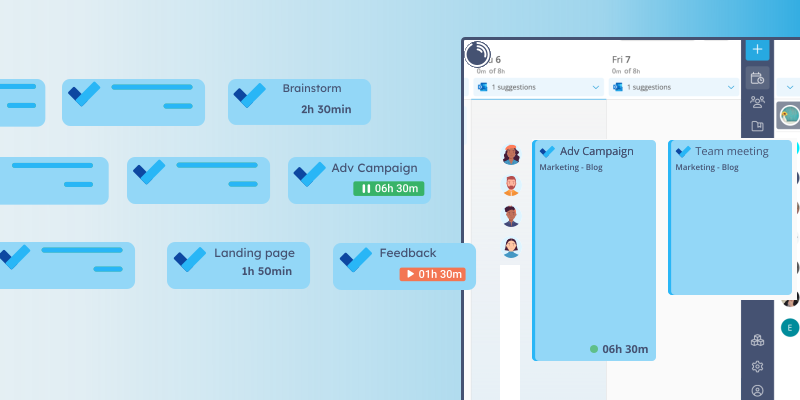

We have a brand new addition to the list of the Lucen Track Browser Widget integrations.
Here’s how to add time tracking to Microsoft To Do.
Download and install the Lucen Track Browser Widget for Chrome and Firefox. Start tracking time in Microsoft To Do!
Lucen Track integration with Microsoft To Do
Many people use to-do lists in their work as well as their daily life.
With Wunderlist being discontinued (RIP Wunderlist), Microsoft To Do has taken its place among the most used productivity tools.
Employees are often required to submit their timesheets for productivity and payroll purposes. More often than not, filling timesheets is tedious work and distracts us from the real work.
This is why we’ve developed a way for users to track their time in one single click, without having to switch multiple tabs, directly inside Microsoft To Do.
To track time inside Microsoft To Do, you’ll need the Lucen Track Widget installed on your Browser.
As such, this integration will work only while using Microsoft To Do on the web app.
How to track time for an activity in Microsoft To Do
Once you’ve installed the Lucen Track Widget, make sure to log in with your credentials.
Now, log into your Microsoft To Do account.
Create your first task. Then click on the task to expand it.
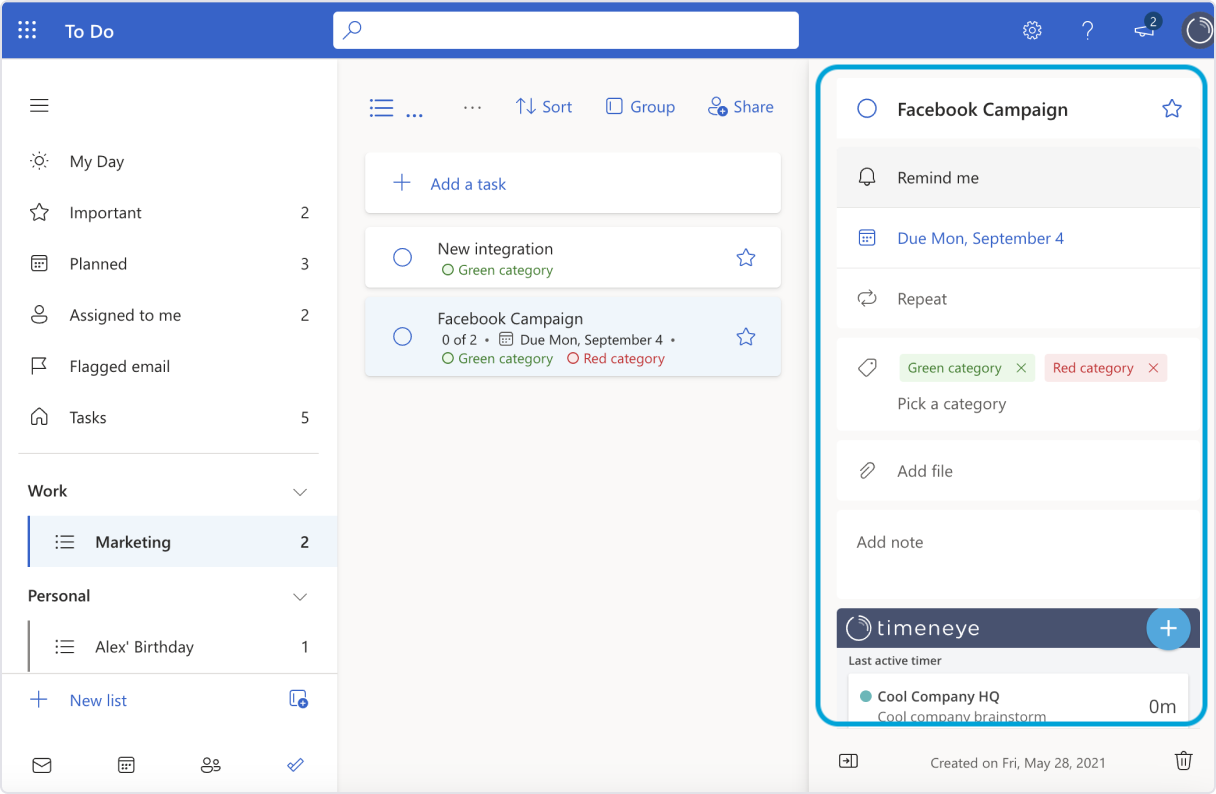
As you can see, the Widget adds a little Lucen Track panel from which you can track time.
Click on the light blue button to open the Register time window. From there, select a project and a phase. Then you can either enter the time spent and save your time entry, or start a timer.
Another useful feature in the integration is that the panel also sums up all the timers/time entries you have for that To Do.
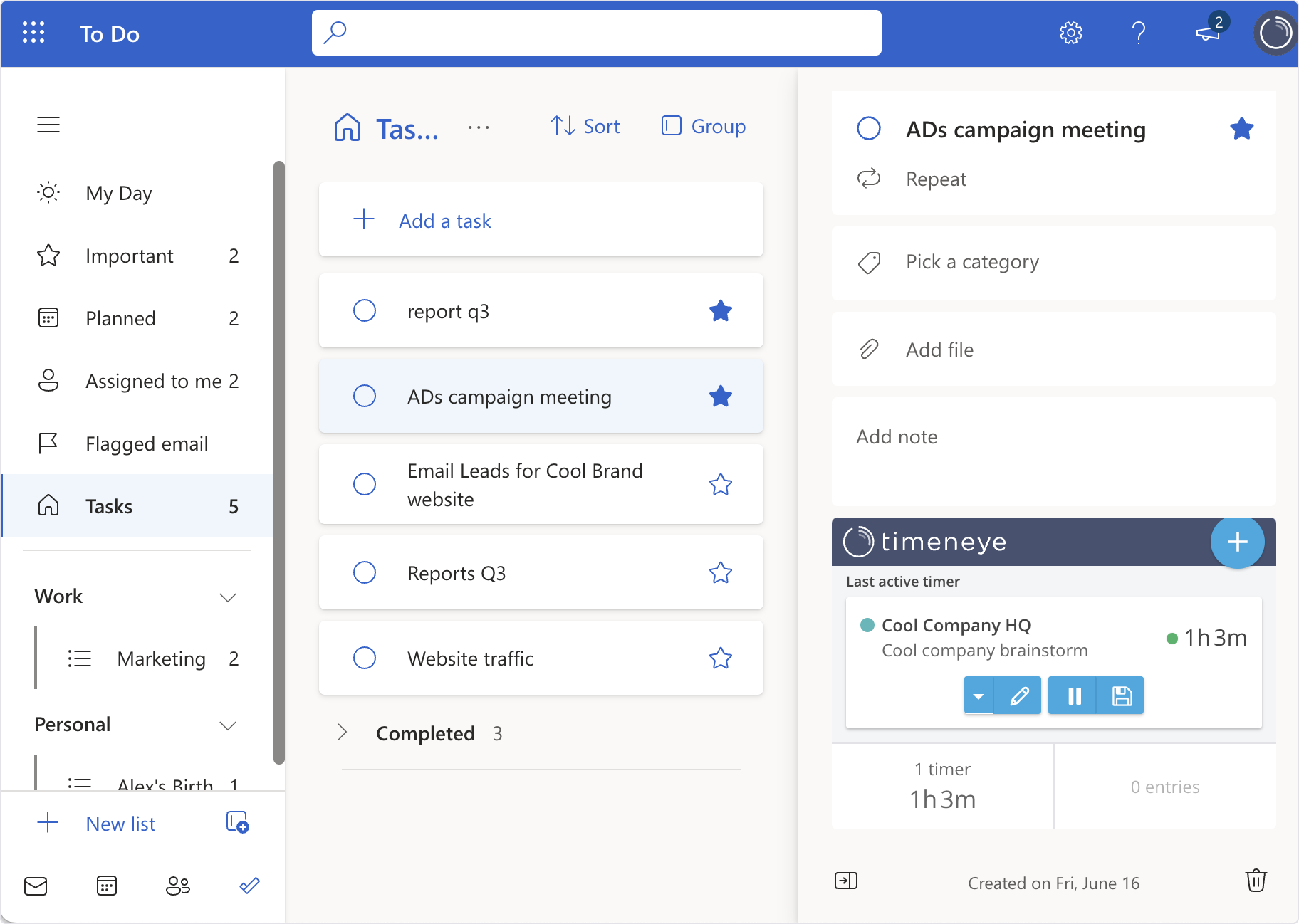
It makes it easier to understand how much time you’ve been spending on that task, especially if you’ve been working on it across multiple days.
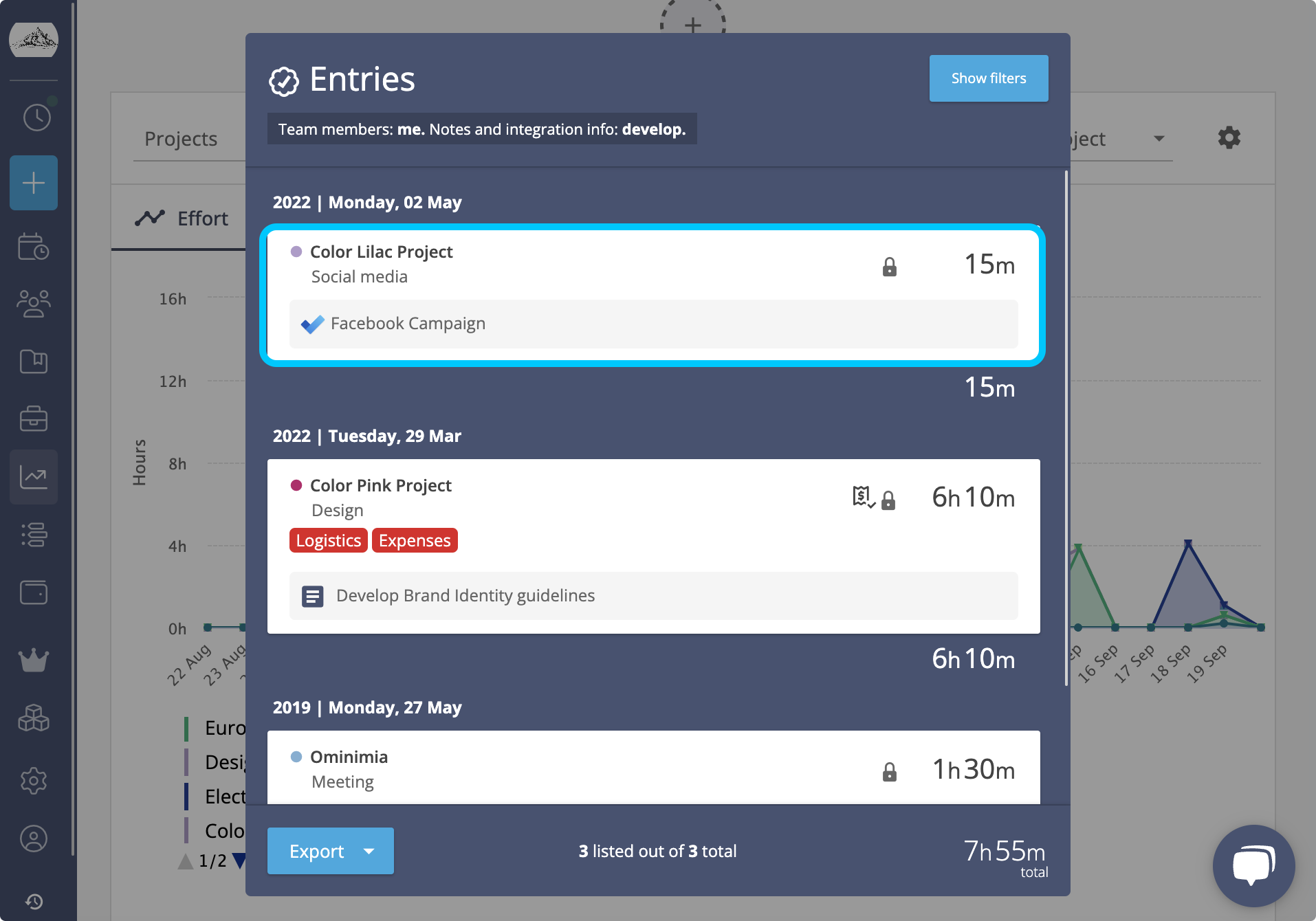
In the Lucen Track dashboard, the time entries created with the integration will show the Microsoft To Do icon and task name.
The Lucen Track Widget only adds the small panel to track time, so make sure to add your Microsoft To Do projects in Lucen Track, so you can select them when tracking time. You can do it manually from the Projects section, or the Register time panel.
You can pair this integration with the Lucen Track apps for Microsoft Teams and Microsoft Planner.


Subscribe to our blog
Get all the tips, tricks and inspiration you need to create professional looking timelines, straight to your inbox.
