
Track Time Where You Work: Meet Lucen Track's Native Azure DevOps Integration
Lucen Track's new native integration with Azure DevOps streamlines time tracking, enabling seamles stracking reducing context switching.

If your team lives in Azure DevOps, you probably already know the Lucen Track Azure DevOps integration thanks to the Lucen Track Browser widget.
Now, we take a leap forward thanks to a new major update to our integration: Lucen Track now connects natively with Azure DevOps.
Below, we explain the changes for you and your team and how to use the integration for a better, seamless time-tracking experience.
What's New
The Lucen Track + Azure DevOps integration is built around one core idea: your team should be able to track time without leaving the tools they already use. Just like our other native integrations (Microsoft Planner, for example), our goal is to make time tracking seamless, automated, and without unnecessary tab switching. Whether you prefer to stay inside Azure DevOps or manage everything from within Lucen Track, the integration works the way you do.
There are two main ways to use it:
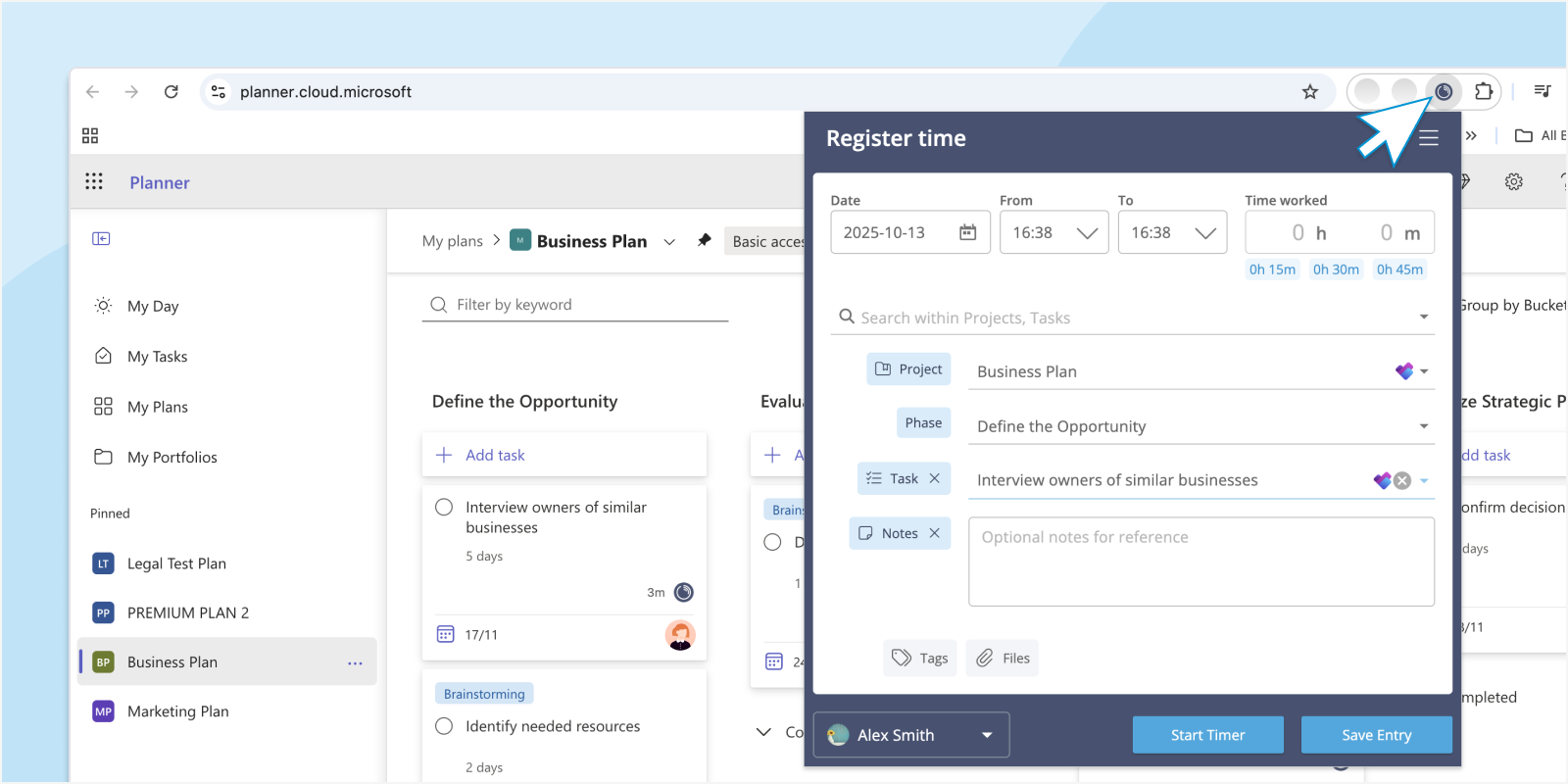
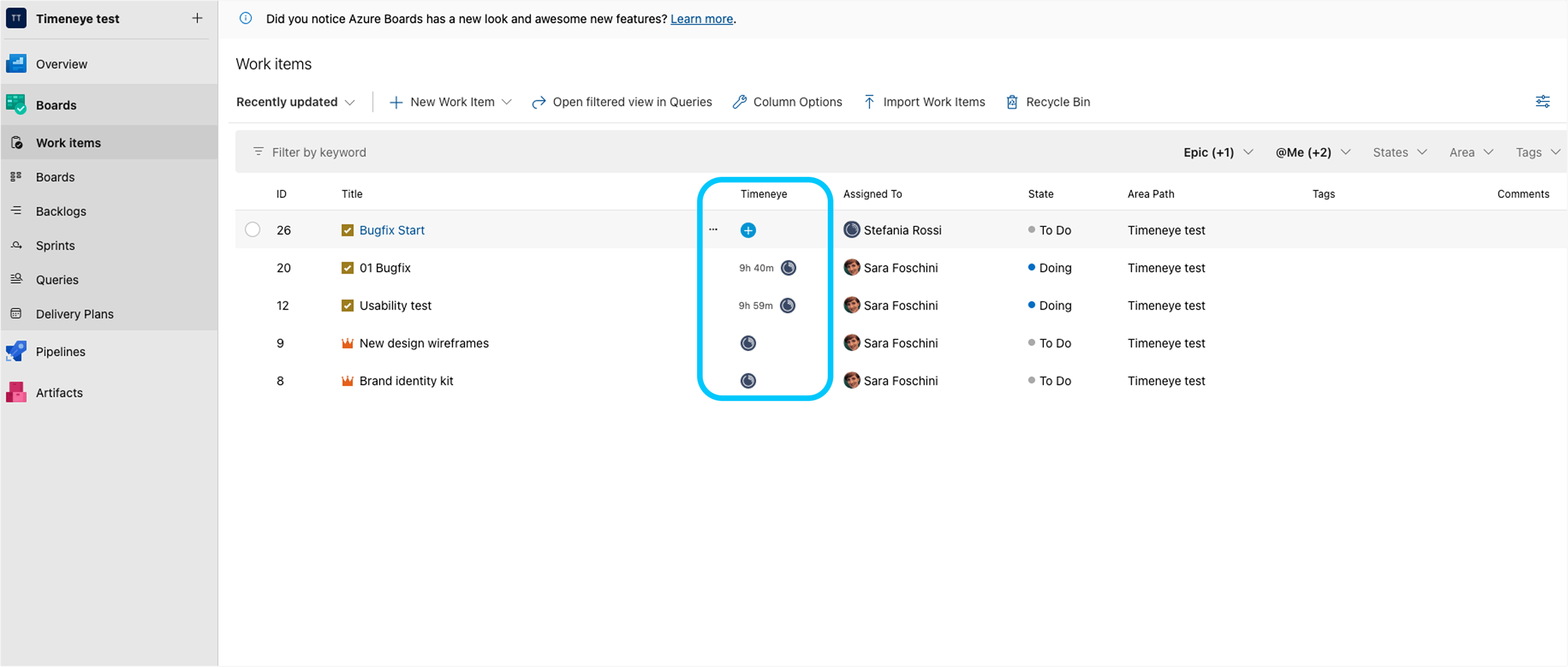
Track time directly inside Azure DevOps. With the integration, you can log time entries right from your Azure DevOps work items: no tab switching, no copy-pasting task names, no guesswork. If you're working on a user story, bug, or sprint task, time tracking is right there with it.
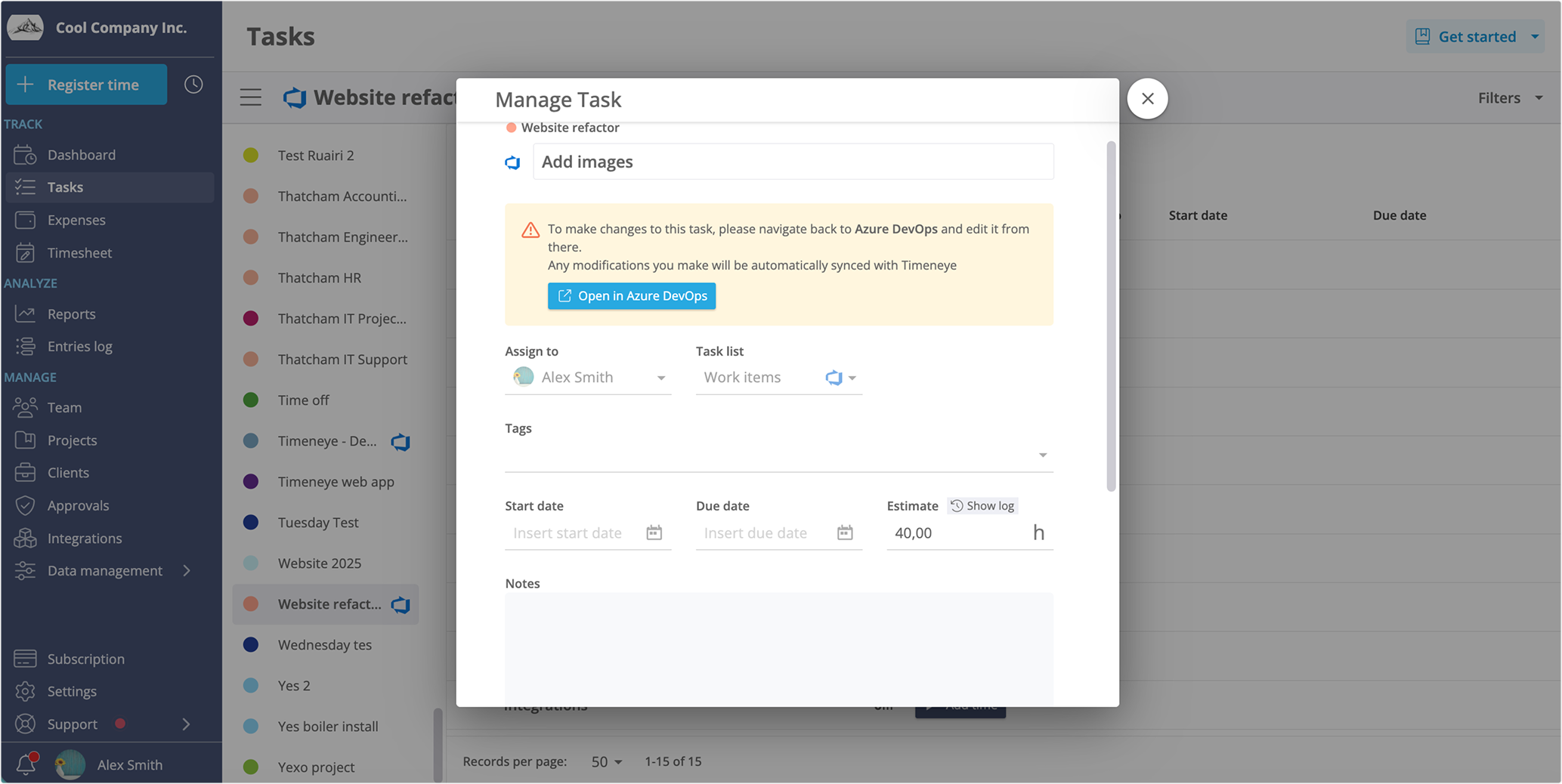
NEW! Import Azure DevOps projects/items into Lucen Track. Prefer to keep time tracking centralized in Lucen Track? You can pull your Azure DevOps projects directly in, map them to the right phases and tags, and track time from there, with all the tracking and reporting power Lucen Track already gives you.
Lastly, users will be able to see their Effort inside the Lucen Track Estimated time field in the Lucen Track task, because the integration will import that field too.
It's up to the user to decide whether they'd prefer to track inside Azure DevOps...
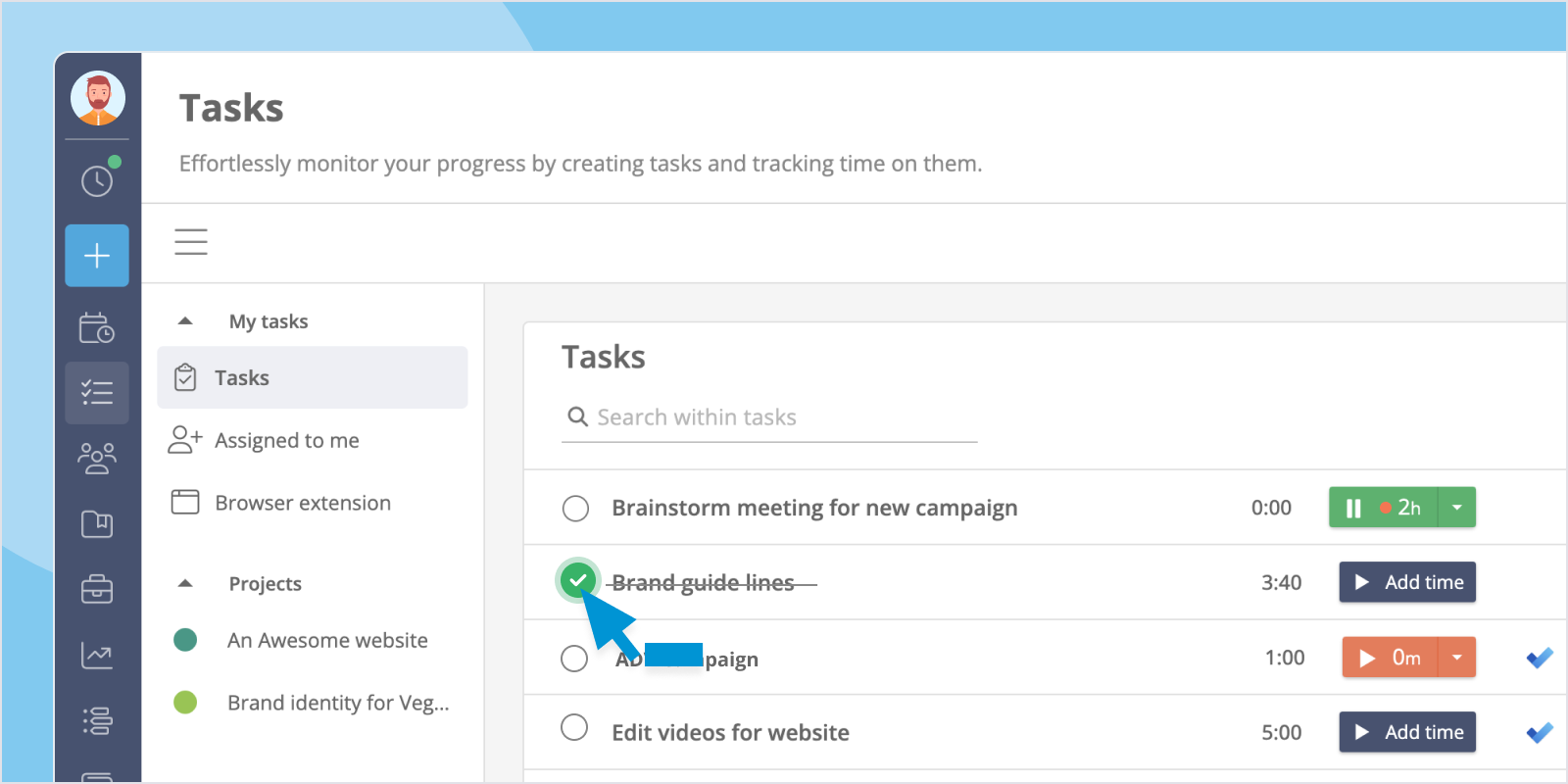
Or in the Lucen Track Tasks section:
What Changes for You
The integration just got radically better.
The most immediate change is a reduction in context switching. Your developers, project managers, and team leads won't need to maintain two different places. The integration brings everything together.
Time entries are also more accurate when they're logged in context. When someone tracks time directly on the work item they're actually working on, the categorization (project, phase, tags) is quicker and more accurate. That means less manual cleanup, fewer "I think this was about 2 hours?" estimates, and data you can actually trust.
Finally, accurate, complete time data means your reports reflect what actually happened. Billing and invoicing become easier to create and justify. Project timelines become easier to analyze and improve.
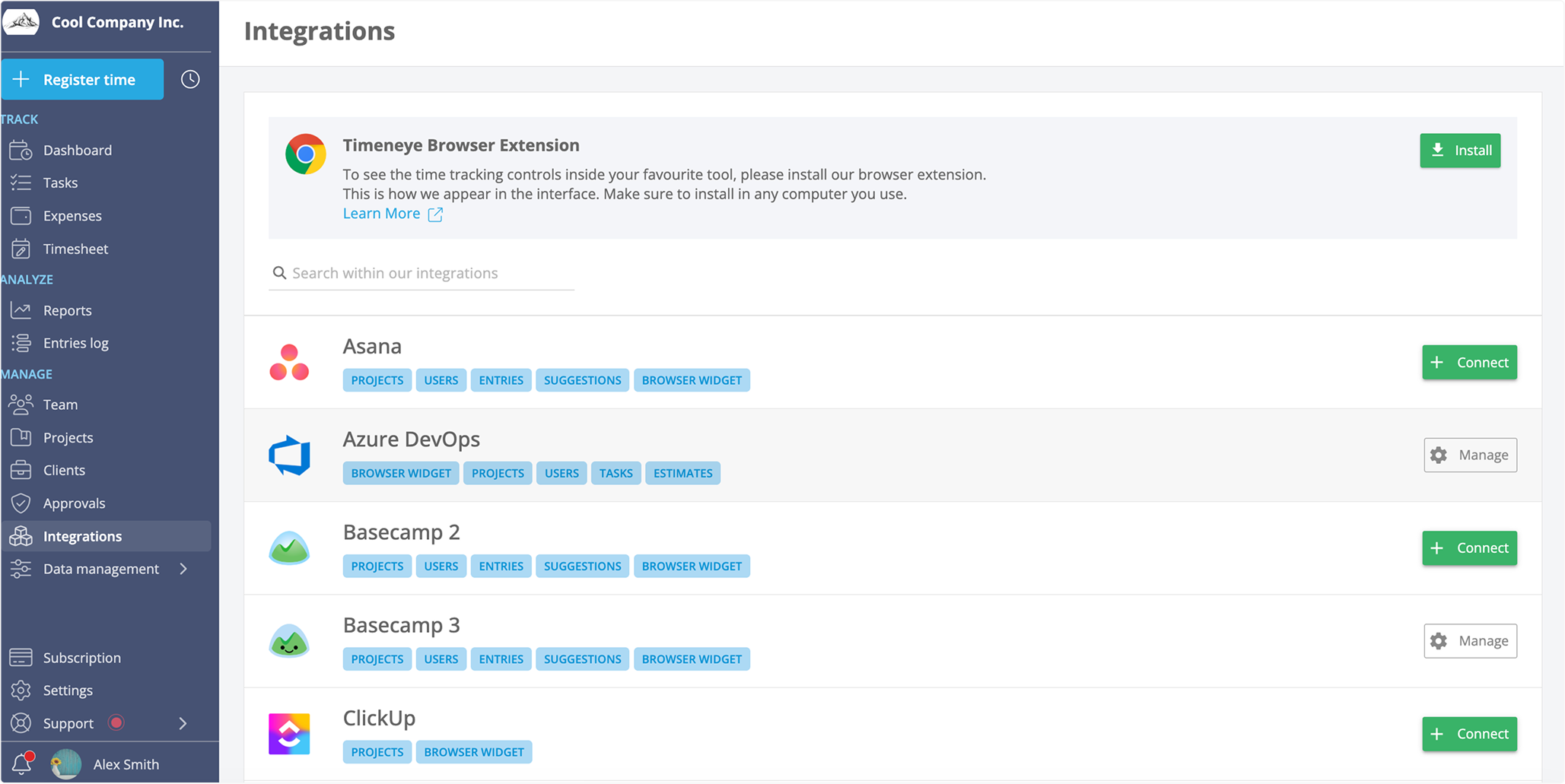
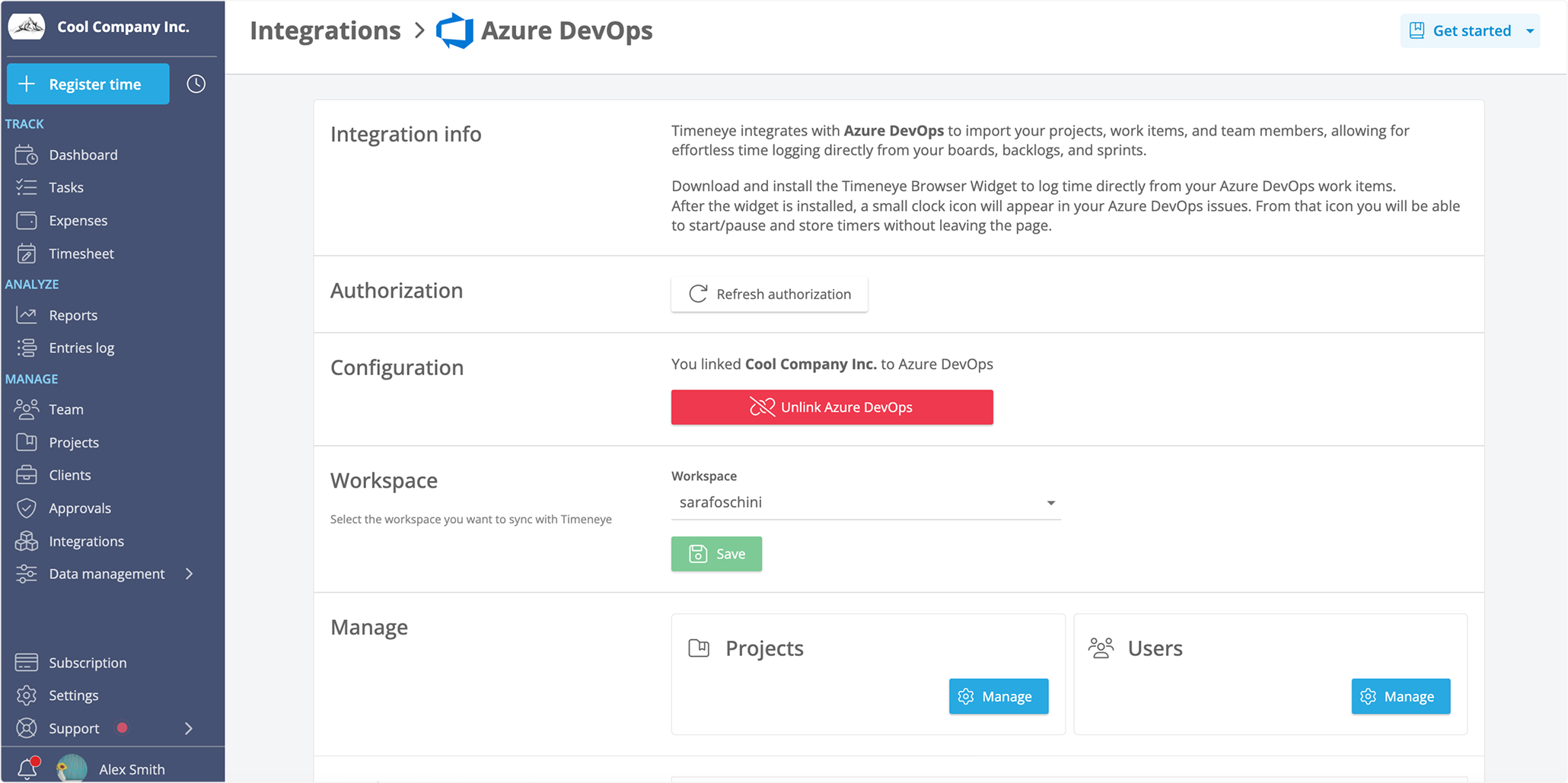
Owners can connect the integration natively inside their Lucen Track Integration section. Once connected, they’ll be able to select which project to import. Then, Azure DevOps items will live in the Tasks section.
Ready to Try It?
The Azure DevOps integration is available now for Lucen Track users. Head into your integrations settings to connect your Azure DevOps account and start tracking time the way your team actually works.
Have questions about the setup or want to see how it fits into your team's workflow? Get in touch with our support team, we're happy to help you get started.
Frequently asked questions
No, that's exactly the point. With the native Lucen Track integration, you can log time entries directly on your Azure DevOps work items without switching tabs. Just open the work item and log your hours right there. Lucen Track syncs the entry automatically, keeping your time data up to date wherever you work.
If you prefer to manage time tracking from within Lucen Track, you can import your Azure DevOps projects directly into the platform. Once the accounts are connected via the integrations settings, your projects become available to map to Lucen Track projects, phases, and tags, and all your usual reporting and billing features work as expected.
It's designed for the whole team. Owners of the workspace connect the integrations, so everyone can start tracking time on work items right away — no individual setup needed. The simpler the process, the better the adoption, and the more reliable your time data.

Subscribe to our blog
Get all the tips, tricks and inspiration you need to create professional looking timelines, straight to your inbox.
.png)