


Product Updates
Lucen Timeline Add-in updates & release history
Latest version
What's new?
- Stay up to date with less effort: Lucen Timeline now lets you know in the add-in when a new version is available and automatically downloads it in the background, so it’s ready when you choose to update. This makes it easier to stay on the latest build without having to visit the website.
- Keep updates on your organization’s schedule: If your company manages Lucen Timeline through IT, your existing deployment process stays the same. IT teams can continue controlling when and how new versions are rolled out across the organization.
Download latest version
Version:
15.03.00
Release date:
September 14, 2026
Check compability:
See system requirements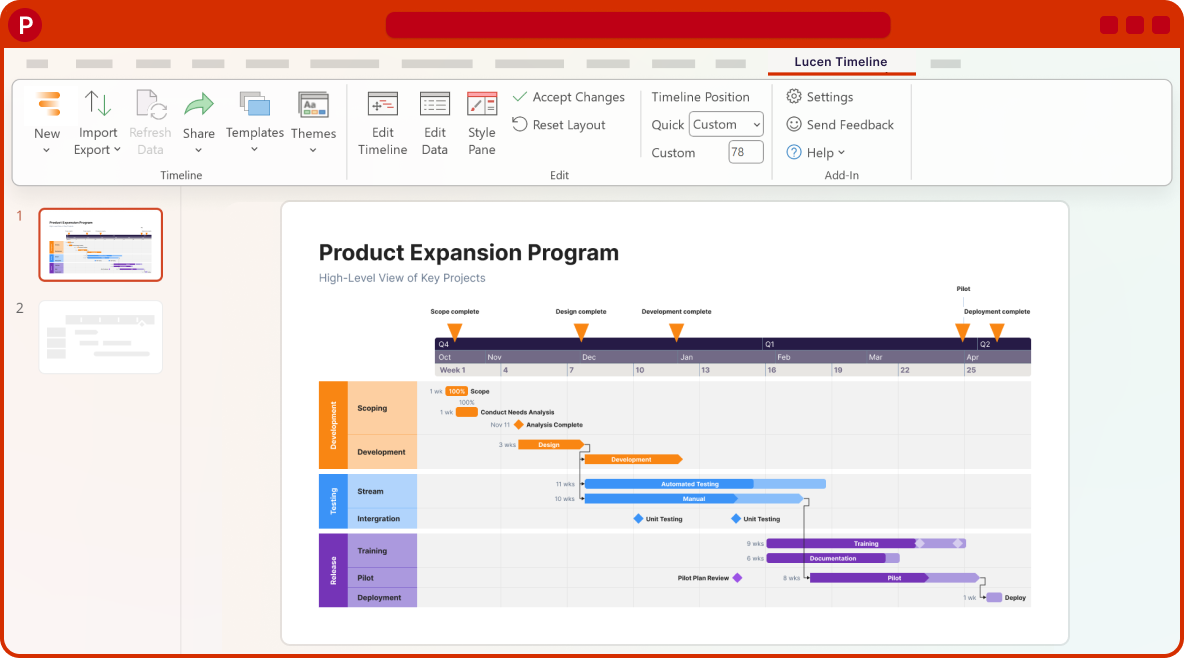
Coming soon
What's next?
- Continued improvements to login and access management, supporting team and enterprise needs.
- Ongoing reliability and performance improvements, so your everyday work feels faster and more dependable.
- Better importing, templates, and timeline styling, based on your feedback, to help you create polished timelines with less effort.
Get tips & answers
Join our free webinar!
Register Now

Lucen Timeline Add-in
Release history
Version:
3.20.0
Release date:
February 2, 2018
- Added Recently Used Colors palette to the shape picker in Edit Data.
- New option to auto-adjust layout when deleting tasks or milestones.
- Improved integration with Microsoft Project and Excel.
- The ability to rename custom templates.
- UI enhancements and bug fixes.
Version:
3.19.4
Release date:
January 25, 2018
- The ability to import Project Summary Tasks from MS Project when the setting is enabled.
- Implemented notification to inform users when a slide made with older builds needs updating.
- Quality improvements for enhanced user experience.
- Fixed various minor bugs.
Version:
3.18.2
Release date:
December 20, 2017
- The ability to create custom templates and use them for any future work.
- The ability to quickly switch between different styles and templates.
- New import functionality that allows users to load data directly into a template.
- A brand-new Data Entry wizard that allows entering/editing milestones and tasks in one step.
- Improved UI for smoother timeline creation and customization.
Version:
3.16
Release date:
July 4, 2017
- Ability to selectively apply individual style properties to items.
- Ability to import milestone-tasks as milestones from Project.
- Improved detection of 1 day tasks during Excel import.
- Improved Style pane usability and design.
- Fixed Project task duration difference bug.
- Fixed Project sync bugs.
- Fixed various small UI bugs.
Version:
3.15.1
Release date:
June 8, 2017
- Significantly updated and improved Style Pane design, functionality, and usability.
- Ability to select multiple objects and style them at the same time.
- Dramatically improved Microsoft Project import speed.
- Improved Plus Edition Activation Process.
- Improved timeline wizard Hours/Minutes cell rendering.
Version:
3.14.0
Release date:
May 5, 2017
- Significant improvement in styling usability.
- Added 'Apply to All' functionality in Style Pane.
- Removed Style page from wizard and moved functionality to Style Pane.
- Simplified the Office Timeline ribbon in PowerPoint.
Version:
3.13.0
Release date:
March 29, 2017
- Improved Project & Excel import.
- Improved Project sync.
- Improved Excel copy & paste.
- Improved Task Pane behavior.
- Improved behavior of visual elements in timeline.
- Fixed Timeline Wizard sizing for different screen resolutions.
- Numerous usability improvements and bug fixes.
Version:
3.12.1
Release date:
March 14, 2017
- Rebuilt Project Import core (Project import no longer requires Microsoft Project to be installed).
- Improved Project sync functionality.
- Improved Excel copy & paste functionality.
- Improved Task Pane behavior.
- Minor UI improvements and bug fixes.
Version:
3.10.4
Release date:
February 23, 2017
- Added Hours/Minutes capability to Office Timeline.
- Added hours/minutes based templates.
- Redesigned date format picker.
- Improved Timeline Wizard.
- Fixed a number of bugs.

Download Timeline add-in
Don’t miss out on new features and improvements!
Download the latest version of Timeline today.
