


Product updates
Lucen Timeline Online updates & release history
Latest version
What's new?
- Office Timeline Online is now Lucen Timeline Online
- Our online tool is now called Lucen Timeline Online, part of Lucen Software.
- Lucen Software is our new company name, bringing our products together under one platform.
- This is a name and logo update only. The product you use today is not changing.
- Create timelines the same way you do today.
- Your existing timelines and files stay the same.
- Same team and support.
Go to web app
Version:
9.0.0
Release date:
May 12, 2026
Check compability:
See system requirements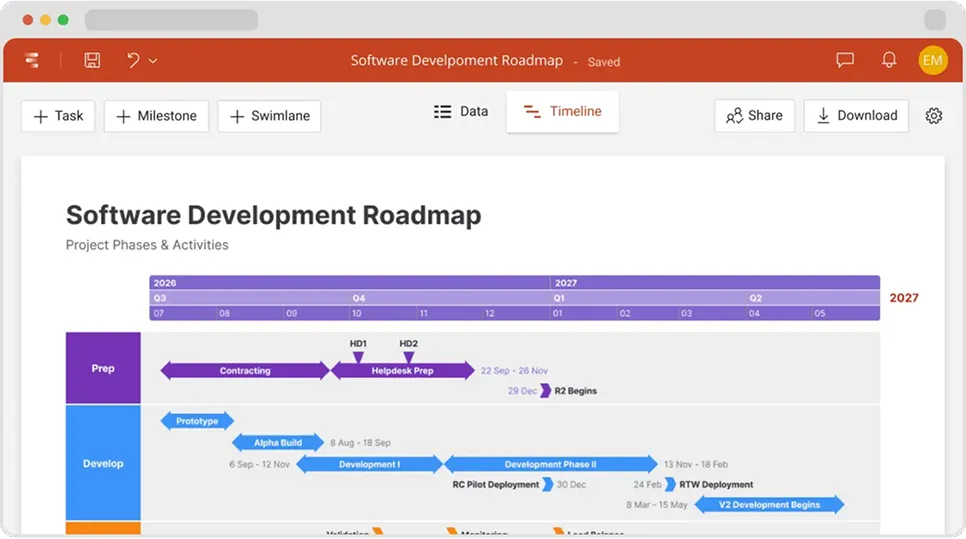
Coming soon
What's next?
- Continuous feature updates and performance improvements to ensure a fast, seamless experience managing your timelines
Lucen Timeline Add-in
Release history
Version:
9.0.0
Release date:
May 12, 2026
- Office Timeline Online is now Lucen Timeline Online
- Our online tool is now called Lucen Timeline Online, part of Lucen Software.
- Lucen Software is our new company name, bringing our products together under one platform.
- This is a name and logo update only. The product you use today is not changing.
- Create timelines the same way you do today.
- Your existing timelines and files stay the same.
- Same team and support.
Version:
8.0.0
Release date:
July 21, 2025
- Turn Google Sheets data into clear, actionable timelines, saving you time and manual work.
- Build timelines from Sheets, then collaborate in Docs and share in Slides - all within the tools your team already uses.
- Instantly log into Office Timeline Timeline Online with Google - secure, simple, friction-free.
Version:
7.0.0
Release date:
June 11, 2025
- Streamline reporting in Google Slides and Docs
- Insert your timelines into Google Slides or Docs to keep presentations sharp and everyone on the same page.
- Refresh with a click to keep timelines current with updates made in Office Timeline Online.
Version:
6.0.0
Release date:
May 28, 2025
- Feature access changes for free users
- Free timelines support over 10 items, so you can add more detail.
- Imports allow you to bring in as much data as you need and refresh it as plans evolve.
- All templates are available to create professional visuals quickly.
- Collaboration supports more than 3 editors, so teams can work better together.
- Note: Watermarks appear on timelines over 10 items or with Free collaborators. Upgrade required for downloads and ownership transfers.
- Ongoing access to powerful features for premium users
- Premium users enjoy powerful, watermark-free timelines with full export options, real-time collaboration, and complete control.
Version:
5.0.0
Release date:
February 3, 2025
- Smarter Excel integration
- Effortlessly bring Excel data into your timelines.
- Instantly refresh timelines when your Excel data changes.
- Import your data directly into Swimlanes.
- Easily track changes to see what's new, modified, or deleted.
Version:
4.0.0
Release date:
November 18, 2024
- Enjoy a brand-new, more secure login experience.
- Log in to Office Timeline with your Microsoft account.
Version:
3.0.7
Release date:
December 5, 2023
- Import Jira data and turn it into an easy-to-read timeline.
- Quickly refresh timelines imported from Jira when plans change.
Version:
3.0.6
Release date:
September 5, 2023
- Changes to feature access levels in the Free Edition.
Version:
3.0.5
Release date:
March 7, 2023
- Security improvements.

Access Timeline Online
See the latest features and improvements in action!
Open Timeline Online now to explore the most recent enhancements.
