


Product updates
Lucen Timeline Online updates & release history
Latest version
What's new?
- Office Timeline Online is now Lucen Timeline Online
- Our online tool is now called Lucen Timeline Online, part of Lucen Software.
- Lucen Software is our new company name, bringing our products together under one platform.
- This is a name and logo update only. The product you use today is not changing.
- Create timelines the same way you do today.
- Your existing timelines and files stay the same.
- Same team and support.
Go to web app
Version:
9.0.0
Release date:
May 12, 2026
Check compability:
See system requirements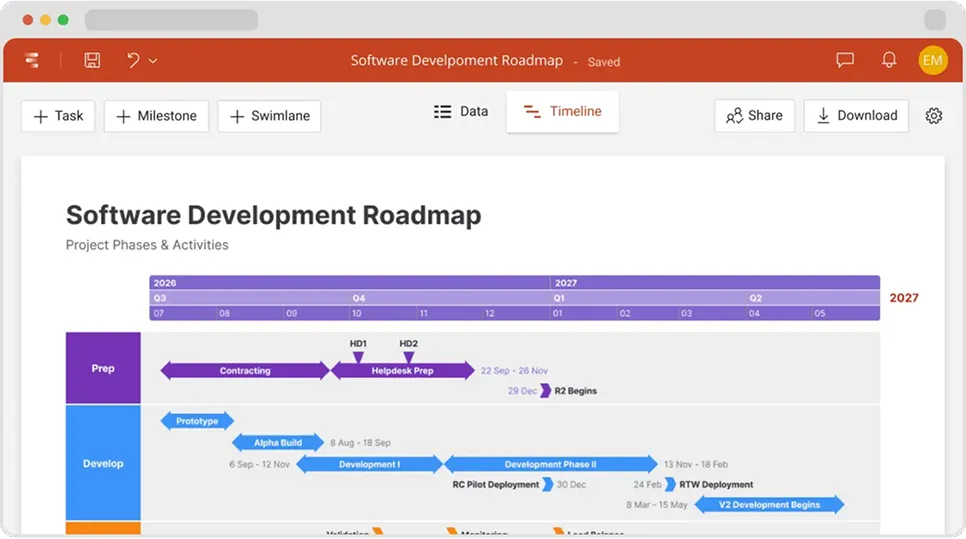
Coming soon
What's next?
- Continuous feature updates and performance improvements to ensure a fast, seamless experience managing your timelines
Lucen Timeline Add-in
Release history
Version:
3.0.4
Release date:
January 26, 2023
- A smarter, modern way to import from Microsoft Project.
- Import your Project data straight as a Swimlane slide.
- Use filters to easily import from Project exactly what you need.
- New and improved Project Sync.
- Update imported Swimlanes when Project data changes.
- Renamed the Sync functionality as "Refresh data" for more clarity.
Version:
3.0.3
Release date:
November 2, 2022
- Show multiple timescales on your timeline.
- Select all rows with one click in the Data View.
- Multiple improvements on date shifting.
- Quickly add new rows between existing items in the Data View.
Version:
3.0.2
Release date:
July 18, 2022
- Duplicate, hide or delete multiple items at a time in the Timeline View.
- Shift dates directly on your timeline slide.
- Reorder Swimlanes and change their color straight from the Data View.
Version:
3.0.1
Release date:
June 21, 2022
- Select and manage multiple items at a time in the Data View.
- Shift the dates of all selected items from your data table.
- UI and usability improvements.
Version:
3.0.0
Release date:
January 31, 2022
- Create Swimlanes to show multiple projects or phases on your timeline.
- Use stylish Swimlane templates to get started faster.
- Manage data easily with our powerful, next-generation Data View.
- Place milestones inside Swimlanes or on tasks for accuracy.
- Display tasks in a row to show work streams.
- Line up milestones and tasks inside Swimlanes to save space.
- Place tasks above AND below the timescale.
Version:
2.7.2
Release date:
April 6, 2021
- Quality improvements and bug fixes.
Version:
2.7.1
Release date:
November 25, 2020
- Small bug fixes and improvements for Project Import & Sync.
- Fixed minor bugs related to PPTX and PNG downloads.
- Improved items' behavior when editing in Timeline View.
- Fixed small bugs related to the Sync and Share buttons.
- UI and usability improvements.
Version:
2.7.0
Release date:
September 22, 2020
- Quickly sync your timeline with Project whenever plans change.
- See your timeline's title in the browser tab name.
- Project import: Removed hidden .mpp columns from the Import Wizard.
Version:
2.6.2
Release date:
July 8, 2020
- Improved the way Timeline Previews are displayed in Safari.
- Fixed bug preventing the Import window from opening in rare cases.

Access Timeline Online
See the latest features and improvements in action!
Open Timeline Online now to explore the most recent enhancements.
