


Product updates
Lucen Timeline Online updates & release history
Latest version
What's new?
- Office Timeline Online is now Lucen Timeline Online
- Our online tool is now called Lucen Timeline Online, part of Lucen Software.
- Lucen Software is our new company name, bringing our products together under one platform.
- This is a name and logo update only. The product you use today is not changing.
- Create timelines the same way you do today.
- Your existing timelines and files stay the same.
- Same team and support.
Go to web app
Version:
9.0.0
Release date:
May 12, 2026
Check compability:
See system requirements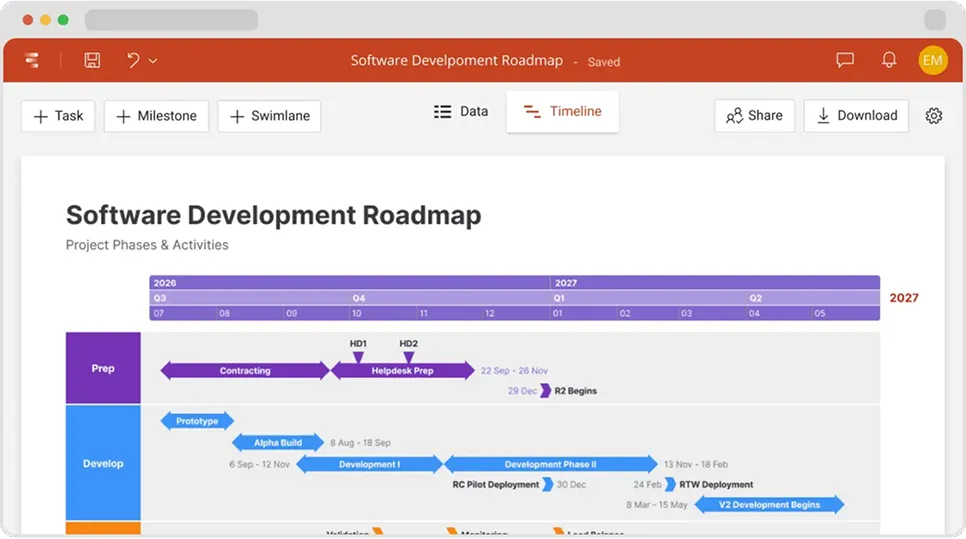
Coming soon
What's next?
- Continuous feature updates and performance improvements to ensure a fast, seamless experience managing your timelines
Lucen Timeline Add-in
Release history
Version:
2.6.1
Release date:
June 30, 2020
- Revamped New tab in the app's home.
- Improved responsiveness on different screen sizes.
- Start New menu for fast and smooth timeline creation.
- Small improvements to the Import process.
- Fine-tuned scrolling in My Timelines.
- Welcome widget for new users.
Version:
2.6.0
Release date:
May 5, 2020
- Brand-new onboarding experience for first-time users.
- Highlighting new features and Power features inside the app.
- Import fine-tuning: automatically scroll mapped columns into view.
- Small bug fixes and other improvements.
Version:
2.5.0
Release date:
March 24, 2020
- Import Smartsheet data and instantly turn it into a beautiful timeline.
- Localize timelines to your audience's preferred language.
- Fixed bug that was requesting users to repair PowerPoint after PPT downloads.
- Fixed an issue with saving the current timeline after creating a free account.
- Excel Import improvements.
- Data View and Timeline View bug fixes.
- Small design enhancements.
Version:
2.4.1
Release date:
February 5, 2020
- Data View and Timeline View bug fixes.
- Bug fixes and improvements related to Project Import, Folders, and Sharing.
- Multiple UI and usability enhancements.
Version:
2.4.0
Release date:
January 7, 2020
- Import MS Project data and instantly turn it into a beautiful timeline.
- Assign tasks to team members for easier collaboration and alignment.
- Add notes to tasks and milestones in your data list.
- Keep your timelines neatly organized into folders.
- Import notes from Project or Excel together with your timeline data.
- Export Notes and Assigned To data to Excel.
- Changes to the Style Pane's Apply to All feature for easier customization.
- Improved the custom color picker.
- UI and usability enhancements.
- Performance improvements.
- Bug fixes related to Collaboration, Excel Import, Notifications and more.
Version:
2.3.2
Release date:
November 19, 2019
- Minor collaboration enhancements.
- Improvements to the color picker's functionality.
- Small bug fixes and usability updates.
Version:
2.3.1
Release date:
October 8, 2019
- The ability to open a timeline in a new tab using CTRL/CMD + Click.
- New keyboard shortcuts specific to Mac users.
- Minor improvements to the Drag & Drop functionality.
- Fixed a PNG download transparency issue occurring on Internet Explorer.
- Fixed a bug that showed "Saving timeline" indefinitely after leaving a shared timeline.
Version:
2.3.0
Release date:
September 24, 2019
- Invite others to collaborate on a timeline (view or edit).
- Quickly set, change or remove collaborators' permissions.
- Easily transfer timeline ownership to another collaborator.
- Create a shareable, view-only link of your timeline.
- Added Shared with me folder for timelines you're collaborating on.
- In-app collaboration notifications to let you know what's changed.
- A cleaner, smoother look for the Excel Import wizard.
- The ability to import 1-day tasks as milestones.
- New Import settings for more control over the imported data.
- Quick-access button that lets you invite colleagues to use Office Timeline Online.
Version:
2.2.2
Release date:
July 23, 2019
- Bug fixes and improvements to the Drag & Drop functionality.
- Improved the way milestone connectors are generated.
- Duplicating tasks/milestones: fixed minor issues and improved style consistency.

Access Timeline Online
See the latest features and improvements in action!
Open Timeline Online now to explore the most recent enhancements.
