


Product updates
Lucen Timeline Online updates & release history
Latest version
What's new?
- Office Timeline Online is now Lucen Timeline Online
- Our online tool is now called Lucen Timeline Online, part of Lucen Software.
- Lucen Software is our new company name, bringing our products together under one platform.
- This is a name and logo update only. The product you use today is not changing.
- Create timelines the same way you do today.
- Your existing timelines and files stay the same.
- Same team and support.
Go to web app
Version:
9.0.0
Release date:
May 12, 2026
Check compability:
See system requirements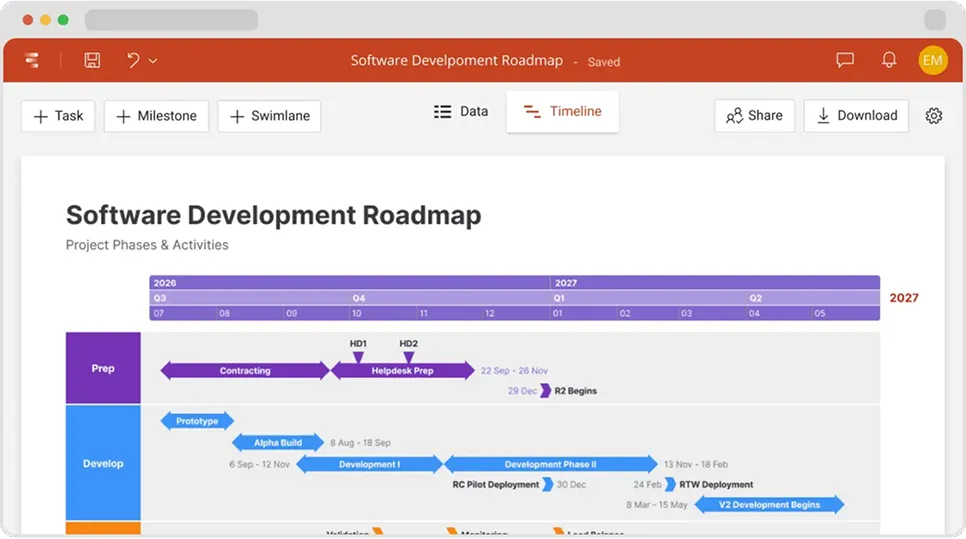

Coming soon
What's next?
- Continuous feature updates and performance improvements to ensure a fast, seamless experience managing your timelines
Lucen Timeline Add-in
Release history
Version:
2.2.1
Release date:
June 26, 2019
- Fixed a number of bugs related to task duration.
- Fixed an uncommon issue that prevented timelines from being downloaded as PPTX.
- Quality and UI improvements for a smoother experience.
Version:
2.2.0
Release date:
June 11, 2019
- The ability to add status to your tasks and milestones in Data View.
- Added Status Summary dashboard in Data View.
- New option to reorder your data list by column headers.
- Redesigned Data View tab and other UI improvements.
- Free users are now able to save an unlimited number of timelines online.
- Instant & Free users can add or import up to 150 rows of data per timeline.
- Free users can now download as many PPT timelines as needed (up to 10 records/slide).
- Instant & Free timelines that exceed 10 tasks and/or milestones get a watermark.
Version:
2.1.4
Release date:
May 20, 2019
- Fixed a server instability issue.
- UI and design improvements.
Version:
2.1.2
Release date:
April 16, 2019
- Excel Import: added the ability to clear recently-imported files.
- Minor improvements to the authentication process.
- Fixed small bugs related to slide titles, footnotes and logos.
- Various design adjustments and UX improvements.
Version:
2.1.1
Release date:
April 1, 2019
- Added the ability to hide/delete slide titles, footnotes and logos.
- Fixed bug related to saving Instant timelines after purchasing Plus Edition.
- Multiple UX and UI enhancements.
Version:
2.1.0
Release date:
March 26, 2019
- Add a logo, title and footnote to your timeline slide.
- Edit any text (including dates, % complete etc.) directly in Timeline View.
- Add or remove milestones and tasks straight from your timeline slide.
- Brand-new color picker to help you quickly create and save custom colors.
- New right-click menu for quick editing in Timeline View.
- Calendar in Timeline View to help you set dates effortlessly.
- New shortcut: update dates quickly by pressing the up/down keyboard arrows.
- In-app Login/Register pop-up for quicker account access.
- Updated onboarding messages to help new users get started faster.
- Revamped Style Pane and other UI improvements.
Version:
2.0.0
Release date:
March 4, 2019
- Rebranded Pincello into Office Timeline Online.
Version:
1.9.1
Release date:
November 26, 2018
- Small improvements to the download functionality.
- Fixed an issue related to saving timelines created while logged out.
- Improved transition to the app when choosing to edit a template posted on our website galleries.
Version:
1.9.0
Release date:
November 20, 2018
- Brand-new template gallery inside the timeline maker.
- Create timelines using templates: add data manually or import it from Excel.
- Apply a template to any existing timeline or switch between templates.
- My Timelines: the ability to sort by Recent/Title or search for a specific timeline.
- UI changes for a smoother experience.

Access Timeline Online
See the latest features and improvements in action!
Open Timeline Online now to explore the most recent enhancements.
