


Product updates
Lucen Timeline Online updates & release history
Latest version
What's new?
- Office Timeline Online is now Lucen Timeline Online
- Our online tool is now called Lucen Timeline Online, part of Lucen Software.
- Lucen Software is our new company name, bringing our products together under one platform.
- This is a name and logo update only. The product you use today is not changing.
- Create timelines the same way you do today.
- Your existing timelines and files stay the same.
- Same team and support.
Go to web app
Version:
9.0.0
Release date:
May 12, 2026
Check compability:
See system requirements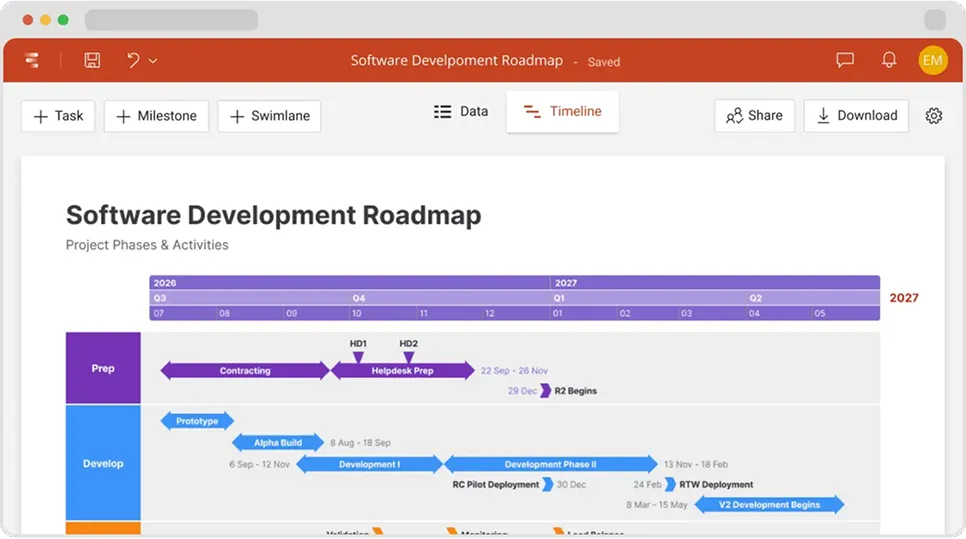

Coming soon
What's next?
- Continuous feature updates and performance improvements to ensure a fast, seamless experience managing your timelines
Lucen Timeline Add-in
Release history
Version:
1.8.0
Release date:
September 19, 2018
- Brand-new look & feel for the web-app: new side bar, headers and welcome popups.
- Layout View: added indicators and tooltips when dragging milestones or tasks.
- Layout View: use Shift + Drag to change a task's vertical position without altering its dates.
- Added new feedback tool to make it even easier for you to reach out to us.
- Other UI improvements and several bug fixes.
Version:
1.7.0
Release date:
August 22, 2018
- The ability to save Instant timelines (created while logged out) to an existing account.
- Updated the Free plan to maximum 5 timelines instead of 3.
- Layout View: Added the ability to move task bars horizontally on the timeline.
- Layout View: Improved drag & drop updating for tasks' Start & End dates.
- Multiple UI improvements and bug fixes.
Version:
1.6.0
Release date:
July 27, 2018
- Introduced the ability to reorder records in Data View.
- Added ISO weeks to the timeline scale options.
- UI improvements to the Data View tab.
- Multiple bug fixes.
Version:
1.5.0
Release date:
June 27, 2018
- Brand-new feature that allows exporting timeline data to Excel.
- The ability to selectively apply individual style properties to all similar timeline objects.
- New option to define Working Days at account level or for individual timelines.
- The ability to hide tasks or milestones by pressing Delete/Backspace directly in Layout View.
- Multiple UI improvements and bug fixes.
Version:
1.4.0
Release date:
May 31, 2018
- The ability to Undo/Redo actions in Layout View and Data View.
- Improvements to in-app messages.
- Enhanced Project Status accuracy in the Data View tab.
- UI improvements for a smoother experience.
Version:
1.3.1
Release date:
April 19, 2018
- Introduced the ability to switch between International and US date formats.
- New option to switch between International and US dates when importing from Excel.
- Implemented user geolocation to automatically detect the optimal default date format.
- Bug fixes and UI changes.
Version:
1.2.4
Release date:
March 27, 2018
- Introduced the option to revoke or transfer Plus licenses from one user to another.
- Added quick-access link to the Account Page inside the app.
- Improved behavior of timeline objects in Layout View.
- Improvements to the Style Pane's functionality.
- Updated onboarding messages for an even leaner learning curve.
- Minor bug fixes and usability enhancements.
Version:
1.1.1
Release date:
February 16, 2018
- Added on-site onboarding to help users make the most out of the app.
- Improved application loading experience.
- Improved user experience in case of expired session.
- Added support for Internet Explorer and Edge.
- Fixed a number of bugs.
Version:
1.1.0
Release date:
January 22, 2018
- Pincello is officially released on the market.

Access Timeline Online
See the latest features and improvements in action!
Open Timeline Online now to explore the most recent enhancements.
