


Product Updates
Lucen Timeline Add-in updates & release history
Latest version
What's new?
- Stay up to date with less effort: Lucen Timeline now lets you know in the add-in when a new version is available and automatically downloads it in the background, so it’s ready when you choose to update. This makes it easier to stay on the latest build without having to visit the website.
- Keep updates on your organization’s schedule: If your company manages Lucen Timeline through IT, your existing deployment process stays the same. IT teams can continue controlling when and how new versions are rolled out across the organization.
Download latest version
Version:
15.03.00
Release date:
September 14, 2026
Check compability:
See system requirements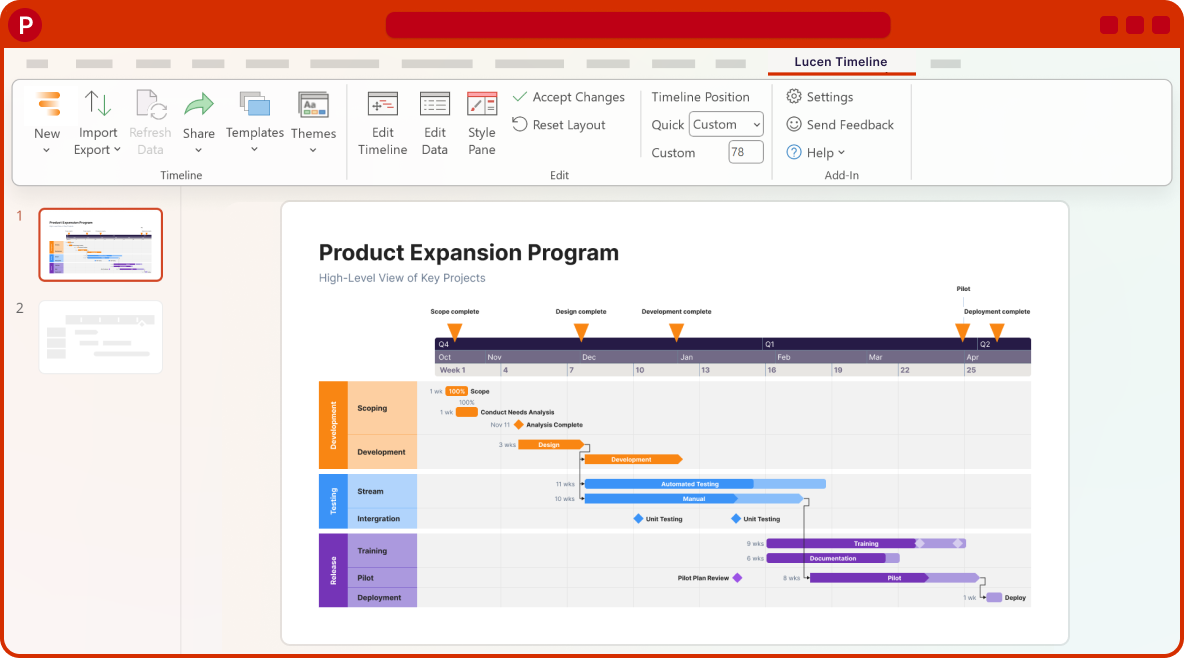
Coming soon
What's next?
- Continued improvements to login and access management, supporting team and enterprise needs.
- Ongoing reliability and performance improvements, so your everyday work feels faster and more dependable.
- Better importing, templates, and timeline styling, based on your feedback, to help you create polished timelines with less effort.
Get tips & answers
Join our free webinar!
Register Now

Lucen Timeline Add-in
Release history
Version:
13.25.01
Release date:
January 29, 2026
- Updating Office Timeline just got easier!
- See when a new update is available directly on the Office Timeline ribbon with no manual checks.
- See release details and download the update straight from the add-in.
- Download the update in the background, then complete installation as usual.
Version:
13.22.00
Release date:
January 27, 2026
- We've made it easier to access and explore the Free plan.
Version:
13.20.00
Release date:
January 21, 2026
- We've improved stability and performance, with better diagnostics to help prevent issues and resolve them faster.
Version:
13.17.00
Release date:
December 15, 2025
- Added loading screen after logging in to clearly indicate progress while we're retrieving license info.
- Clearer user guidance with new explanatory text added to the Login Settings.
- Planned vs. Actual now activates correctly after Undo actions that modify a task.
- Multiple bug fixes and improvements.
Version:
13.15.01
Release date:
December 11, 2025
- Bug fixes and quality improvements.
Version:
13.15.00
Release date:
December 10, 2025
- Smartsheet API compatibility update
- Updated our Smartsheet integration to maintain compatibility ahead of Smartsheet's deprecation of older API versions on February 9, 2026.
- Includes performance and reliability improvements.
- Ensures alignment with Smartsheet's new security standards.
- Updating your add-in ensures Smartsheet continues to work smoothly after February 9.
Version:
13.11.00
Release date:
December 4, 2025
- Fixed an issue where selecting an item on the slide sometimes made it move as if you were dragging it.
Version:
13.06.00
Release date:
December 2, 2025
- Added an option to switch between in-app login (WebView) or your default browser - useful if IT restrictions block WebView. You can find it in the Office Timeline ribbon, under Settings.
- If in-app authentication fails or is blocked, the add-in automatically opens your browser to give you an alternative path to log in.
Version:
13.05.00
Release date:
November 24, 2025
- Streamline your workflow with Variance Settings (Expert plan)
- Tailor variance visibility to highlight what matters most in your schedule automatically.
- Quickly identify when work is running behind or ahead of schedule for immediate visibility into risks and stronger stakeholder communication.
- Plan vs. Actual templates now include built-in variance settings for faster setup and easier customization.
- Set variance thresholds for individual timelines or apply default settings across all projects.

Download Timeline add-in
Don’t miss out on new features and improvements!
Download the latest version of Timeline today.
