


Product Updates
Lucen Timeline Add-in updates & release history
Latest version
What's new?
- Stay up to date with less effort: Lucen Timeline now lets you know in the add-in when a new version is available and automatically downloads it in the background, so it’s ready when you choose to update. This makes it easier to stay on the latest build without having to visit the website.
- Keep updates on your organization’s schedule: If your company manages Lucen Timeline through IT, your existing deployment process stays the same. IT teams can continue controlling when and how new versions are rolled out across the organization.
Download latest version
Version:
15.03.00
Release date:
September 14, 2026
Check compability:
See system requirements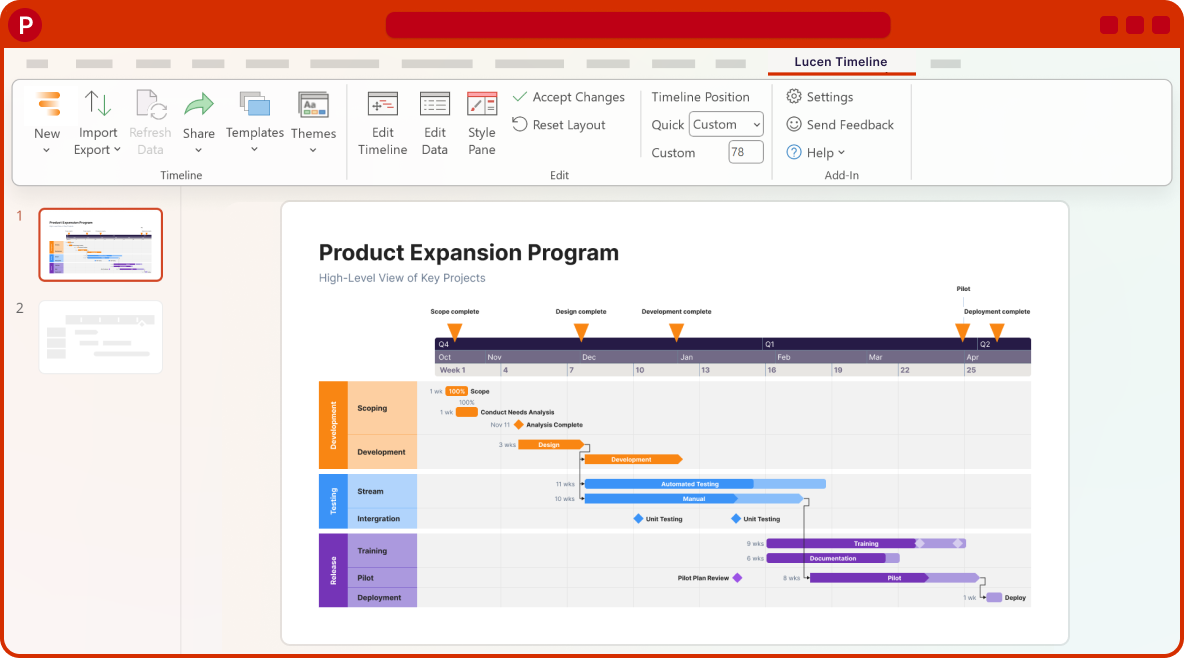
Coming soon
What's next?
- Continued improvements to login and access management, supporting team and enterprise needs.
- Ongoing reliability and performance improvements, so your everyday work feels faster and more dependable.
- Better importing, templates, and timeline styling, based on your feedback, to help you create polished timelines with less effort.
Get tips & answers
Join our free webinar!
Register Now

Lucen Timeline Add-in
Release history
Version:
8.01.03
Release date:
June 27, 2024
- Bug fixes and improvements to the Themes functionality.
- Moved the Flat/Gel option to the Themes menu in the ribbon.
Version:
8.01.02
Release date:
May 30, 2024
- Launched the all-new Office Timeline Expert Edition!
- Introduced designer-grade themes in all Editions.
- All Editions: make consistent, stylish visuals with new built-in themes. Apply themes to any timeline. Refactored Templates for more reliable results.
- Expert Edition: custom themes, custom templates, share themes, import into themes/templates, import multiple Jira projects.
Version:
7.04.07
Release date:
March 11, 2024
- Updated the EULA in the add-in's setup package.
Version:
7.04.06
Release date:
February 6, 2024
- Import the Parent field from Jira.
Version:
7.04.05
Release date:
January 18, 2024
- Bug fixes and quality improvements.
Version:
7.04.04
Release date:
January 10, 2024
- Bug fixes and quality improvements.
Version:
7.04.03
Release date:
December 22, 2023
- Fixed an issue that prevented the add-in from renewing or activating the license.
Version:
7.04.02
Release date:
December 4, 2023
- Improvements to data import & refresh.
Version:
7.04.01
Release date:
November 21, 2023
- Updated Aspose to latest version.
- Fixed a number of bugs causing PowerPoint to crash.
- Improvements to the import functionalities.

Download Timeline add-in
Don’t miss out on new features and improvements!
Download the latest version of Timeline today.
