


Product Updates
Lucen Timeline Add-in updates & release history
Latest version
What's new?
- Stay up to date with less effort: Lucen Timeline now lets you know in the add-in when a new version is available and automatically downloads it in the background, so it’s ready when you choose to update. This makes it easier to stay on the latest build without having to visit the website.
- Keep updates on your organization’s schedule: If your company manages Lucen Timeline through IT, your existing deployment process stays the same. IT teams can continue controlling when and how new versions are rolled out across the organization.
Download latest version
Version:
15.03.00
Release date:
September 14, 2026
Check compability:
See system requirements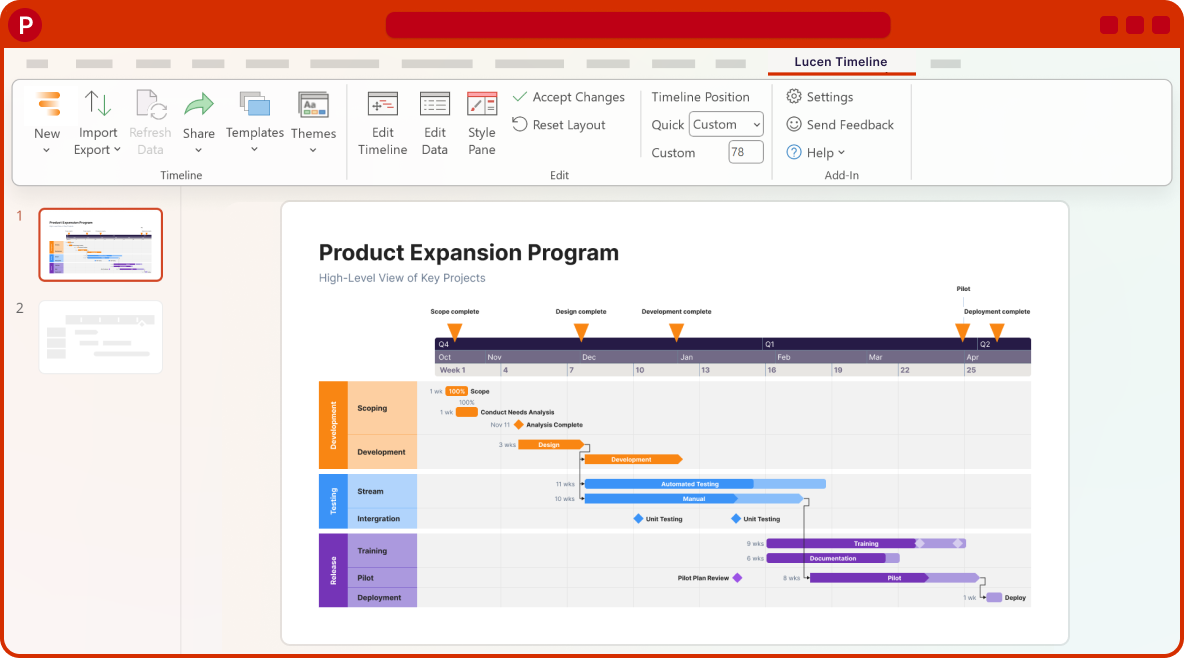
Coming soon
What's next?
- Continued improvements to login and access management, supporting team and enterprise needs.
- Ongoing reliability and performance improvements, so your everyday work feels faster and more dependable.
- Better importing, templates, and timeline styling, based on your feedback, to help you create polished timelines with less effort.
Get tips & answers
Join our free webinar!
Register Now

Lucen Timeline Add-in
Release history
Version:
8.04.01
Release date:
January 28, 2025
- Improvements and bug fixes.
Version:
8.04.00
Release date:
January 22, 2025
- We've improved the demo slides to help new users start faster.
- Updated plan offerings based on customer feedback:
- Basic is now called Lite. New benefit: 2 Swimlanes. Import & Refresh now includes copy from Excel only. Price changes from $99 to $108/year.
- Pro: existing subscribers can keep renewing; no longer available for new subscriptions.
- Pro+ is now called Plus.
Version:
8.03.01
Release date:
December 9, 2024
- Improved onboarding to help new users get started faster.
Version:
8.02.02
Release date:
November 25, 2024
- Security updates and improvements.
Version:
8.02.01
Release date:
October 31, 2024
- Brand-new onboarding in the Style Pane to guide you through key functionalities.
- Bug fixes and improvements.
Version:
8.02.00
Release date:
October 22, 2024
- New timescale algorithm that fits more units on the scale.
- Customize the interval between time units on the scale.
Version:
8.01.08
Release date:
August 28, 2024
- Usability improvements to the Themes functionality.
Version:
8.01.07
Release date:
August 19, 2024
- Preserve the visibility of timeline objects when applying themes.
- UI improvements and bug fixes.
Version:
8.01.04
Release date:
July 11, 2024
- FIPS Algorithm Policy no longer needs deactivating to access Smartsheet and Project import.

Download Timeline add-in
Don’t miss out on new features and improvements!
Download the latest version of Timeline today.
