


Product Updates
Lucen Timeline Add-in updates & release history
Latest version
What's new?
A more secure, consistent way to log in
We've updated the login experience for Lucen Timeline and across other Lucen products and Account Center, making it more secure and consistent wherever you access your Lucen account.
- New look, same account: You'll see a new Lucen Software login screen. The first time you log in, enter your email, click Next, then enter your usual password.
- Nothing changes with your account: Your password, licenses, subscriptions, and files all stay the same.
- Use Google or Microsoft? You can continue logging in the same way you always have.
- Easier for new customers: New users can create an account using a verification code sent to their email.
Need help? Follow our step-by-step login guide or troubleshooting guide.
Download latest version
Version:
15.5.3
Release date:
November 5, 2026
Check compability:
See system requirements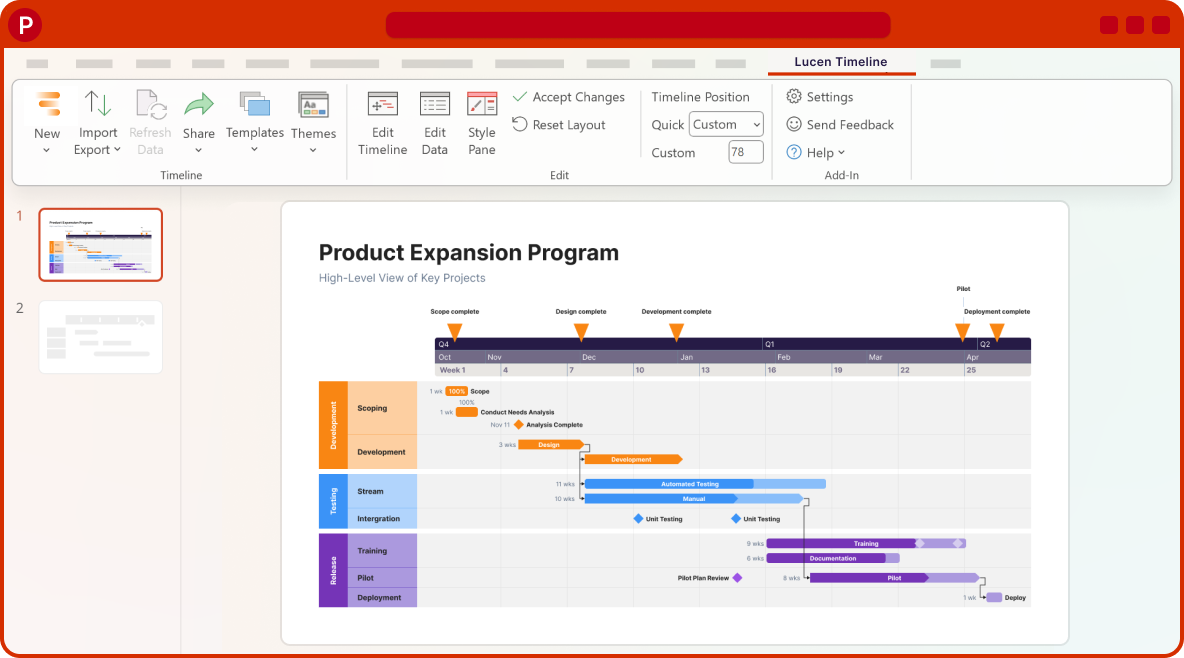
Coming soon
What's next?
- Continued improvements to login and access management, supporting team and enterprise needs.
- Ongoing reliability and performance improvements, so your everyday work feels faster and more dependable.
- Better importing, templates, and timeline styling, based on your feedback, to help you create polished timelines with less effort.
Get tips & answers
Join our free webinar!
Register Now

Lucen Timeline Add-in
Release history
Version:
10.00.00
Release date:
May 5, 2025
- Revamped Timeline Wizard for faster, smarter timelines
- Reduce repetitive tasks and speed up delivery with our new wizard that adapts to your workflow.
- Jumpstart your timelines with templates, guided setup, and instant imports so you can focus on delivering, not formatting.
- Discover advanced features naturally as you work, enhancing your timeline capabilities at your own pace.
Version:
9.05.00
Release date:
April 29, 2025
- Streamlined experience in the Style Pane
- Customize your items faster in the new Style Pane with simplified navigation and consistent design.
- Save time and make changes easily with the refined "Apply to all" functionality.
- Navigate effortlessly with an interface that mirrors the Themes Builder, for a cohesive design experience.
Version:
9.04.01
Release date:
April 23, 2025
- Updates on Aspose & EPPlus to maintain reliability of development tools.
Version:
9.04.00
Release date:
April 3, 2025
- Technical updates for improved performance.
Version:
9.03.01
Release date:
March 17, 2025
- Fixed a bug that prevented Free users from editing their timeline.
Version:
9.03.00
Release date:
March 10, 2025
- General bug fixes.
Version:
9.02.01
Release date:
March 6, 2025
- Bug fixes and quality improvements.
Version:
9.02.00
Release date:
February 27, 2025
- Enhanced experience in the Edit Timeline view
- Drag-and-drop handles make it easy to adjust tasks, milestones, and dates with precision.
- Enhanced hover and selection states ensure you can quickly identify exactly what you're editing.
- Smart visual guides help align elements consistently and keep your timeline organized.
- New contrast and border enhancements ensure clarity and usability, aligning with accessibility best practices.
Version:
9.01.00
Release date:
February 25, 2025
- Redesigned 'About' section for a better experience and easier license refresh.

Download Timeline add-in
Don’t miss out on new features and improvements!
Download the latest version of Timeline today.
