


Work in Microsoft 365. Log time there too.
Lucen Track lives inside Outlook, Microsoft Teams, Microsoft Planner and more, so your team logs time where they already work. Less tab switching means focused work, accurate timesheets, and records that actually reflect how the team works.
14-day free trial · No credit card required · Free migration support


Where should your time tracking live?
Clockify is a widely used, affordable time tracker with a broad feature set: kiosk clock-ins, GPS, scheduling, invoices. If you want a general-purpose tool that works for almost any team, Clockify is a solid choice.
Track is built for teams whose work already happens inside Microsoft 365, capturing time directly from Outlook, Microsoft Teams, Microsoft Planner and Azure DevOps. When the real challenge is getting time recorded consistently rather than adding features, Track is designed for exactly that.
Move from Clockify without losing a thing
Import your projects and time entries, keep your history, and get your team tracking in Track the same week.
Create your free account
Start a 14-day trial in minutes. No credit card, no setup call required to begin.
Import from Clockify
Bring your projects and time entries across via CSV import. Our team helps make sure nothing gets left behind.
Get your team tracking
Most teams are up and running within a day, tracking time inside the Microsoft tools they already use.

“Another significant benefit of using Track [formerly Timeneye] is that I receive weekly reports directly in my inbox... Ultimately, this helps ensure that we are pricing our projects correctly.”
Adam Fraser Technical manager - DACI
Bringing a larger team?
For teams migrating dozens of seats, our team can run a guided, done-for-you migration so your projects, rates, and history land exactly where they should.
Track vs Clockify
See how the two tools compare across the features that matter most for agencies and project-based teams.
When "Just track time" isn't enough anymore
We’ve heard from hundreds of teams that loved Clockify, but found it wasn’t enough.
If your team lives in Microsoft 365, your time tracker should too
Clockify lists Outlook and Azure DevOps among its many integrations. Track has Microsoft 365 at its core: log time in Teams, pull tasks from Planner and Azure DevOps, capture meetings from Outlook, and send everything to Power BI.
Why have friction when you can have smooth onboarding?
Track makes time logging easy from start to finish. Import your team straight from Microsoft 365, and use Track inside Teams, Planner, and Azure DevOps, so logging time becomes part of the work your team is already doing, not one more thing on their list.
Time tracking that connects to billing without the workarounds
Margins are only as accurate as the hours behind them. Track keeps time, rates, costs and budgets in one place, and Outlook meetings come in as suggested entries instead of being rebuilt from memory. So you see each project’s margin while there’s still time to act.
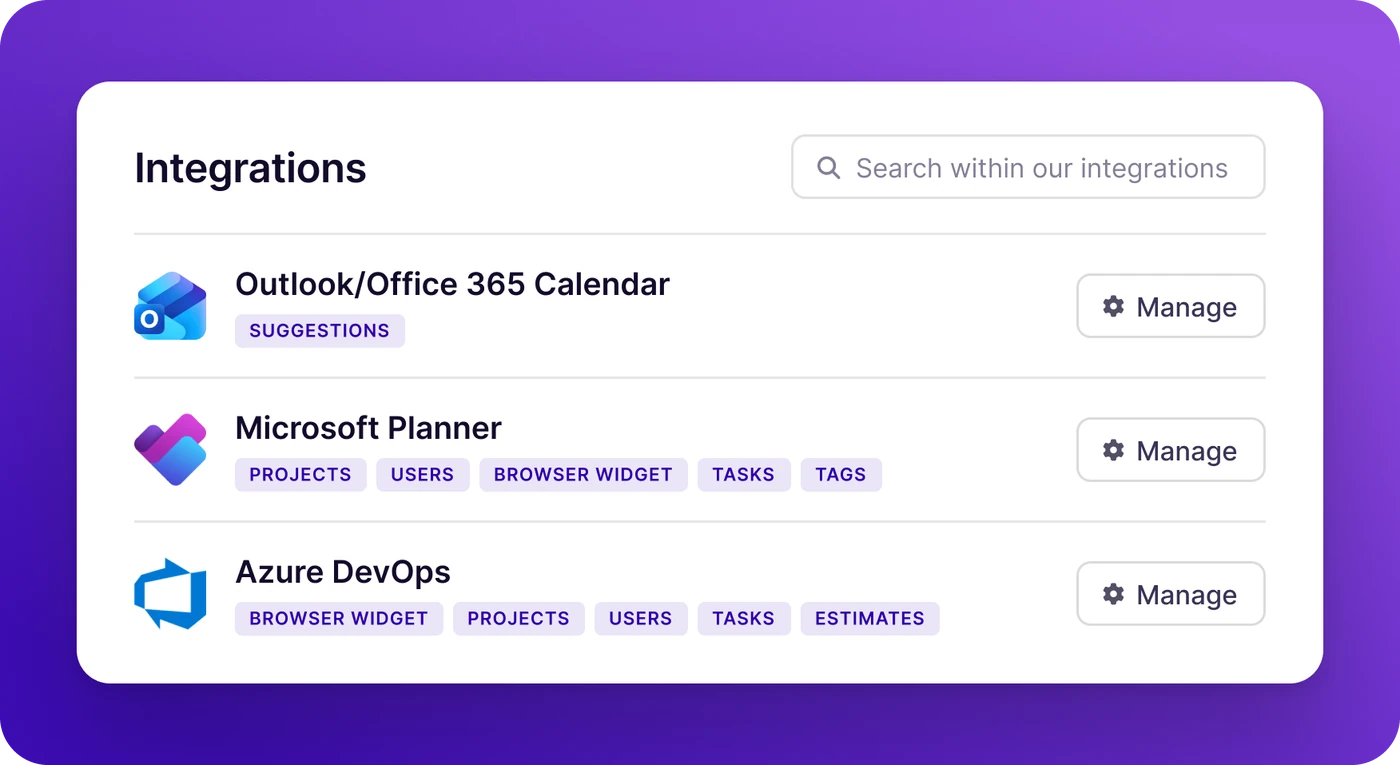
Track: a comprehensive solution for the Microsoft Ecosystem
If your team runs on Microsoft 365, Track is built for you. Track seamlessly integrates across the Microsoft ecosystem: with Microsoft Teams, and Microsoft Planner for project management, and Outlook Calendar and Microsoft Teams Calls for automatic meeting tracking.
Log time directly from a Teams call. Pull projects from Planner. Capture meetings from Outlook automatically. Connect your data to Power BI for reporting that goes wherever your stakeholders are.
Microsoft Teams - Log time and check project status without leaving your workspace.
Outlook Calendar - Automatically capture meetings as time entries.
Microsoft Planner - Sync tasks and projects directly into your time tracking workflow.
Power BI - Connect Track data to your existing dashboards and reports.
Azure DevOps - Keep dev teams and project teams in sync, with work items and tracked time in one place.
Trusted by professionals worldwide





What our customers say
Common questions
Clockify is a general-purpose time tracking and attendance tracking tool built to work for any team. Track is built specifically for teams in the Microsoft ecosystem, with native integrations across Microsoft Teams, Outlook Calendar, Microsoft Planner, Azure DevOps, and Power BI. If your team runs on Microsoft 365, Track will feel like a natural extension of how you already work.
Yes. Track supports importing your projects and time entries from Clockify via CSV, and our team is available to help you through the migration. Most teams are up and running within a day. We'll make sure nothing gets left behind.
Not on list price alone. Clockify's Basic plan starts at $3.99 per user per month, and Track's Starter plan at $7. For that difference, Track gives you native Microsoft Teams, Planner, Outlook and Azure DevOps integrations, a Power BI connector, and Entra ID single sign-on from the Starter plan, where Clockify keeps SSO for its Enterprise plan. Both offer a free plan to get started.
You can create a Track account and start tracking in minutes. No credit card is required to start your 14-day free trial, and our onboarding resources will get your team productive on day one.
Track is built to scale, from solo freelancers to enterprise organizations with thousands of users. It's particularly well-suited for agencies, consultancies, and project-based teams of 5–200 people who want real visibility into where their time goes, not just a log of hours.

Switch from Clockify in minutes.
We’ll help you migrate.
Start a free 14-day trial and see why 800+ teams made the move to Track.
No credit card required · Free migration support · Cancel anytime