
Project Tracking and Time Budgeting Software for Margin Protection: 4 Options Compared (2026)
Compare project tracking and time budgeting software for margin protection: Lucen Track, Productive, Teamwork, and Excel, with published prices.

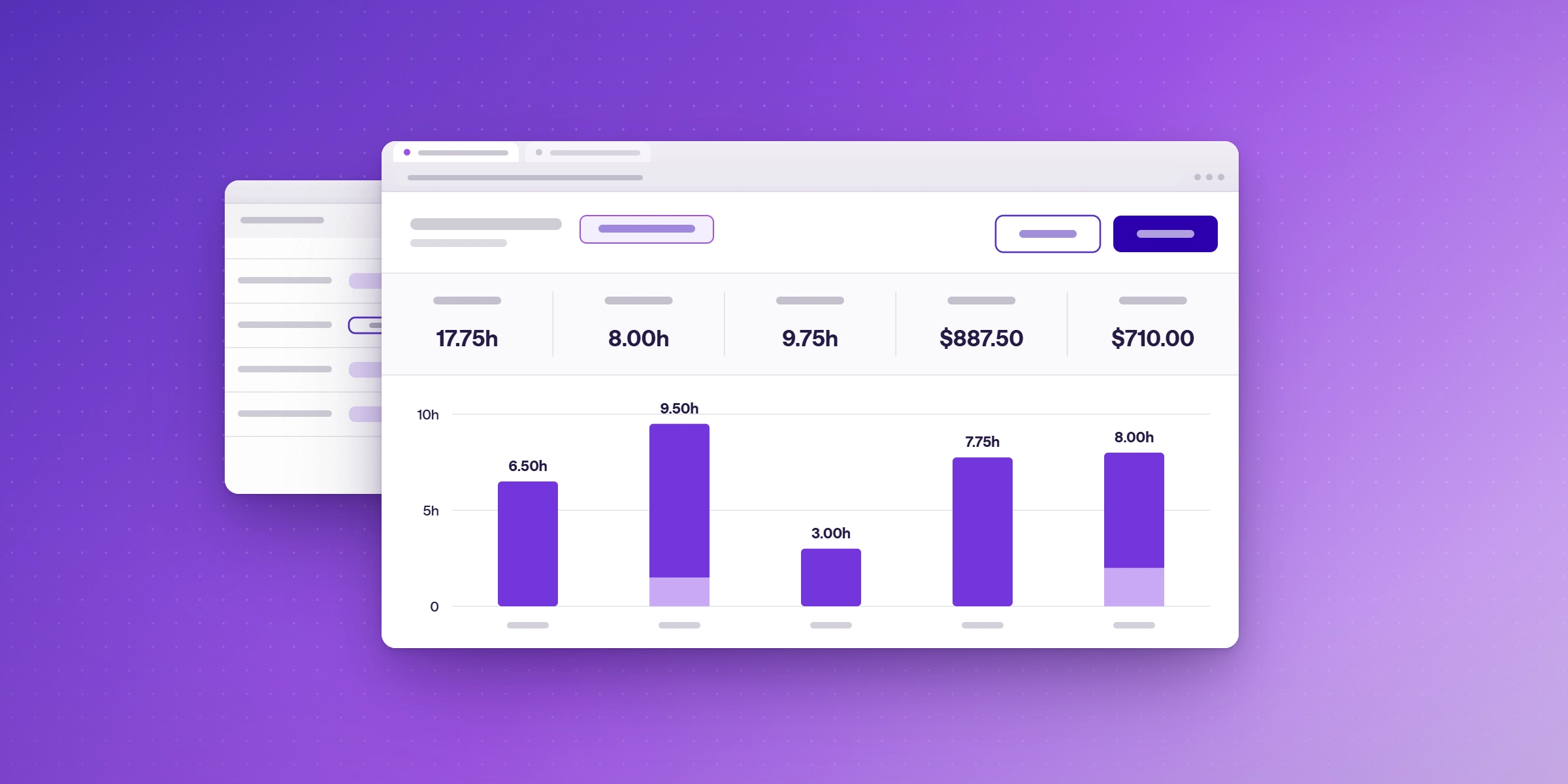
Margin slips when hours and budgets live in different places. To protect profitability, a team needs three things in one view: time logged against each project, billable rates applied to that time, and a budget to compare it with while the work is still running. Lucen Track covers all three inside Microsoft 365 on its Premium plan. Budget-first platforms such as Productive cover them in a standalone workspace. Spreadsheets cover them if someone keeps them current by hand.
This guide compares the main routes for project tracking and time budgeting, and explains how to choose by team size and how you bill.
What does margin protection need from your tools?
Profitability problems usually show up late, in the invoice or the month-end review. Good tooling moves the signal earlier. Look for these capabilities.
- Time logged at the source. Hours captured as the work happens are more complete than hours reconstructed on Friday.
- Rates by project and person. Billable value depends on who did the work and what the contract says.
- Budgets you can see before they run over. A budget only protects margin if you can check it mid-project.
- Approvals. Reviewed timesheets keep invoices and reports accurate.
- Reports leaders will read. Finance and project leads need the same numbers without a rebuild.
How do the four options compare side by side?
| Option | How hours are logged | Rates and budgets | Approvals and invoicing | Published starting price | Best for |
|---|---|---|---|---|---|
| Lucen Track | Inside Microsoft 365: Teams, Outlook meetings, Planner tasks, and Azure DevOps work items | Billable rates by project from Starter; rates by person, fixed-fee projects, and project budgets on Premium | Approvals on Premium; invoices created from billable time | Free for up to 2 users; Starter $7 and Premium $13 per user/month billed annually; Enterprise custom | Microsoft-centered teams that bill for time or report project cost |
| Productive | In its own workspace: timers and timesheets on Essential | Budgeting on Essential; recurring budgets on Professional; each logged hour links to its project budget so profitability shows right away | Billable-time approvals on Professional; invoice drafts created automatically from logged time | Essential from $10 and Professional $25 per user/month billed yearly; 3-seat minimum per the roundup; 14-day free trial | Agencies and teams focused on financial management |
| Teamwork | Time tracking on every plan, with billable time from Basics | Time budgets and retainers from Accelerate; financial budgets and profitability insights on Optimize and Enterprise (contact sales) | Approvals and rate details not confirmed from its pricing page | Free for up to 5 users; Basics from $9.99 per user/month billed annually, 3-seat minimum; Accelerate $24.99; 14-day free trial | Marketing and consulting teams that want straightforward project management |
| Excel timesheets | Typed by hand | Formulas you build and maintain | Manual | Included with Microsoft 365 | Very small teams and short projects |
Vendor prices were read from each vendor's pricing page on 20 Oct 2026 and can change, so confirm current pricing. Sources: Lucen Track and Track pricing pages, and The Digital Project Manager's Productive vs ClickUp and Teamwork vs ClickUp comparisons. Pulled 20 Oct 2026.
Where does each option fit?
Lucen Track is built for teams whose day already runs through Microsoft 365. People log hours in Teams, accept Outlook meetings as time entries, and add Planner tasks and Azure DevOps work items to the same timesheet. Billable rates by project start on Starter. Premium adds rates by person, fixed-fee projects, project budgets, and approvals, and invoices can be created from billable time. Time, cost, and billable data can feed Power BI reports. The Free plan covers up to two users, and every plan includes a 14-day trial of Premium with no credit card. To see how Track pairs with Lucen Timeline for plans and visuals, read Lucen Software for Project Visualization, Time Tracking, and Budgeting.
Productive puts budgets and profitability at the center of its workspace. Budgeting is available from Essential, logged time links to the project budget, and invoice drafts can be created from logged time. Professional adds billable-time approvals and recurring budgets. That focus suits agencies and professional services firms that manage the business on those numbers. The roundup lists a 3-seat minimum, and it has its own interface to learn.
Teamwork pairs project management with time tracking for client work. Time tracking is on every plan, and time budgets and retainers start on Accelerate. Financial budgets and profitability insights are on the contact-sales Optimize and Enterprise plans. Confirm approvals and billable-rate details with Teamwork before you commit.
Excel timesheets are the usual starting point. They work until entries and people multiply, then the clutter makes margin harder to read and the numbers harder to trust.
How do you choose the right tool?
Match the tool to how you bill and where your team works.
- Name your billing model. Hourly, fixed-fee, and retainer work need different rate and budget views.
- Check where people already log time. If it is Teams and Outlook, a tracker that works there removes a step.
- Decide who needs the numbers. If Finance needs approvals and invoice-ready hours, confirm those features sit on the plan you would buy.
- Pilot on one live project. Compare budget against logged hours at the halfway point and see which tool makes the gap clearest.
If you also need plans and timelines for stakeholders, see our comparison of project visualization software for time tracking and budgeting.
Frequently asked questions
Log hours as the work happens, apply billable rates by project and person, and compare logged time to the budget while the project is running. Review the gap weekly.
Time budgeting sets the hours or cost a project is expected to take, then tracks logged time against that figure so overruns show up early.
Yes. Project budgets, billable rates by person, fixed-fee projects, and approvals are on the Premium plan. Billable rates by project start on Starter.
Lucen Track lists invoices created from billable time, with rates by project and person for time-and-materials or fixed-fee work.
Every Lucen Track plan includes a 14-day free trial of Premium, with no credit card required.
For a small team on a short project, yes. As entries and people grow, a dedicated tracker keeps rates, budgets, and approvals in one place.

Subscribe to our blog
Get all the tips, tricks and inspiration you need to create professional looking timelines, straight to your inbox.