


Project Visibility for Pharma Teams: What to Look For When Reviews Happen in PowerPoint
What pharma, life sciences and medical device teams should look for in operational visibility software: complex dependencies, critical path, planned vs. actual, and reporting that refreshes from the plan.


What should pharma teams look for in operational visibility software?
Pharma, life sciences and medical device programmes need a schedule of record that handles complex dependencies, plus a view that reviewers from every function can read on one slide. Lucen Timeline (formerly Office Timeline) builds that view as native PowerPoint shapes from your plan, with milestones, dependencies and critical path on the slide, so a review can see what a slip does to the launch date. On the Expert plan it refreshes from the source plan in one click when the plan moves.
Five capabilities matter most when the review is cross-functional and the deadline is fixed:
- Dependency modelling that survives a slip. When one activity moves, the view should show what moves with it.
- Critical path on the slide, so a delay's effect on the end date is visible without a separate analysis.
- Planned vs. actual, so the review discusses variance rather than re-litigating the plan.
- Swimlanes by function, so regulatory, clinical, manufacturing and commercial each see their own row.
- A refresh from the source plan, so the slide is current and nobody rebuilds it the night before.
The sections below define the terms, show which Lucen Timeline plan includes each capability, and set out what to check before IT approves a tool. The same questions apply to medical device and wider healthcare programmes, where the review is cross-functional and the submission date is fixed. If you are comparing tools rather than capabilities, start with best Gantt chart software for PowerPoint timelines in 2026.
What is operational visibility software?
Operational visibility software turns plan data (activities, milestones, dependencies and dates) into a view that shows what is happening, what is at risk and what happens next. In pharma programmes it is the layer between the detailed schedule, which only planners open, and the governance meeting, where decisions get made.
Two related terms are worth defining, because they are what a launch review actually turns on.
A dependency is a link between two activities that says one cannot start or finish until the other does. Stability work gating a submission is a dependency.
The critical path is the longest chain of dependent activities through a programme. It sets the earliest possible finish date, so a delay to any activity on it delays the whole programme. Lucen Timeline's own documentation puts it plainly: "If any of the activities on the critical path are delayed, then the entire project will be delayed."
Planned vs. actual compares where the programme is against the baseline it was approved on, which is what turns a status slide into a variance conversation.
Why is project visibility harder in pharma and life sciences than in most industries?
Because the programme is long, the dependencies cross organisations, and the deadline does not move. Progress is judged at stage gates rather than continuously, so a review is really a launch-readiness decision: is this gate passable on the date we committed to, and if not, what moves?
PMI's analysis of pharmaceutical project management describes a development cycle of 10 to 15 years, with roughly 10,000 molecules researched to launch one product, and a per-drug development cost it put at over one billion US dollars against 138 million in 1975 (Asima Pattanaik, PMI Global Congress 2014–EMEA; figures as published in 2014). Over a cycle that long, the plan is revised continuously as scientific assumptions and results change.
The coordination load is the harder part. A launch pulls in R&D, regulatory, legal, finance, supply chain, sales and marketing, plus external partners such as contract manufacturing and research organisations. PMI notes that these processes are affected "not only by many circumstantial factors but also by each other" (a change in regulatory requirements forces rework elsewhere).
Lucen's pharma page frames the same problem from the reporting side: one delayed workstream can ripple across sites, CROs and submission windows, and regulatory deadlines do not move.
The practical consequence is that a programme view has to do two jobs that usually pull apart. It has to be detailed enough that a dependency slip is visible, and simple enough that a cross-functional review can read it in the meeting it was built for.
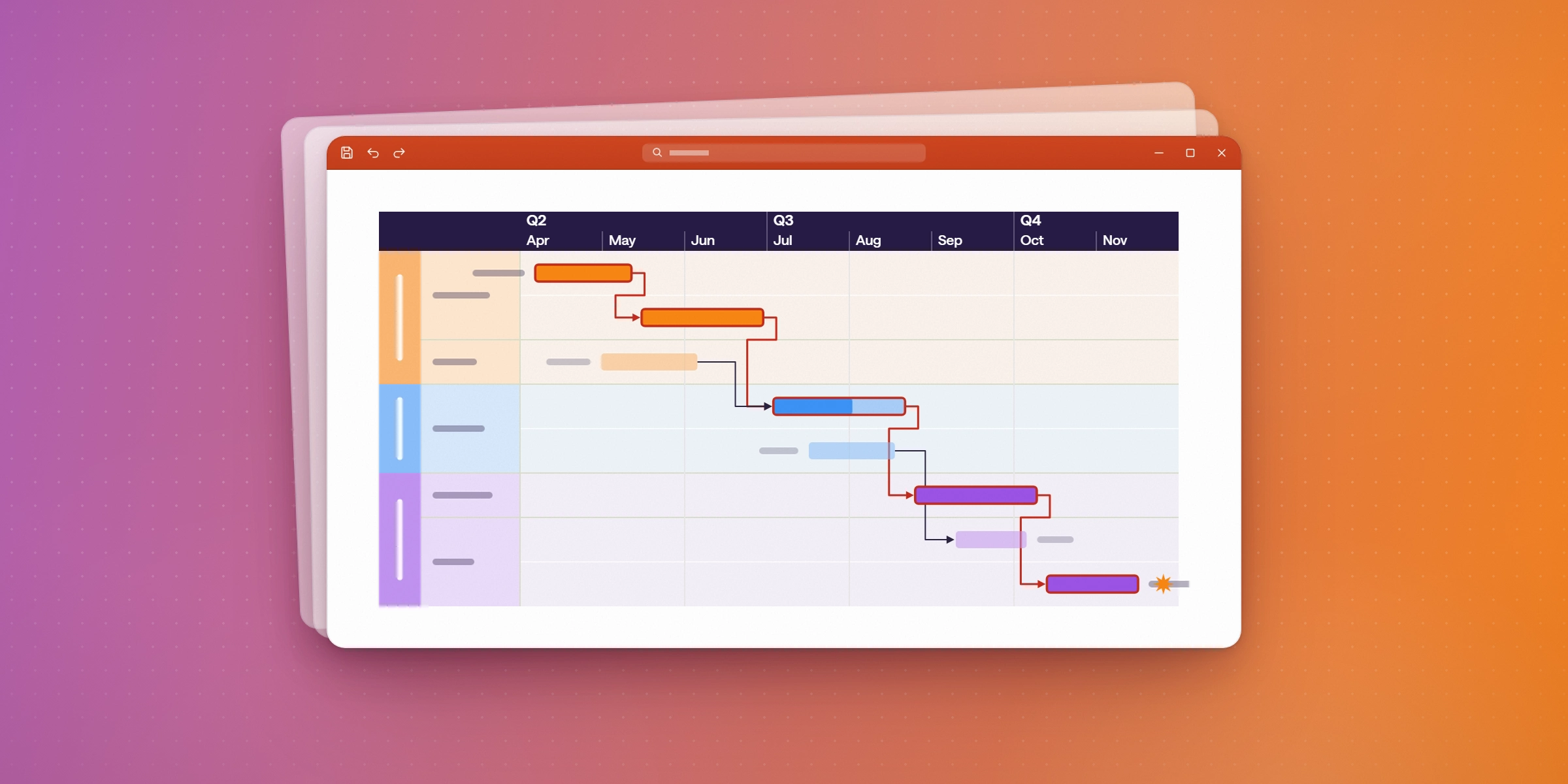
Which features matter most in a cross-functional launch review?
The table maps each capability to the question it answers in the room, and to the Lucen Timeline plan that includes it.
| Capability | The question it answers in a review | Lucen Timeline plan |
|---|---|---|
| Dependencies | If stability slips two weeks, what else moves? | Plus and up; Free is limited to 10 milestones and/or tasks per slide |
| Critical path | Does this slip move the submission date? | Plus and up; Free limited as above |
| Imported dependencies | Can we keep the links we already modelled in the source plan? | Expert |
| Planned vs. actual | Where are we against the plan this was approved on? | Expert |
| Swimlanes by function | What is each function responsible for this quarter? | Lite: 2. Plus and Expert: unlimited. Free: limited |
| Multiple timescales | Can one slide show the quarter and the full programme? | Free and Lite: 1. Plus and Expert: 3 |
| Refresh from the source plan | Is this slide current? | Expert |
Read the rows together and a pattern appears. Plus is the point at which the view can carry a dependency model at all. Expert is the point at which the view stops being a manual artefact, because the imports and the refresh connect it to the plan of record.
Which Lucen Timeline plan does a pharma programme need?
Expert, in most cases, because the two capabilities a governance meeting depends on most (planned vs. actual and refresh from the source plan) are Expert features.
| Plan | Price (per user, per month, 1-year licence billed annually) | What it adds |
|---|---|---|
| Free | Free | Timelines limited to 10 milestones and/or tasks per slide |
| Lite | $9 | Up to two swimlanes, more templates and styling control |
| Plus | $17 | Unlimited swimlanes and sub-swimlanes, dependencies and critical path, Excel import, three timescales |
| Expert | $21 | Imports from Microsoft Project, Smartsheet, Jira (including multiple projects or boards) and Wrike; refresh from Excel, Microsoft Project, Smartsheet and Jira; imported dependencies; planned vs. actual |
Lucen Timeline is a PowerPoint add-in for Windows. For Mac users, or on machines where add-ins cannot be installed, Lucen Timeline Online runs in the browser. Current plan details are on the pricing page.
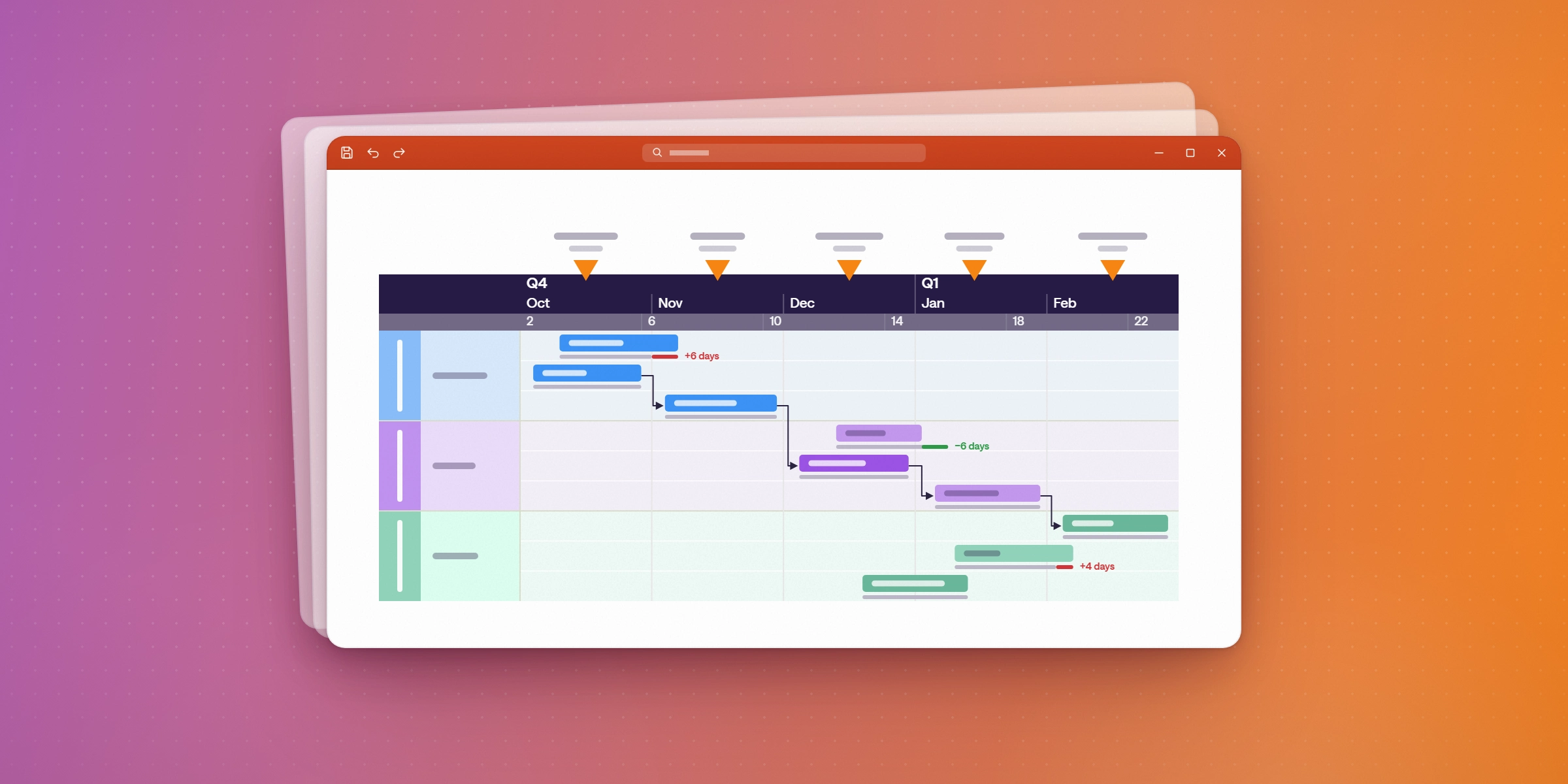
How do you build a launch-review slide from the programme plan?
Four steps, and the slide ends up in the deck the review already runs from. For the executive-update version of this workflow, see Project visualization tools for executive updates.
1. Import the plan. On Expert, import from Microsoft Project, Smartsheet, Jira or Wrike, which brings activities, milestones, and dependency links with it. Refresh is documented for Excel, Microsoft Project, Smartsheet and Jira, so if you need the view to update from the plan, check Wrike before you standardise on it. On Plus, import from Excel. On Lite, copy and paste from Excel.

2. Filter to the governance level. Reviewers need decisions, gates and risks, not every subtask. Filter to milestones and summary activities, then group the rest behind them.
3. Group by function in swimlanes. One lane per function (regulatory, clinical, CMC, commercial) so each owner can find their own work, the hand-offs between lanes become visible, and the stage gate each lane is feeding is clear on the slide. Plus and Expert allow unlimited swimlanes, with sub-swimlanes for workstreams inside a function.
4. Turn on dependencies and the critical path, so the chain that sets the end date is marked on the slide rather than described in the narrative.
Because the output is native PowerPoint shapes, reviewers can annotate the slide in the meeting and the deck stays editable end to end.
How do you keep the view current between reviews?
On Expert, open the slide and refresh: the timeline pulls the current data from the source plan, including Excel refresh, Microsoft Project refresh, Smartsheet refresh and Jira updates. On Plus, update the Excel file and import again.
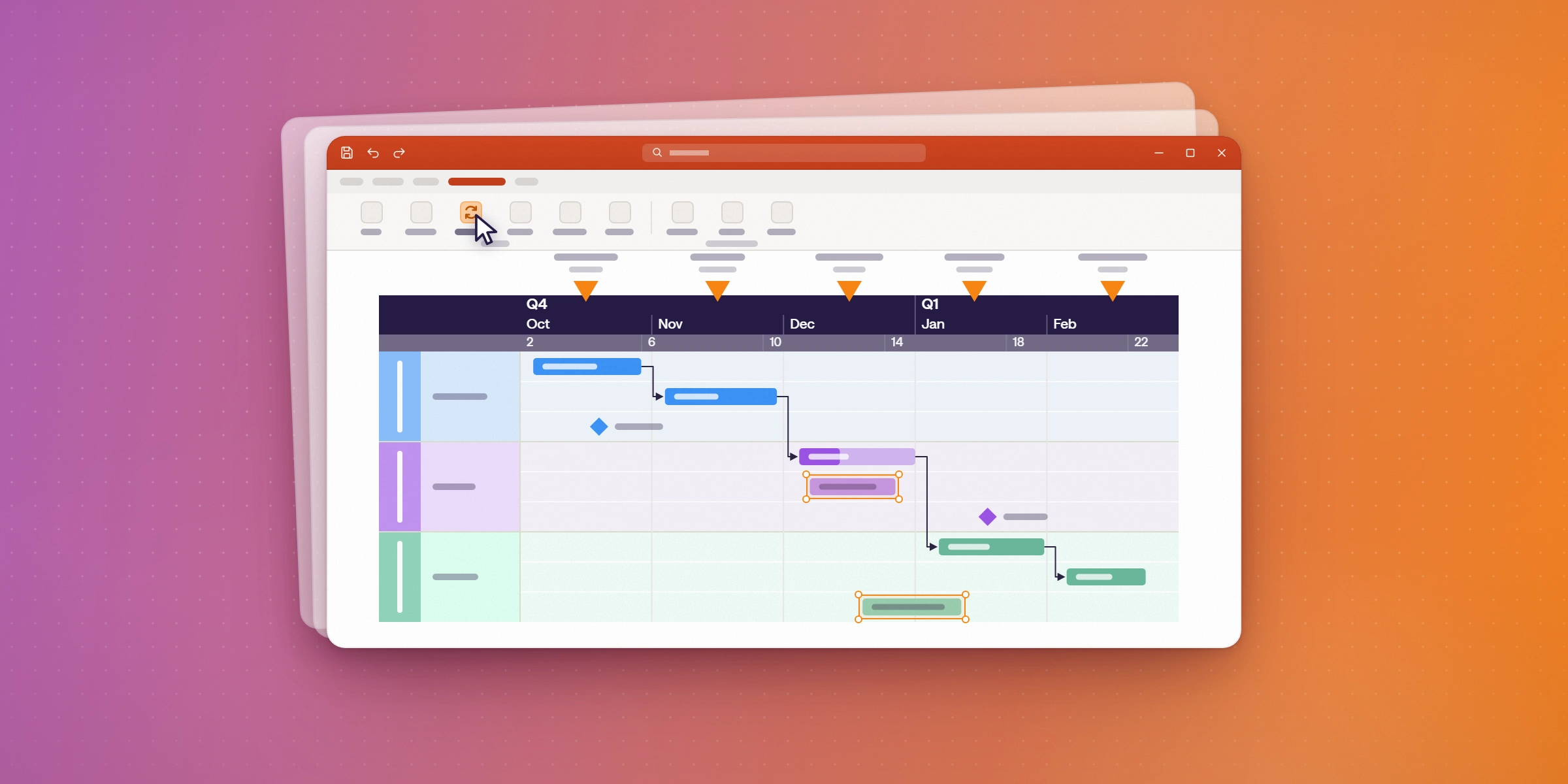
This is the difference between a first programme slide, which any tool can produce, and the twentieth. Where the slide is rebuilt by hand each cycle, two things follow. The rebuild lands on whoever has least time in the week before the review, and small errors accumulate, because nobody re-checks a date that was right last month.
A note on what refresh does and does not do. It updates the timeline from the source plan when you ask it to. It is not a live connection, and Lucen Timeline does not push alerts when something changes upstream. Someone still has to open the slide and refresh it before the meeting.
AstraZeneca's project management function describes the value in review terms: Lucen Timeline "helps 200 of our project managers clearly visualize some of the world's most challenging timelines", per the testimonial on Lucen's pharma page.
What platforms give pharma and healthcare teams visual progress and risk updates?
Four categories, and most pharma, life sciences and medical device organisations end up running two of them together, because the tool that plans the portfolio is rarely the tool that presents it.
Purpose-built pharma portfolio tools model the portfolio, the money and the risk. Planisware is the one most often in place in this segment: its pharma pages describe managing drug development "from discovery to commercialization on a single, configurable platform", with what-if scenarios, probability of technical and regulatory success, Monte Carlo simulation and Efficient Frontier portfolio optimisation, across R&D, clinical, regulatory, manufacturing and commercial functions. This is the planning and investment system of record, bought centrally. Its pharma pages do not describe PowerPoint or slide output, which is why organisations running it still assemble the review deck somewhere else.
General work management platforms such as Smartsheet, Microsoft Project or Jira hold the schedule and produce dashboards inside their own interface. They suit teams working in the tool daily.
Dedicated project-reporting tools turn an existing schedule into a presentation-ready graphic. OnePager is the other name that recurs in pharma PMOs. It ships as three editions, and the edition decides what you get: OnePager Pro imports from the Microsoft Project family, OnePager Express imports from Excel, and OnePager Bundle adds Smartsheet, Oracle Primavera P6, Asana and Wrike. Critical path reporting and baseline dates reporting differ by edition, so confirm which edition carries them before comparing.
Microsoft-native visualisation builds the review view inside PowerPoint from whichever plan is authoritative. Lucen Timeline sits here: on the Expert plan it imports from Microsoft Project, Smartsheet, Jira and Wrike, so it reports on the plan of record rather than replacing it, and the output is native PowerPoint shapes a reviewer can annotate in the meeting.
Spreadsheets remain common for the view itself, and they are the approach that breaks first, because the dependency model lives in someone's head rather than in the file.
The practical question is not which category wins, and a portfolio platform and a reporting layer are not competing purchases. It is where the governance review happens. If that review is a PowerPoint meeting (which, in most pharma organisations, it is), then a view built inside PowerPoint from the source plan removes the export-and-reformat step that makes reporting late.
What should IT and QA check before approving it?
Five things, and the last one is the one that stalls approvals if it is left to the end.
- Install and rights. Lucen Timeline is a PowerPoint add-in for Windows. A standard per-user install needs no administrator rights; a machine-wide install does. IT can deploy the MSI with Intune, Configuration Manager or Group Policy. For a full rollout plan across a Microsoft 365 team, see How to roll out Lucen Timeline and Lucen Track to a Microsoft 365 team.
- Browser option. Where installs are blocked or users are on Mac, Lucen Timeline Online runs in the browser.
- Sign-in. Lucen Timeline activates by signing in with a Lucen account. Licences can be assigned in advance.
- Security posture. Lucen's pharma page lists SOC 2 Type II, encrypted data storage and a digitally signed add-in. Request the current report through Lucen's Trust Center before approval.
- Validation and regulated-use questions. Whether a reporting tool falls inside your validated estate is a decision for your own QA and compliance functions, against your own SOPs. Ask Lucen for the documentation your assessment needs rather than assuming a visualisation layer is out of scope.
Build your next launch review in the deck you already present from
Lucen Timeline turns your programme plan into a one-page view with milestones, dependencies and critical path, and on the Expert plan refreshes it from the source plan. Start on the Free plan to test the format against one of your own gate reviews, then look at the pharma templates for drug discovery timelines, clinical trial roadmaps and product launches.
Put your programme on one slide leadership can read.
Start on the free plan and build your first gate-review timeline in PowerPoint. No credit card is needed.
Frequently asked questions
Dependency modelling that shows what moves when one activity slips in a pharma, life sciences or medical device programme, critical path so the effect on the end date is visible, planned vs. actual against the approved baseline, swimlanes so each function sees its own work, and a refresh from the source plan so the view stays current. In Lucen Timeline, dependencies and critical path come with the Plus plan, and planned vs. actual and refresh come with Expert.
Yes. Lucen Timeline calculates the critical path across linked activities and highlights it on the timeline. Dependencies and critical path are included from the Plus plan, and the Free plan is limited to 10 milestones and/or tasks per slide.
Expert. It imports from Microsoft Project, Smartsheet, Jira (including multiple projects or boards) and Wrike, and imports dependency links directly. Refresh is documented for Excel, Microsoft Project, Smartsheet and Jira. Plus imports from Excel, and Lite supports copy and paste from Excel. For a walkthrough of the import and refresh steps, see Project visualization tools for executive updates.
Yes, on Plus and Expert, which support three timeline scales on a single timeline. Free and Lite support one.
No. On Expert you refresh the timeline from the source plan when you open the slide, and the data updates then. There is no live connection and no alert when something changes upstream.
The add-in runs in PowerPoint on Windows. Mac users can use Lucen Timeline Online in the browser, which produces the same native PowerPoint shapes.
Project management visualization: tips and tricks
Put your programme on one slide leadership can read.
Start on the free plan and build your first gate-review timeline in PowerPoint. No credit card needed.


Subscribe to our blog
Get all the tips, tricks and inspiration you need to create professional looking timelines, straight to your inbox.