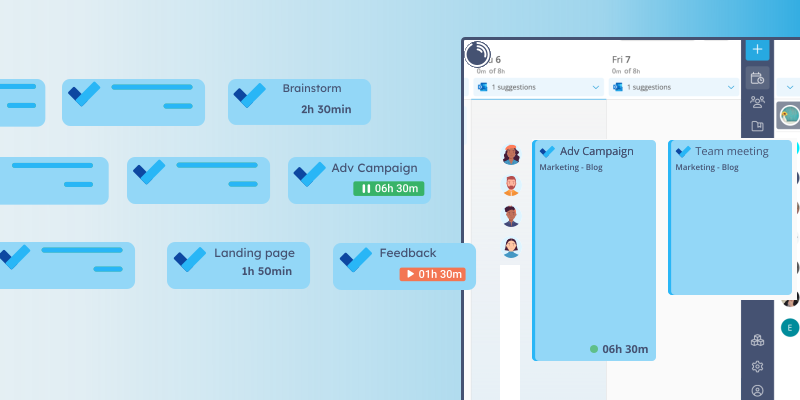

New! Introducing task management in Lucen Track
Lucen Track just got more powerful. The new task management feature lets you create, organise, and track time on your daily tasks, all within the same platform you already use for projects, clients, and meetings. And with native Microsoft Planner integration, your existing tasks are just an import away.

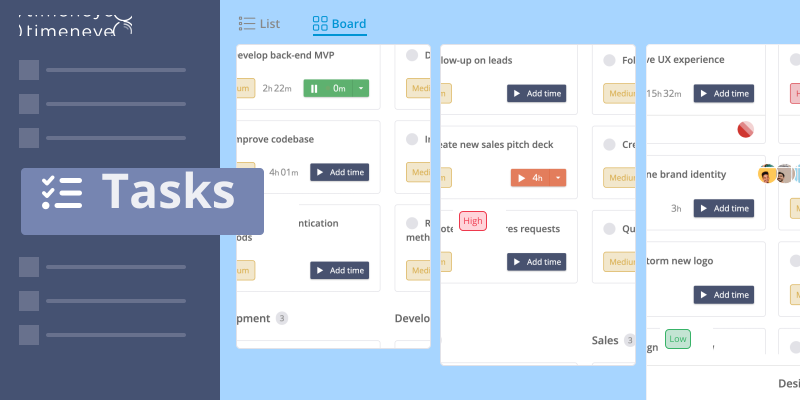
Stay on top of your work like never before with the new Task management feature in Lucen Track!
In Lucen Track you can keep already track of time, projects, clients, labor costs, and meetings.
With the new Task management feature, users can now effortlessly manage their daily tasks in Lucen Track while accurately tracking the time spent on each task.
See for yourself: try the new Task management feature today!
And the most exciting aspect is that it seamlessly integrates with Microsoft Planner, allowing you to effortlessly import your Planner tasks directly into Lucen Track.
How to activate task management
- Go into any project in your workspace;
- Click the Edit button;
- In the Project info tab, find the Task management switch and turn it on.

Once activated, you will find the brand new Task tab on the Project page, allowing you to easily view and manage all the tasks related to your project.
How to create and organise your tasks
Click the "Create new task" button, and start filling your list or board.

By default, the Kanban board has 5 standard columns - which you can edit at any time. You can even visualize your tasks in a list mode if you prefer.
Track priorities, due dates, and status.
By clicking on the individual task, you can add more details like a start and a due date, a priority, and its status.
Need to edit any of this information? No problem! Just click on the task to open its details again
Also: assign the task to users so they'll always know what they're working on.
How to track time on your daily tasks
Once your tasks are well-organized, it's time to start tracking the time spent on each one.
In the Register time dialog, after selecting the project and the phase, there will be an option to select a task, as well.

Otherwise, in the Tasks Kanban board, users can click on the task itself.

Sync your Microsoft Planner tasks with Lucen Track
This feature is fully integrated with Office 365 products, so you can sync and import their tasks from Microsoft Planner in Lucen Track.

We value your feedback and suggestions, so don't hesitate to share them with us. Stay updated with our roadmap for exciting news in the future.
New to Lucen Track? Task management is just one of the many features waiting for you. See everything Lucen Track can do for your team and start your free 14-day trial today.

Subscribe to our blog
Get all the tips, tricks and inspiration you need to create professional looking timelines, straight to your inbox.