


Project planning Gantt chart template
Download this easy project planning Gantt chart template for PowerPoint and quickly edit it with free Gantt chart software.
Powered by Lucen Timeline (formerly Office Timeline)

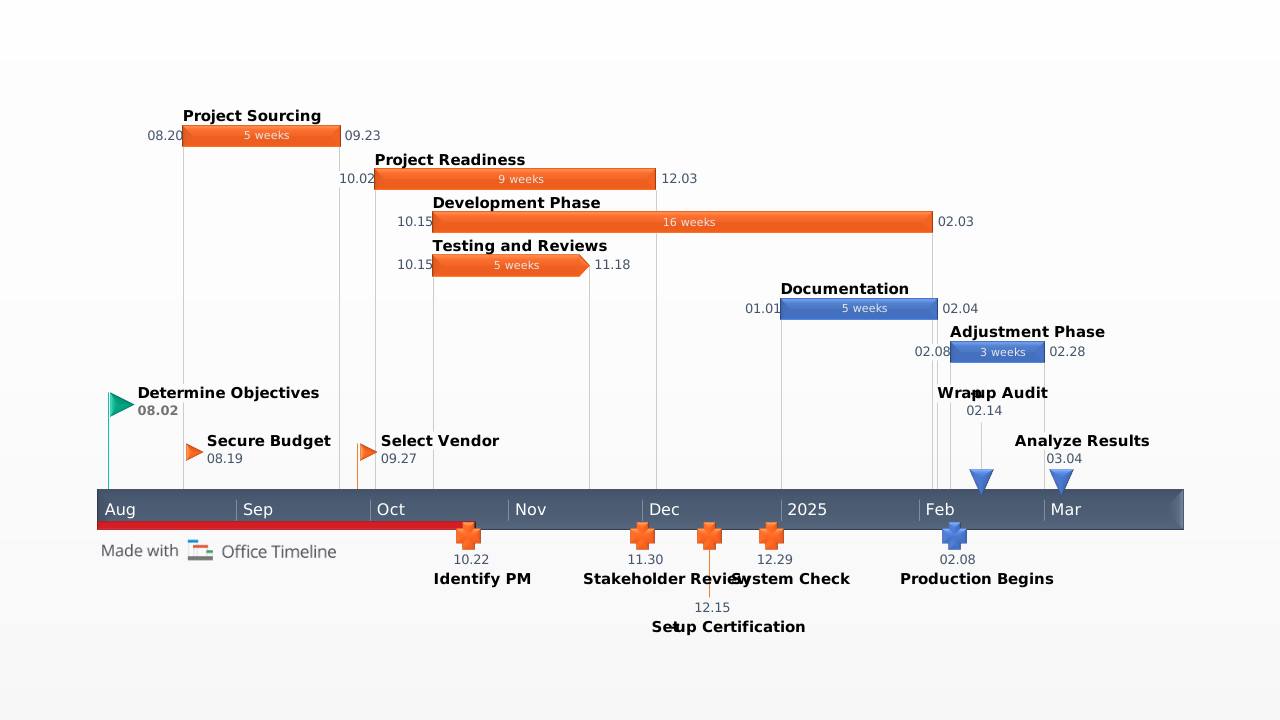
The project planning template was created for drafting project plans and presenting them. It quickly makes a professional looking project slide that can be used to for important communications and progress reports to stakeholders and team members.
Project planning is the most essential job of anyone responsible for delivering a project. Transforming project plans into compelling visuals that are professional, refreshing to look at and easy to understand will help anyone managing a project communicate it.
The exercise of project planning includes defining the key milestones and tasks required to complete a project. This project planning template helps you breakdown an entire project workload into the smaller tasks that must be accomplished. It also helps you identify the critical milestones of your plan. The project planning template can be used for planning and scheduling exercises, in proposals, project reviews and scorecards.It was created as a PowerPoint slide so it is easy for teams to jointly work on a plan that is simple to present and easy for them to manage after the plan has been developed. For example this slide can be repeatedly updated by any PowerPoint user, as the plan changes over time.The template was created with the PowerPoint project planning add-in Lucen Timeline. You can download the project planning template and update it by replacing the template’s place holders with your project plan. Or, you can use the free project planner add-in from Lucen Timeline to automatically update it in a few clicks.
Lucen Timeline’s latest plan integrates with other project management tools such as Microsoft Project. With our free 14-day trial, you can import data directly from your project management application and into PowerPoint. The add-in will instantly turn your existing project data into an impressive project planning slide for important communications and presentations.
Frequently asked questions
It's a ready-made PowerPoint slide for creating, visualizing, and presenting project plans, including tasks, milestones, schedules, and progress reports for stakeholders and team members.
Yes. This template was created with the Lucen Timeline add-in and requires it to edit and update. You can download the free 14-day trial to get started right away; no design skills needed.
Yes. Simply open the template in PowerPoint with the Lucen Timeline add-in installed, and update your tasks, timelines, and milestones in a few clicks. Any team member with the add-in can keep the plan current as it evolves over time.
A solid project plan should define all major milestones, break the full workload into smaller actionable tasks, set clear timelines, and identify dependencies, giving your team and stakeholders a complete picture of what needs to happen and when.
Yes. The template is flexible enough to support a wide range of projects, from simple internal initiatives to complex multi-phase deliverables. It works equally well for proposals, project reviews, scheduling, and stakeholder presentations.

Your download should start now. If it doesn’t start click here and check your inbox for tips to get started.