


PowerPoint Gantt chart template
Free PowerPoint Gantt chart template for project reviews. Create a high-level snapshot and present key tasks and milestones on one slide.
Powered by Lucen Timeline (formerly Office Timeline)

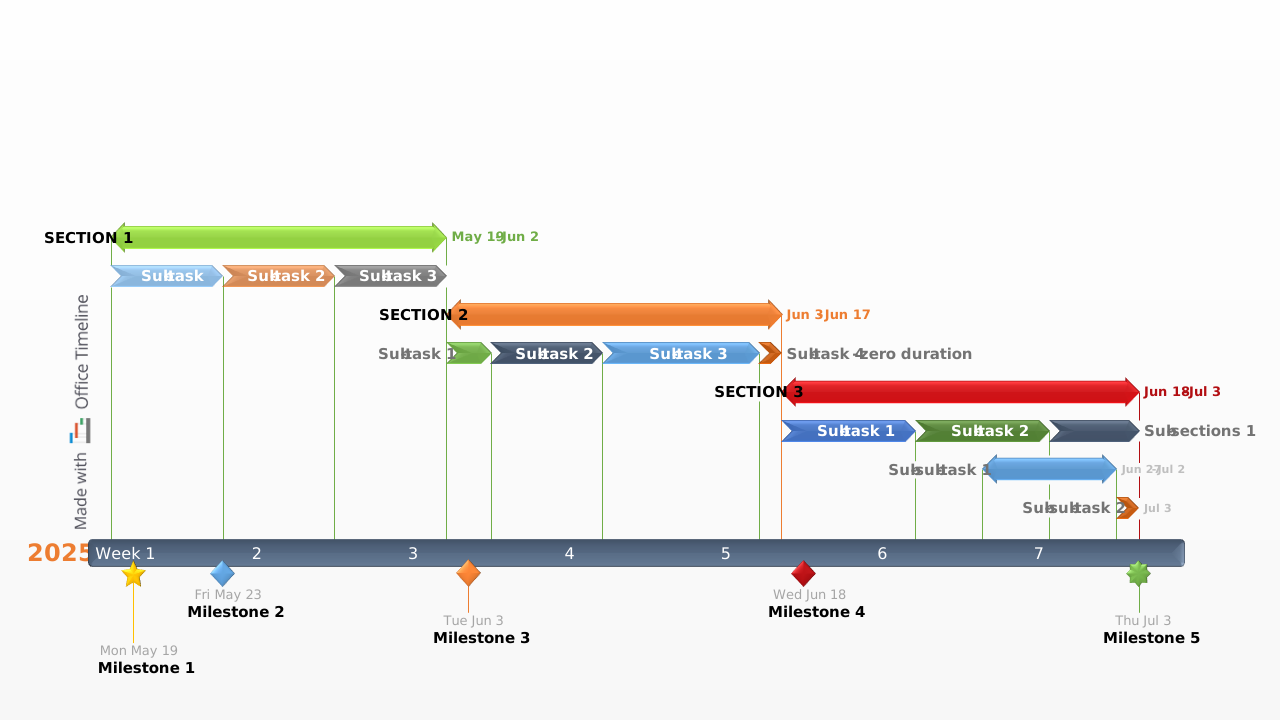
The free Gantt chart template is a better way to communicate your project. From the time they were invented, Gantt charts have been complicated, complex and difficult for non-project audiences to read. The free Gantt chart was created differently. It is visual, colorful and easy for anyone to understand. It was created to make project communications graphical and simple to read. Managing a project or presenting a plan will require that you communicate it with stakeholders and others who are not directly participating in the project. This audience does not require a deep and comprehensive Gantt chart that presents all details of the project to them. They do not have the time or desire to drill down into the depth of the project. A high level snapshot of the project communicated in a familiar way is more appropriate for your non-project audience.
The free Gantt chart template was created for this purpose. Traditional Gantt charts that get produced by project management applications or by Microsoft Excel are complicated and uninspiring for non-project audiences. These are list-based visuals which look intimidating and unfamiliar unless you have studied the Gantt chart. They are also hard to communicate in documentation or presentations and they can’t be easily edited or updated by others.
Non-project audiences expect to see an overview of the project and not a complicated Gantt chart. They also want to see this presented to them in a form they are accustomed to. The free Gantt chart template is a PowerPoint slide that can easily be presented or included in any project documentation. Clients and executives are comfortable with viewing slides and using PowerPoint, so the free Gantt chart template will be easily received and read. Since it is a native PowerPoint chart, your audience can also edit, share or reuse the slide in their communications, scorecards or presentations.
Download the free Gantt chart and easily edit it in PowerPoint. You can update the slide either manually or automatically with the help of the free PowerPoint Gantt chart maker from Lucen. The latter option makes it simple to enter your project schedule and automatically adds any design changes you desire, such as positioning the time band above or adding percent complete and task duration counts to your tasks.
Frequently asked questions
Many traditional Gantt charts are detailed and technical in nature. For executives and clients, that level of complexity is often unnecessary.
The free Gantt chart template offers a more visual and accessible alternative. It presents your project on a single, clear slide, making timelines and progress easy to understand without overwhelming your audience with excessive detail.
Yes, it was specifically designed for them.
Non-project audiences:
- Do not need detailed task-level planning
- Have limited time
- Expect a high-level management overview
This PowerPoint slide provides a concise snapshot of the project that is easy to read and familiar in a business setting.
A Gantt chart generated in Microsoft Excel or a project management application is typically built for internal project tracking. It is often list-based, dense, and designed for project managers rather than broad business audiences.
The free Gantt chart template, on the other hand, is designed for communication. Because it is a native PowerPoint slide, it can be easily presented, shared, and reused. This makes it ideal for stakeholder updates, client meetings, and executive reporting.
You can update the slide directly in PowerPoint, either manually or automatically using the free PowerPoint Gantt chart maker from Lucen.
With the automated option, you can:
- Enter your project schedule
- Reposition the time band
- Add percent complete information
- Display task durations
- Apply design changes instantly
This ensures your project overview stays professional, clear, and up to date.

Your download should start now. If it doesn’t start click here and check your inbox for tips to get started.