


Program management plan Gantt chart template
Free PowerPoint program management plan Gantt chart template. Summarize timelines, requirements, resources and risks in a clear visual overview.
Powered by Lucen Timeline (formerly Office Timeline)

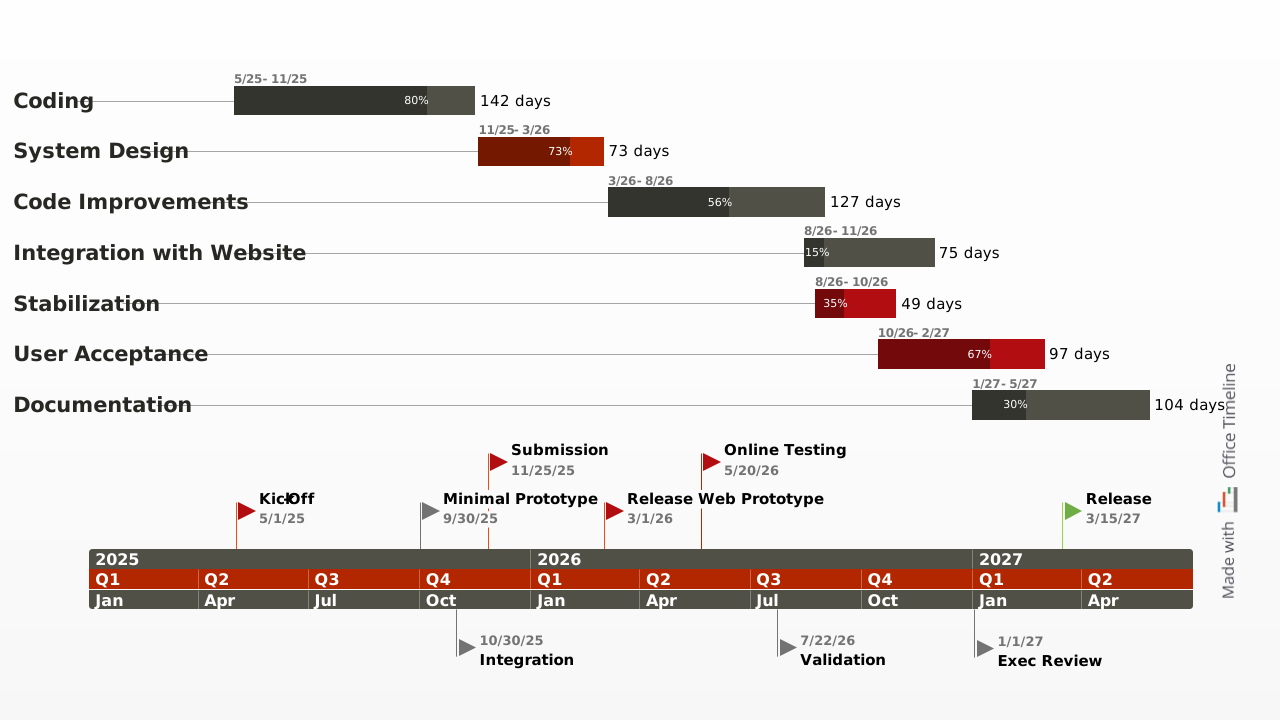
The program management plan is an easy-to-edit PowerPoint template. It was designed for program managers who need to communicate plans to sponsors and executives in a clear and professional way. It provides high-level visibility of project requirements, resources and risks and it can also be used as a planning tool that summarizes project timelines.
Program managers oversee all the projects in a program. To do this well they need to communicate plans and project status to stakeholders. Since program managers have oversight of many projects, their communications to stakeholders and executives must be done at a high level. Having a clearly illustrated program management plan is critical for managing and orchestrating the dependencies of multiple projects simultaneously.
Program managers operate best by keeping the objectives of their program visible at all times. The program management plan was created to provide a fresh visual that project managers may not typically see. The slide can easily be presented to stakeholders and quickly updated throughout the course of a program.
This program management plan template is a native PowerPoint slide. Once downloaded it can be edited manually by anyone who has Microsoft PowerPoint. Teams can collaborate on the plan and management can include it in their executive presentations or monthly scorecards.
The program management template was built to work with the Lucen Timeline add-in for PowerPoint. Timeline is a PowerPoint tool that creates plans and visuals for important communications. Since program managers are also responsible for a continual assessment of their program’s progress and responsible for providing progress reports to stakeholders, they can use Lucen Timeline’s free 14-day trial to update the template. The plug-in will quickly revise the template which means a single slide can be repurposed multiples times instead of having to create a new one each time.
Frequently asked questions
The program management plan template is designed to help program managers present multiple projects in a single, executive-level view.
It highlights requirements, resources, risks, and timelines in a format that is clear, structured, and easy to communicate. Instead of managing scattered reports, you can align stakeholders around one concise visual summary.
This template is particularly valuable for professionals who operate at a strategic level.
- Program managers overseeing interconnected projects
- PMO teams consolidating reporting
- Sponsors and executives reviewing performance
Because programs involve multiple moving parts and dependencies, a high-level PowerPoint slide ensures clarity without overwhelming detail.
Program managers are responsible not just for individual projects, but for how those projects interact. Dependencies, shared resources, and strategic objectives must remain visible at all times.
A well-structured visual plan helps to:
- Keep objectives front and center
- Align cross-project timelines
- Clarify risk exposure
- Support executive decision-making
Without this visibility, coordination across projects becomes fragmented and inefficient.
The template is a native PowerPoint slide, which means it can be edited manually by anyone using Microsoft PowerPoint. Teams can collaborate on updates, and leadership can integrate the slide into executive briefings or monthly scorecards.
It also works with the Lucen Timeline plug-in for PowerPoint. Using the plug-in allows program managers to quickly revise schedules and progress updates, making it easy to reuse the same slide multiple times instead of recreating reports from scratch.

Your download should start now. If it doesn’t start click here and check your inbox for tips to get started.