Clinical trial roadmap template
Large-scale PowerPoint clinical trial roadmap template featuring color-coded elements to highlight the main phases necessary for a drug or procedure to receive FDA approval.



Explore our most trusted templates – picked for their clarity, reliability, and impact. Whether you need a quick snapshot or a detailed plan, these designs help you work smarter and present with confidence.
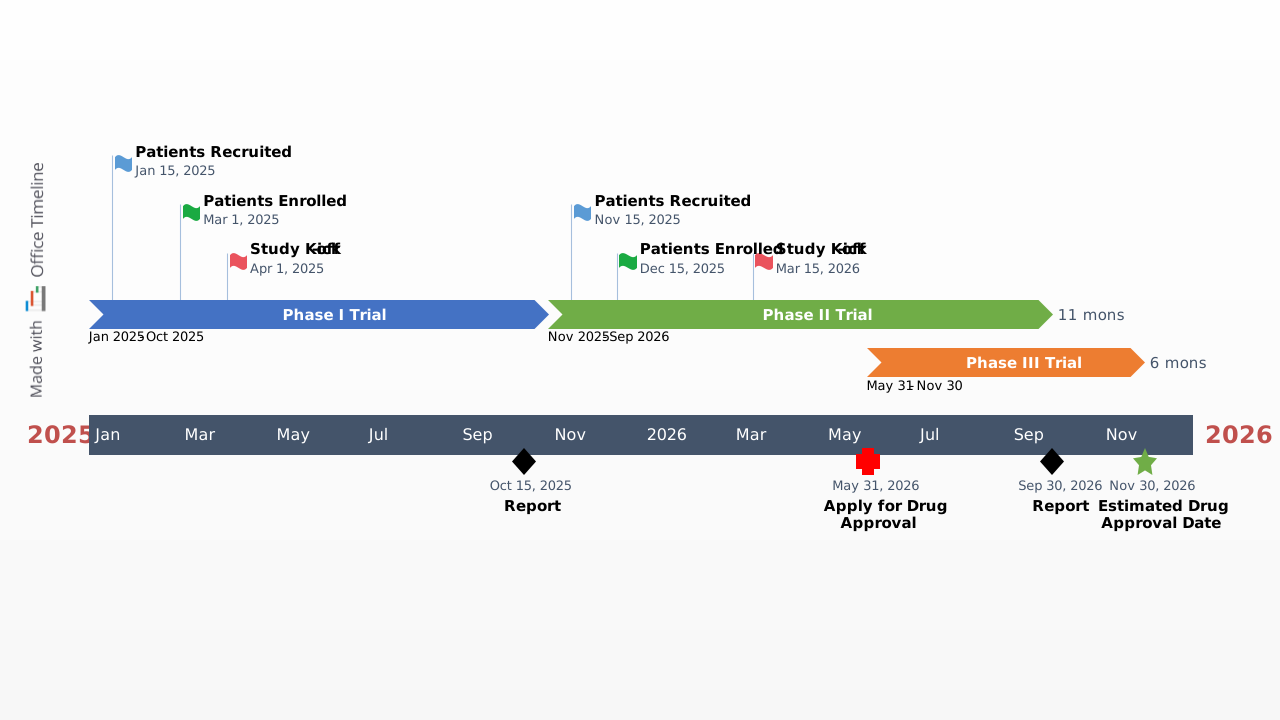
Large-scale PowerPoint clinical trial roadmap template featuring color-coded elements to highlight the main phases necessary for a drug or procedure to receive FDA approval.

Create clear project schedules with a simple Gantt chart. Download the free PowerPoint template and customize tasks and milestones fast.
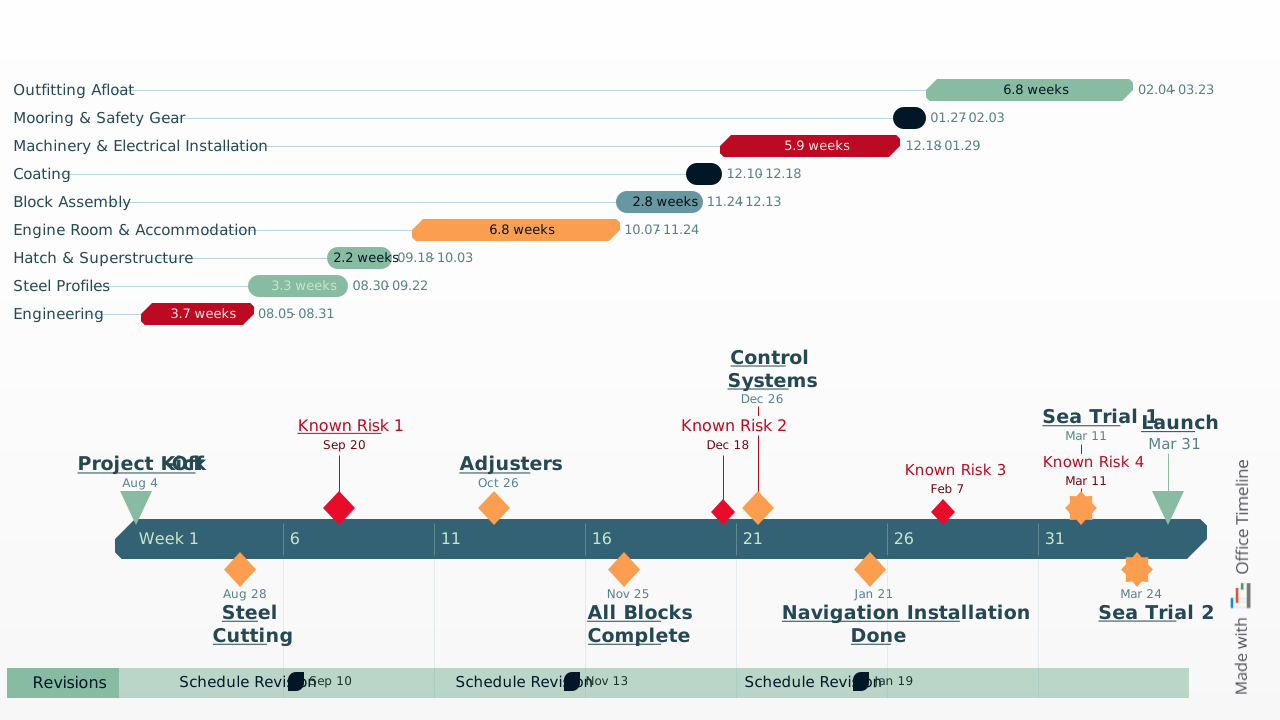
Eye-catching, color-coded Gantt chart template for PowerPoint that helps you clearly define and communicate your project timeline.

Free Agile project plan roadmap template for PowerPoint to organize sprints, tasks, and milestones in a professional Gantt chart.

Executive report timeline template to craft clear, compelling summaries, pitch proposals with confidence, engage decision-makers, and drive action.
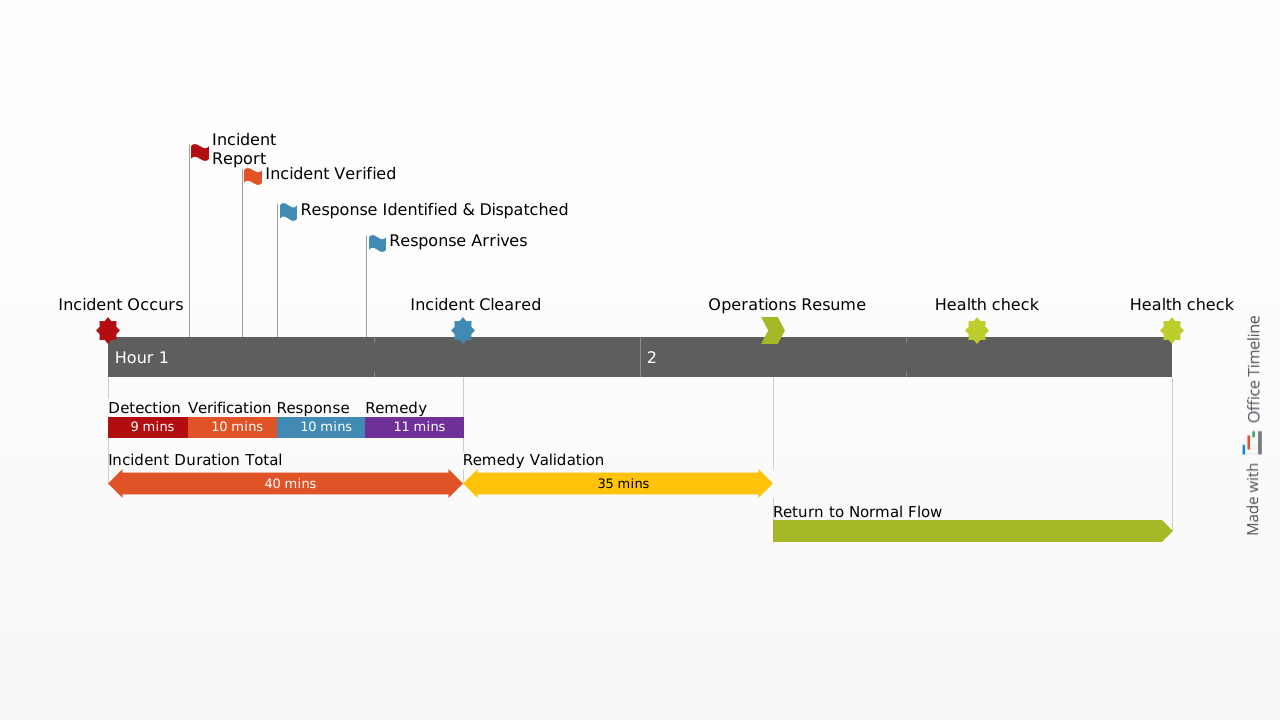
Free, downloadable timeline graphic showing incident response planning in hours and minutes to minimize outages and restore operations quickly.
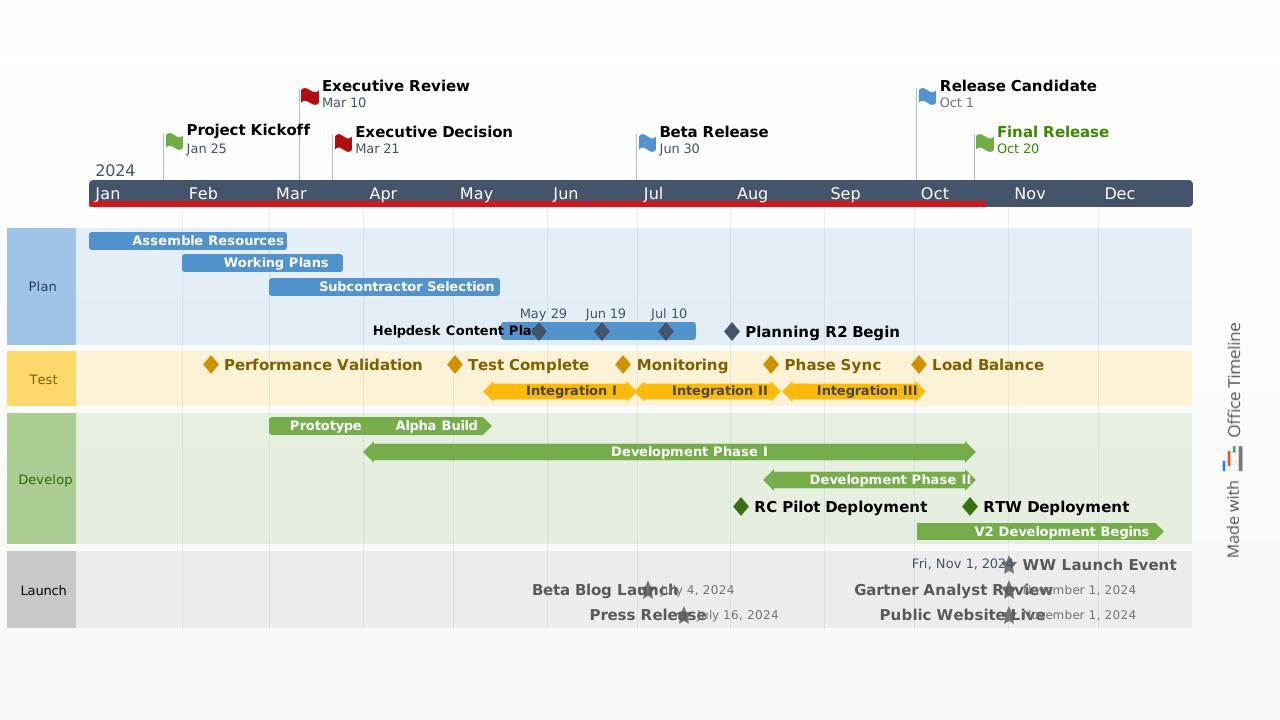
Color-coded swimlane sample for showcasing the journey of a product with smartly grouped milestones and tasks, which reduces the clutter and eliminates overlapping.

A project plan template for PowerPoint showing a purple-toned Gantt-style layout with three color-coded swimlane rows, seven task bars, and six milestones spanning a five-quarter timeline from 2024 Q1 to 2025 Q2 on a single presentation slide.
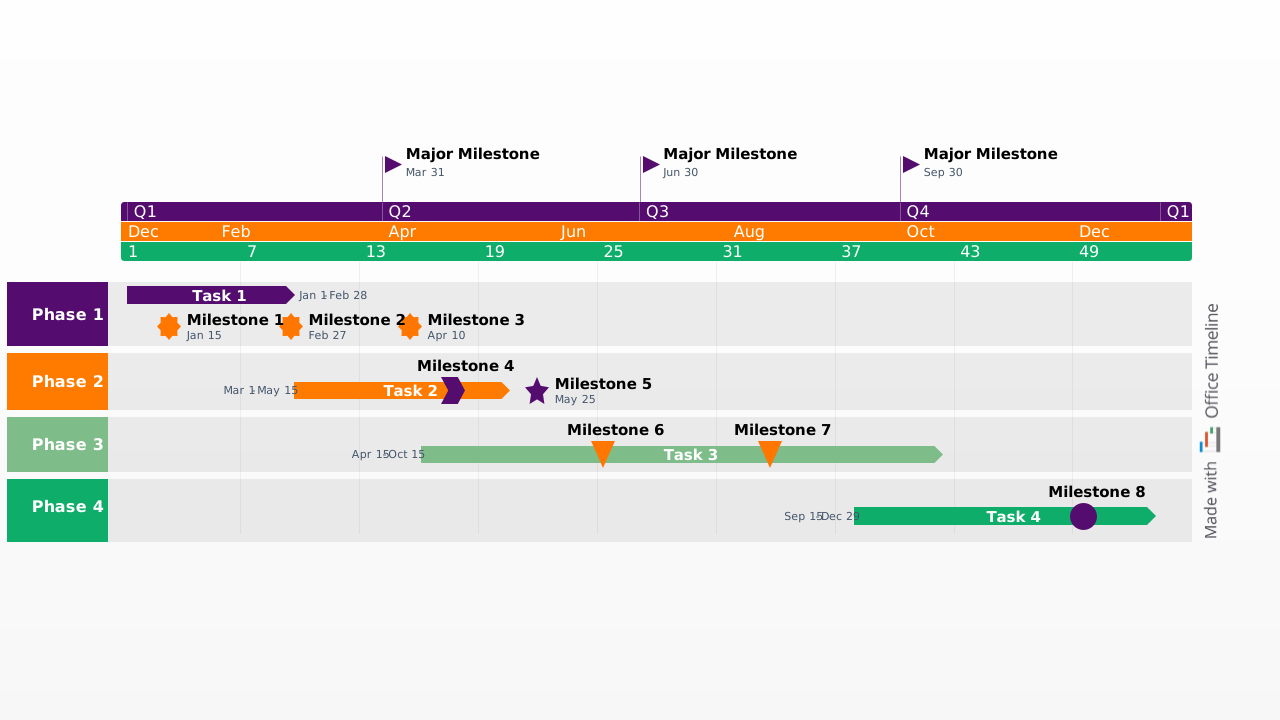
A sales plan template for PowerPoint showing a full-year Gantt-style layout with four color-coded swimlane rows, task bars with date ranges, and quarterly major milestones on a single presentation slide.

Need a different view or a better fit for your workflow? Explore templates organized by purpose or project type – and find the right format to keep your plans clear and on track.
Use the Lucen Timeline add-in to quickly tailor any of these templates to your project. Edit timelines directly in PowerPoint, apply custom styles, and import data from Microsoft Excel, Smartsheet, and more – so your visuals stay sharp, aligned, and presentation-ready.


Your download should start now. If it doesn’t start click here and check your inbox for tips to get started.