


Daily schedule template
A visual daily schedule template in Gantt chart style - making it easy to plan tasks, appointments and time blocks hour by hour with a clear visual overview.



Build visual reports that highlight results, flag issues, and provide a clear view of performance so teams stay informed and leaders can act quickly.
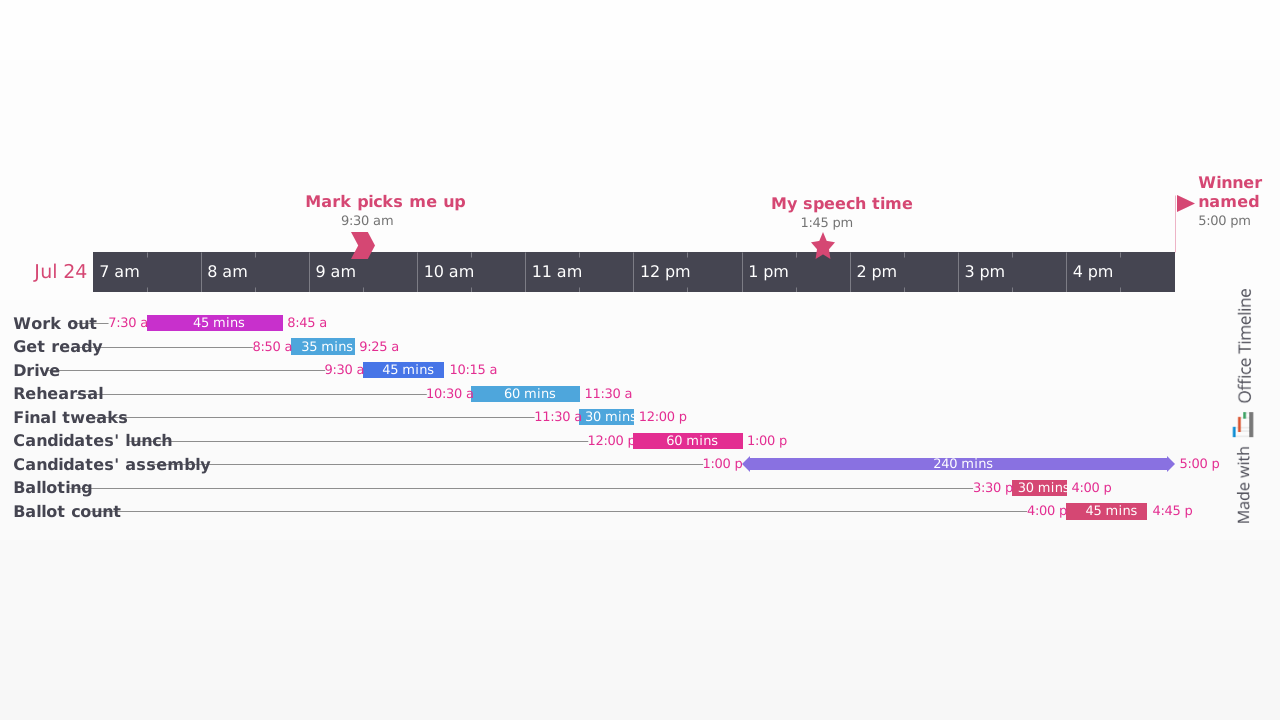
A visual daily schedule template in Gantt chart style - making it easy to plan tasks, appointments and time blocks hour by hour with a clear visual overview.
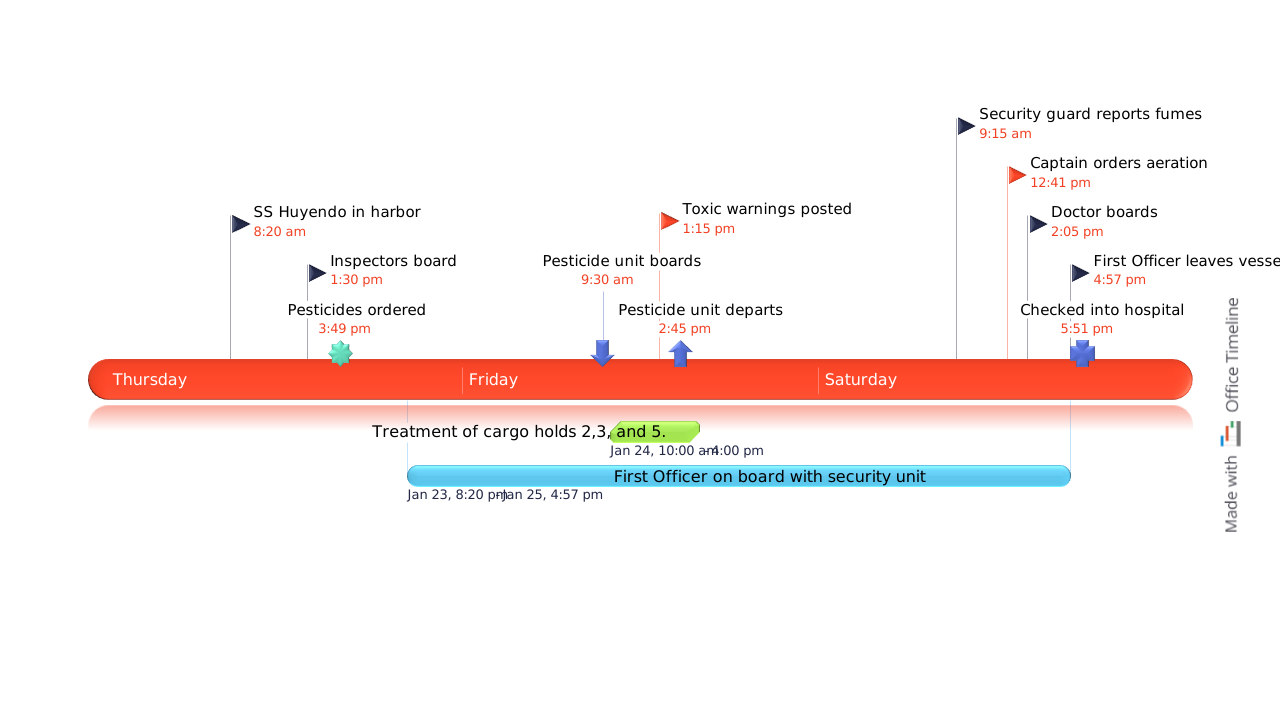
A legal litigation timeline for PowerPoint showing a three-day sequence of case events, with color-coded milestones, timestamped entries and a swimlane bar illustrating overlapping activities - all on a single presentation slide.
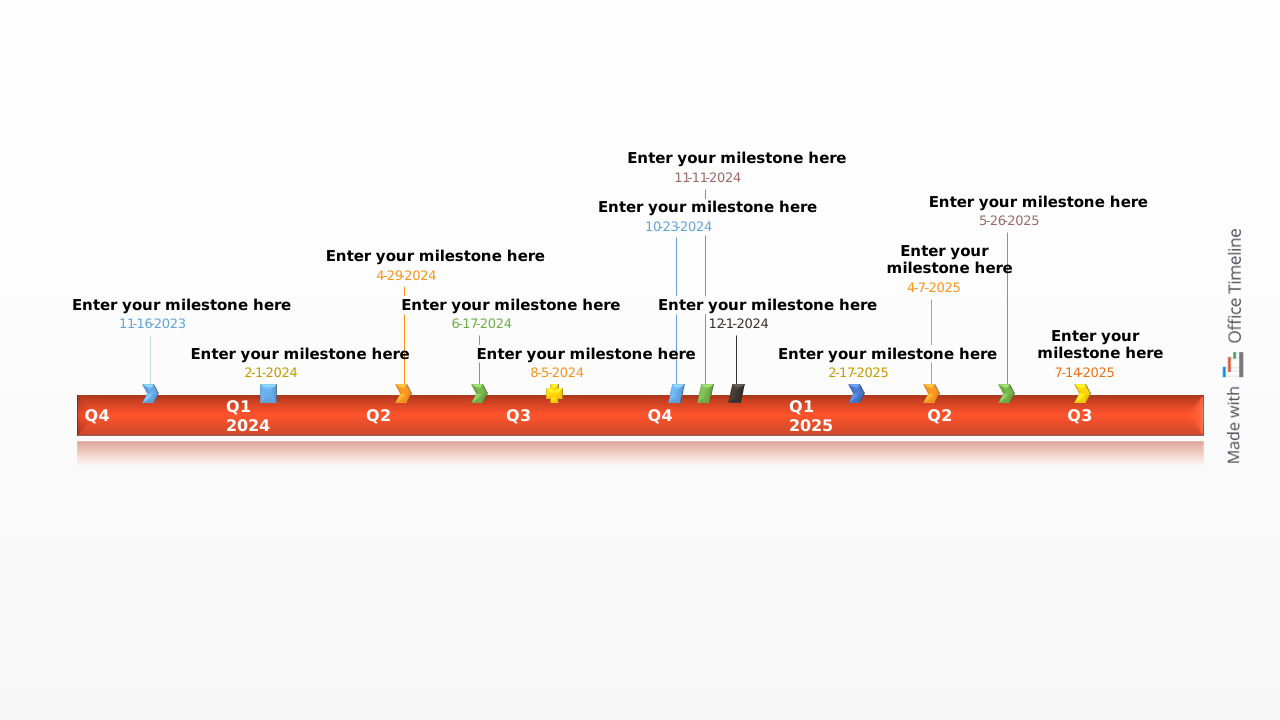
A blank example timeline for PowerPoint with ten color-coded milestones, a Today marker and an elapsed time indicator - ready to fill in with your own project dates

PowerPoint Gantt chart template showcasing the tasks that would be featured in an executive report for the adoption of a new hardware infrastructure which can be adapted to other types of scenarios as well.
A strong operational report template gives stakeholders a clear view of status and performance. These key elements help you highlight progress, flag issues, and support informed decisions:

Showcase KPIs and other metrics to demonstrate how the project is performing.

Summarize completed work, upcoming milestones, and any delays or blockers.

Flag risks, issues, or roadblocks and include mitigation steps where needed.

Call out recent wins or milestones to show momentum and boost morale.

Report how personnel, time, and materials are being used across the project.

Outline key upcoming actions and objectives to keep everyone aligned.

A reporting template helps you deliver consistent updates that are tailored, visual, and easy to interpret. Here’s how to make the most of it:
Use Lucen Timeline to update report templates directly in PowerPoint. Pull data from Excel or Smartsheet, visualize performance with timelines and indicators, and deliver reports that keep stakeholders focused on what matters most.

Your download should start now. If it doesn’t start click here and check your inbox for tips to get started.