


IT incident triage flowchart template
Four decision points: major incident, first level, second level, and user confirmation, routing an incident from first report through tiered escalation to close and review.



Map incident response, bug triage, and release pipelines with templates that make every decision gate and escalation path explicit.
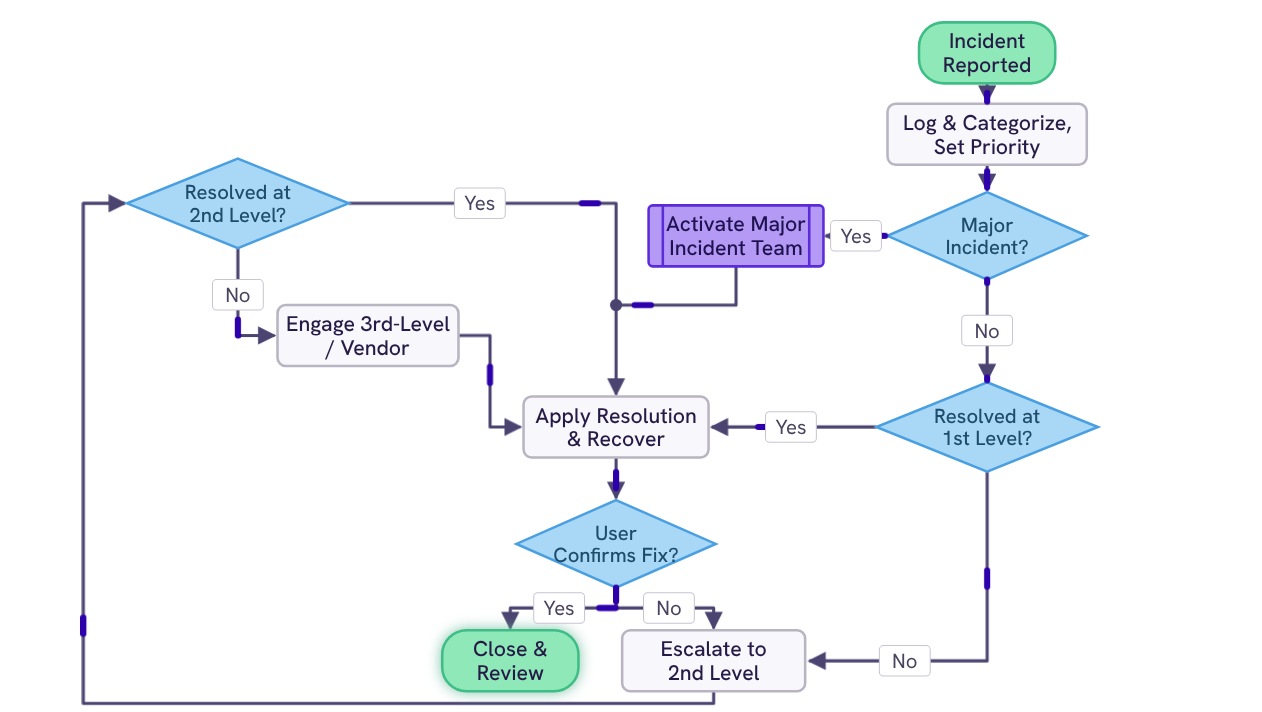
Four decision points: major incident, first level, second level, and user confirmation, routing an incident from first report through tiered escalation to close and review.
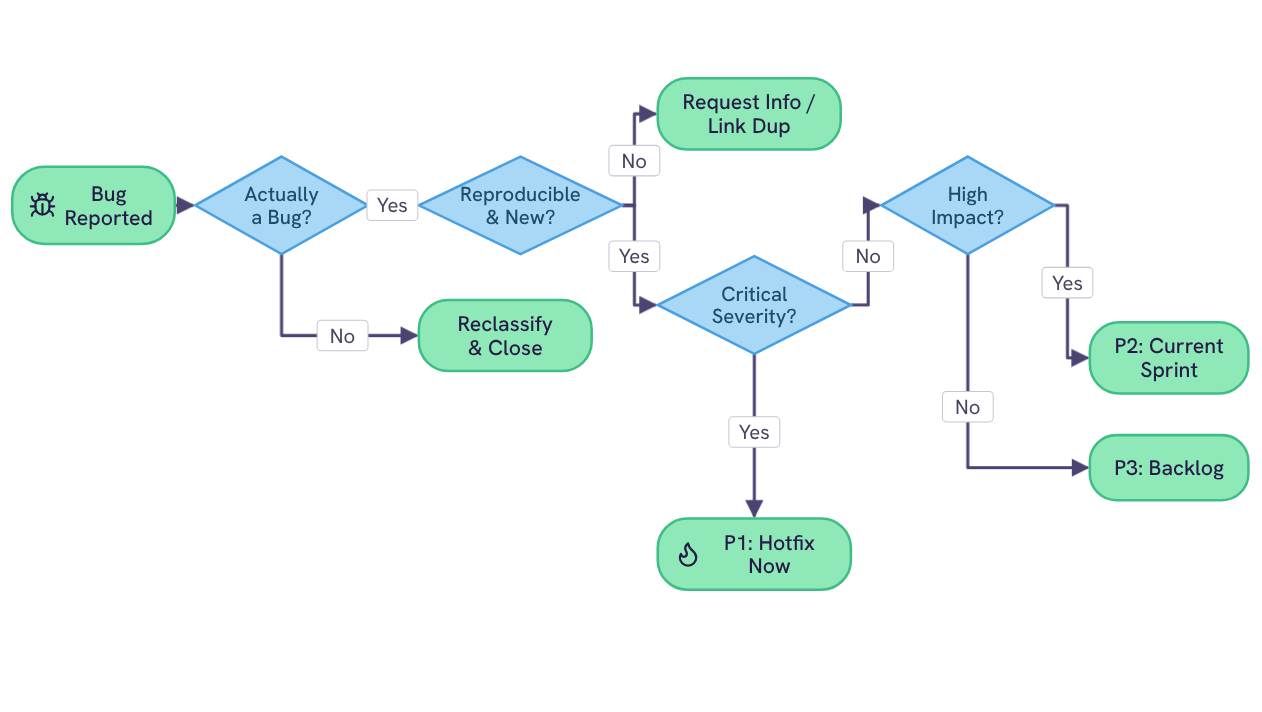
Four decision points: validity, reproducibility, severity, and impact. Routing every reported bug to one of five outcomes, from hotfix now to backlog.
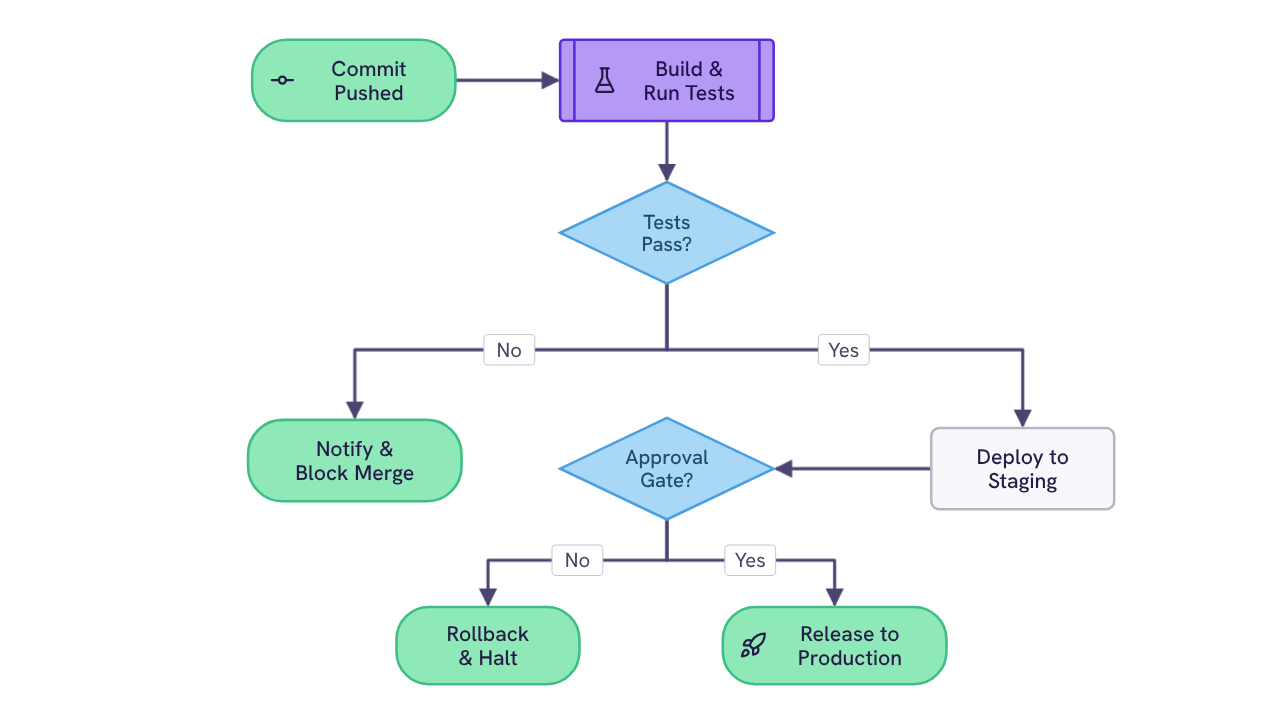
Two gates: automated tests and a human approval. Routing every commit to production, a blocked merge, or a rollback.
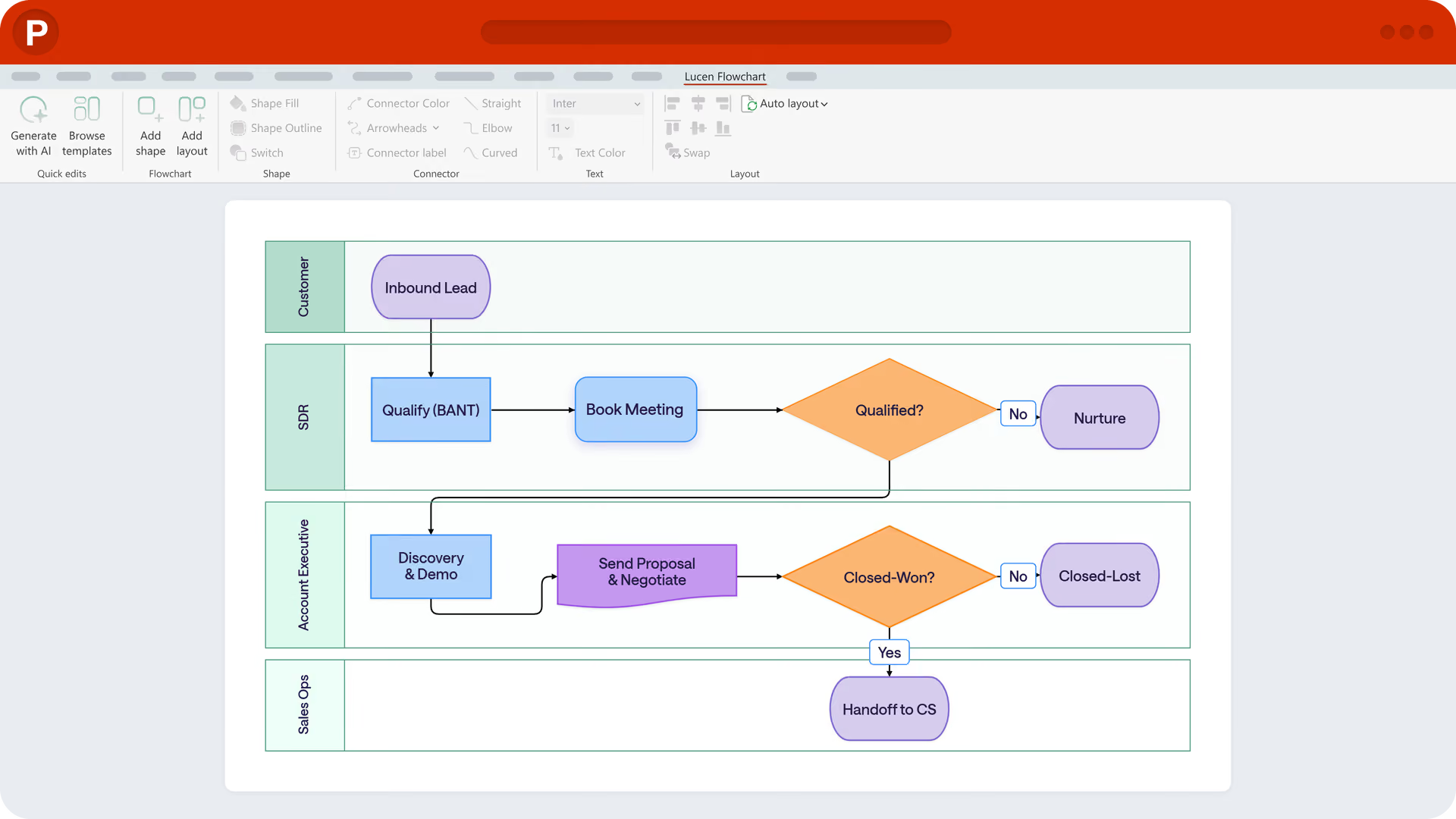
Use Lucen Flowchart to add decision gates, reroute connectors, and reflow the diagram with Auto Layout, or rebuild an existing whiteboard sketch as editable shapes with Lucen AI.

Your download should start now. If it doesn’t start click here and check your inbox for tips to get started.