


Online banking platform implementation template
Clear, structured timeline slide to track dependencies and critical path across complex banking system implementations.



Allocate resources, balance workloads, and avoid bottlenecks – with templates that keep projects on track.
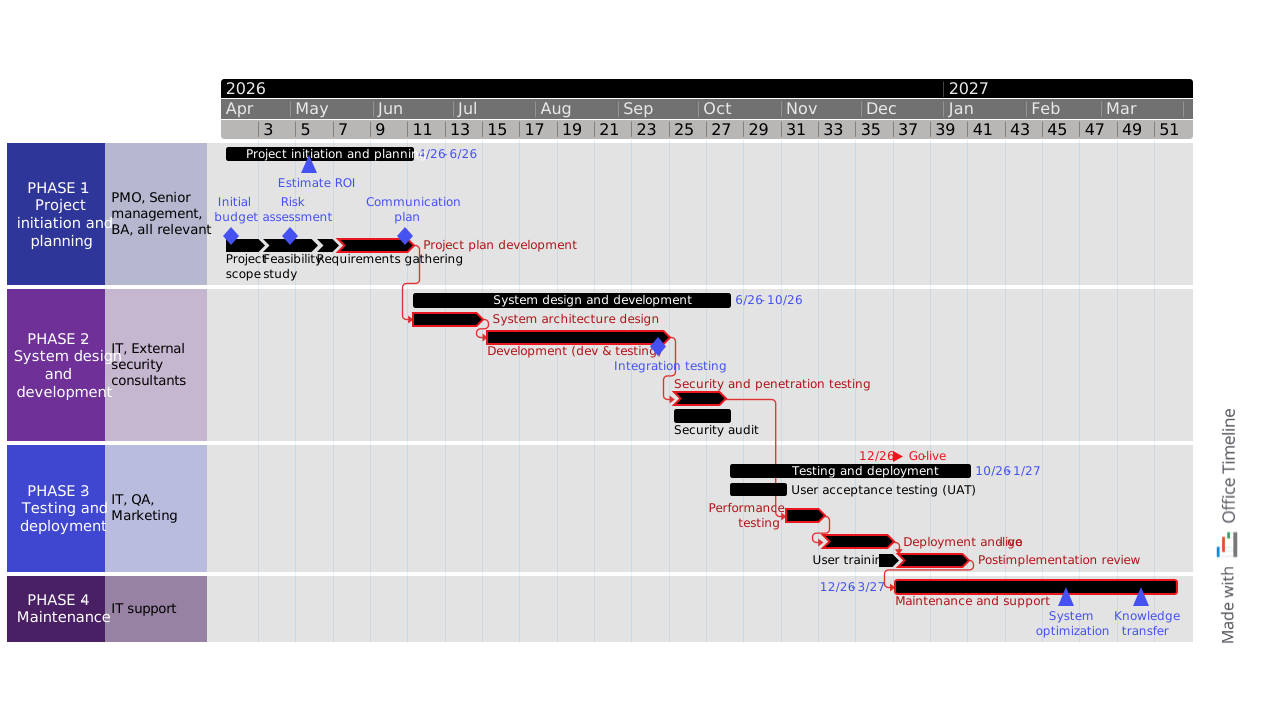
Clear, structured timeline slide to track dependencies and critical path across complex banking system implementations.

Strategic timeline template to track key workstreams, dependencies and progress when launching new investment products.
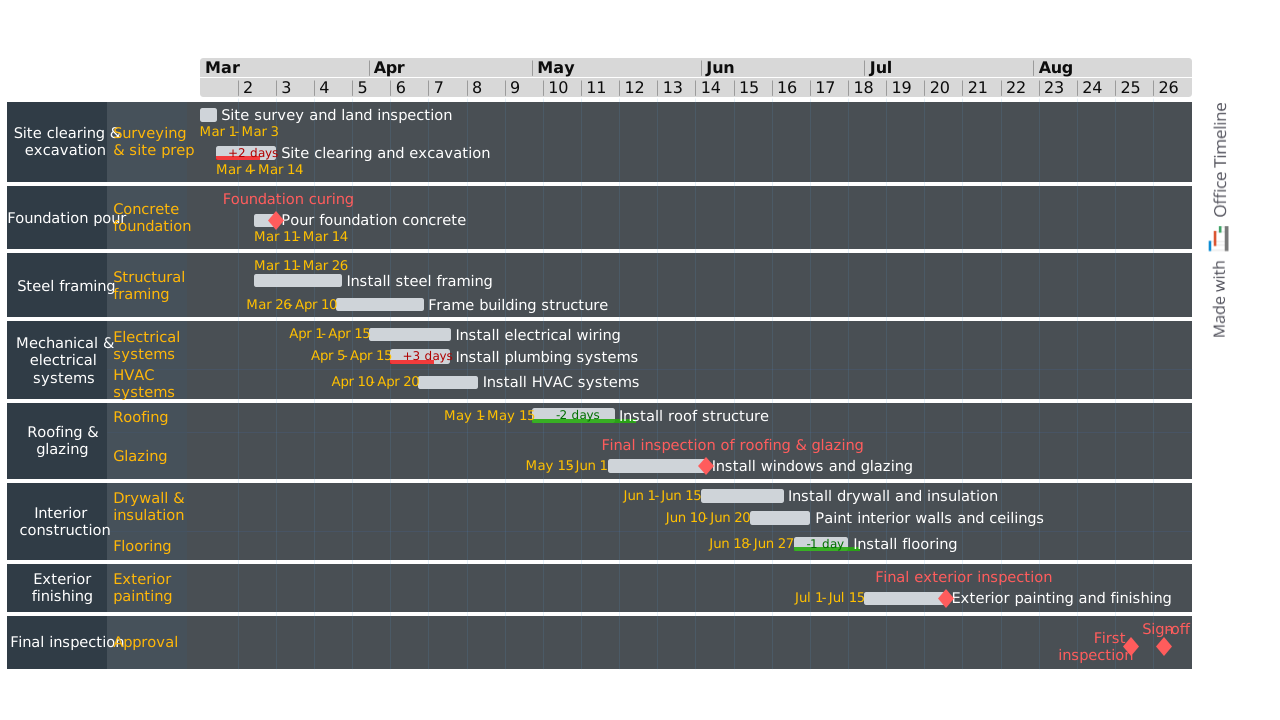
Professional PowerPoint timeline for building construction projects, showing major stages from site preparation through final inspection.
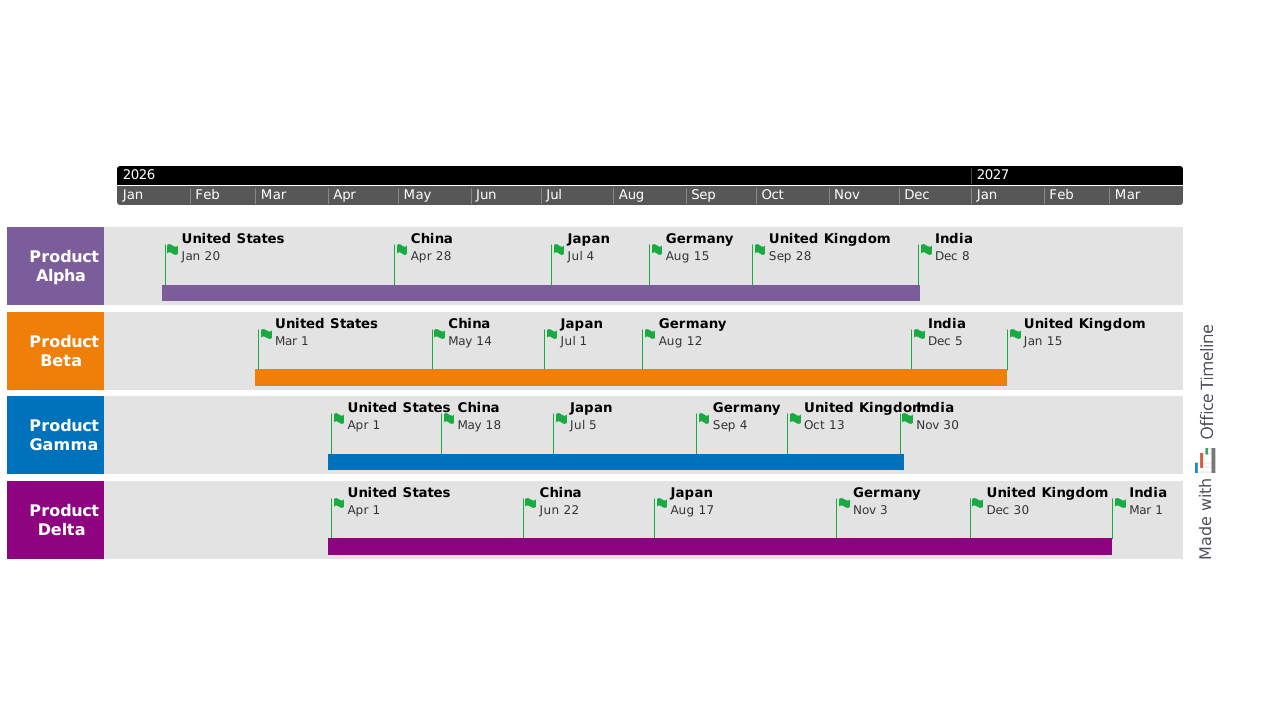
Executive-ready PowerPoint timeline designed to help pharma teams coordinate multi-country product launches and align stakeholders around a shared international rollout plan.
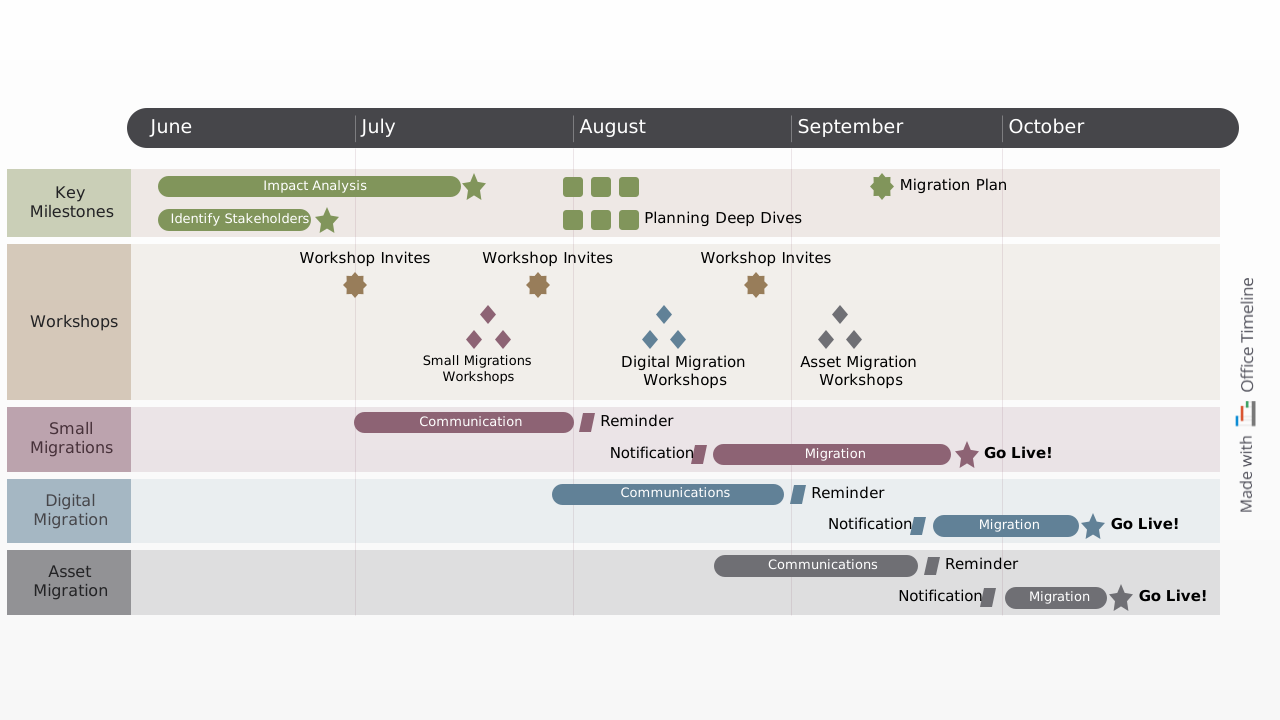
Clear swimlane chart template that lets you easily map out an organization's migration process from one system to another on stages, and organize milestones and tasks according to scheduled intervals.
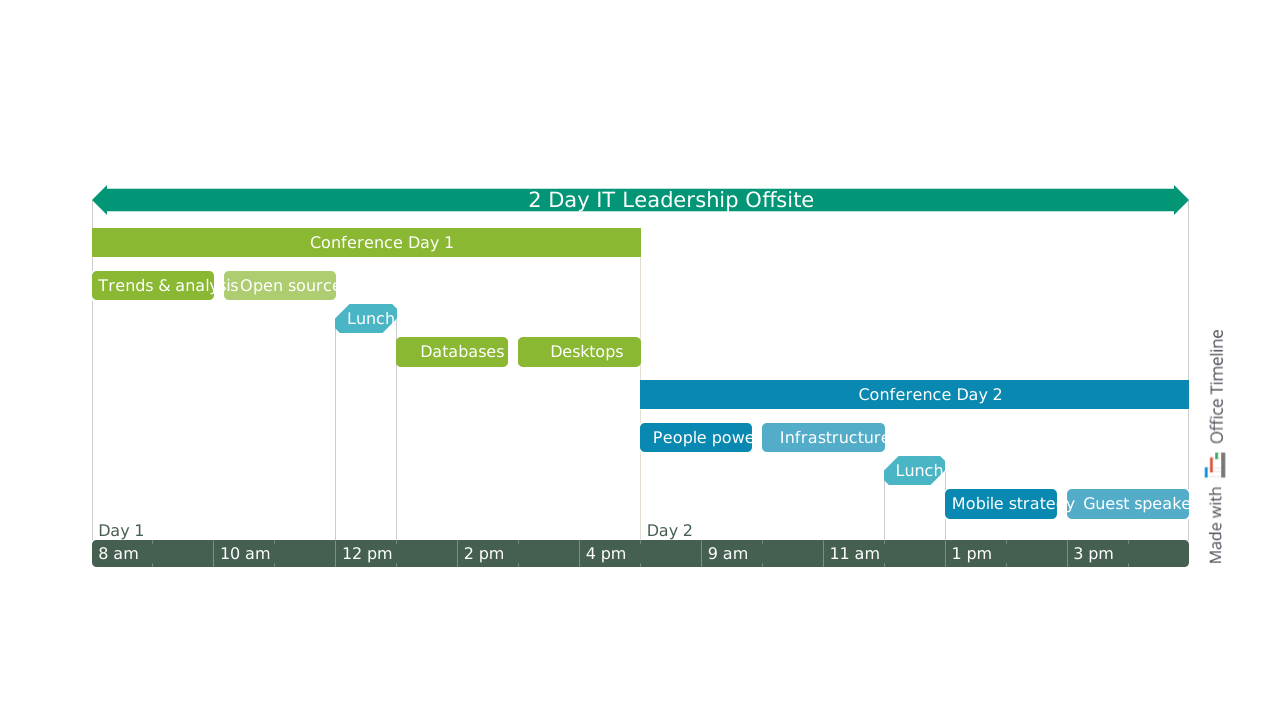
Gantt-style meeting schedule template for organizing an agenda or itinerary across time slots, tracks, and overlapping sessions.

A color-coded weekly work schedule displayed as a horizontal 24-hour Gantt chart, showing individual employee shifts with start and end times, overlapping coverage and a peak time indicator - all on a single PowerPoint slide.
A well-structured resource coordination template helps you assign people, track availability, and manage project needs effectively. These core components give you the visibility and control needed to allocate resources efficiently and avoid bottlenecks:

List all resources required for the project – including staff, equipment, tools, and materials.

Track resource costs by category to stay on budget and make informed allocation decisions.

Assign team members to tasks and track availability to prevent overbooking and conflicts.

Link tasks to the resources they require to ensure clear ownership and efficient execution.

Visualize how work is distributed across your team to balance workloads and prevent burnout.

Show when and for how long each resource is needed to identify gaps and avoid delays.

A resource coordination template helps you manage people, tools, and budgets with clarity. Use these steps to keep your project running smoothly:
Use Lucen Timeline to customize your template, visualize resource allocations, and import data from Excel or Smartsheet – all without leaving PowerPoint. Create clear, professional visuals that keep your team aligned.

Your download should start now. If it doesn’t start click here and check your inbox for tips to get started.