


Project to do list template
A graphical Gantt chart template using a chromatic theme to convey your project's pipeline at a glance



Assign tasks, track deadlines, and manage daily work with templates that keep your team focused and on track.
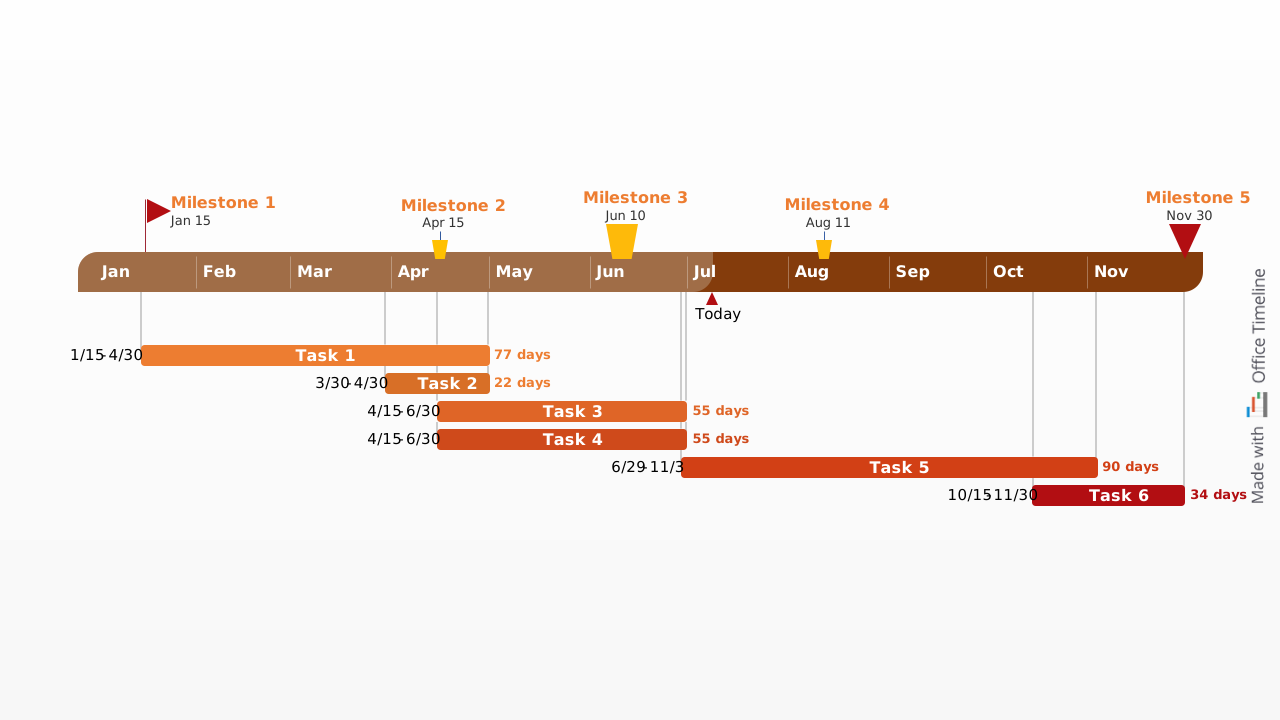
A graphical Gantt chart template using a chromatic theme to convey your project's pipeline at a glance
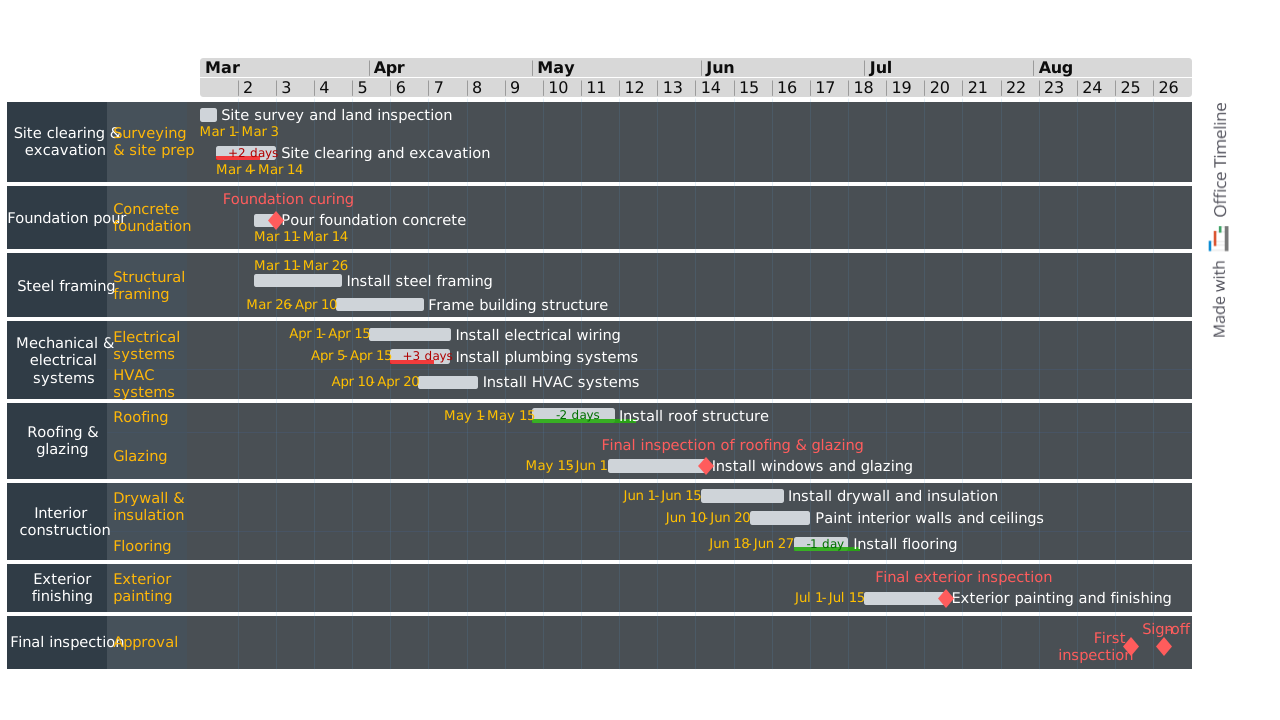
Professional PowerPoint timeline for building construction projects, showing major stages from site preparation through final inspection.

Renovation timeline designed to support construction planning with a high-level view of major phases, activities, and dependencies.

Free hourly PowerPoint Gantt chart template. Present schedules, status reports and short tasks in small time increments.

Customizable PowerPoint slide that maps your project implementation plan across phases with tasks, milestones, and swimlanes for clear stakeholder communication.

Flexible timeline example structured into three generic process stages set against an adjustable timeline backdrop, complete with fully customizable milestones.
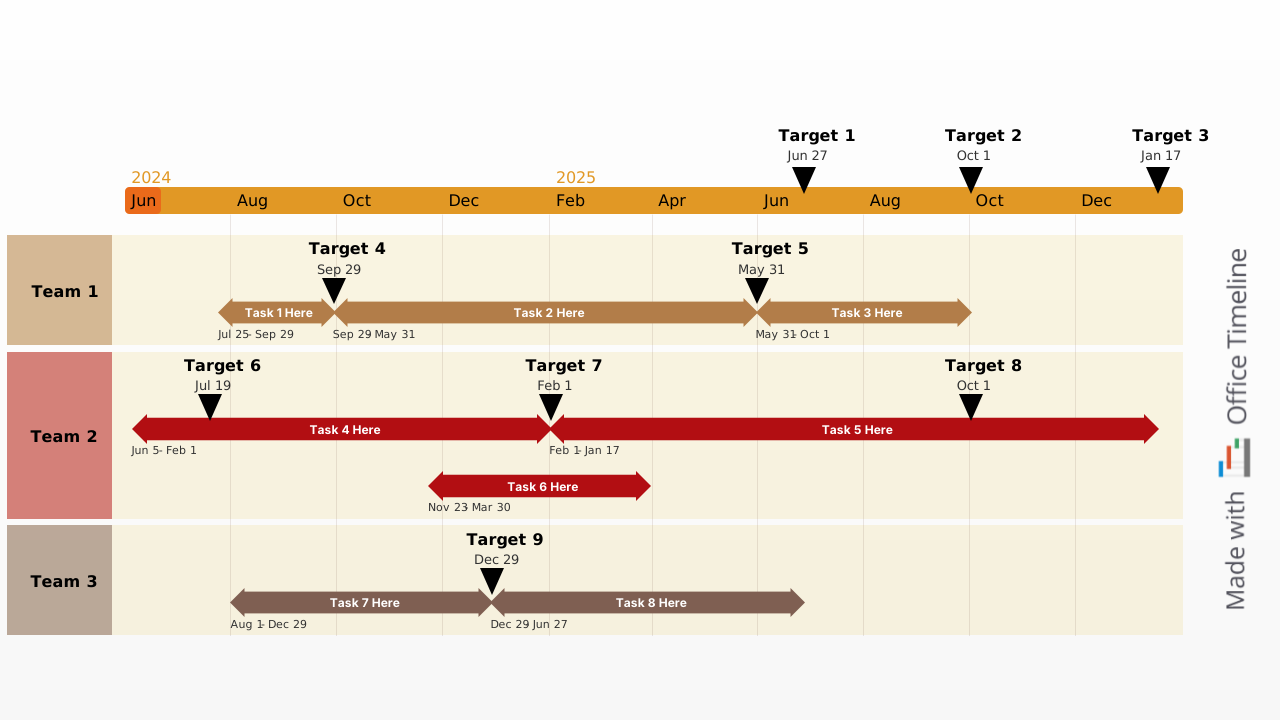
Swimlane-based timeline sample that helps better organize and track tasks across departments and teams, highlighting the impact of changes on other stages of the project.
The right task management template gives your team clarity, direction, and momentum. These core components make it easier to prioritize work, stay accountable, and hit every deadline:

Break down your project into tasks and subtasks to capture all work clearly and comprehensively.

Link tasks to specific team members to ensure responsibility and accountability.

Tag tasks by importance to focus attention on high-impact work first.

Set clear deadlines to keep work on track and avoid delays.

Use progress markers like “Not Started,” “In Progress,” or “Done” to visualize where each task stands.

Connect related tasks to identify blockers and sequence work effectively.

A task management template helps you stay organized, focused, and in control. Follow these best practices to drive progress and prevent delays:
Use Lucen Timeline to update task templates directly in PowerPoint. Import assignments and due dates, add dependencies, and turn task lists into clear, visual plans that drive daily execution.

Your download should start now. If it doesn’t start click here and check your inbox for tips to get started.