


Simple Gantt chart template
The Gantt chart template was designed for professionals who need to make important project presentations to clients and execs.



Get a clear view of your timeline with templates to map phases, set milestones, and keep projects moving forward.

The Gantt chart template was designed for professionals who need to make important project presentations to clients and execs.
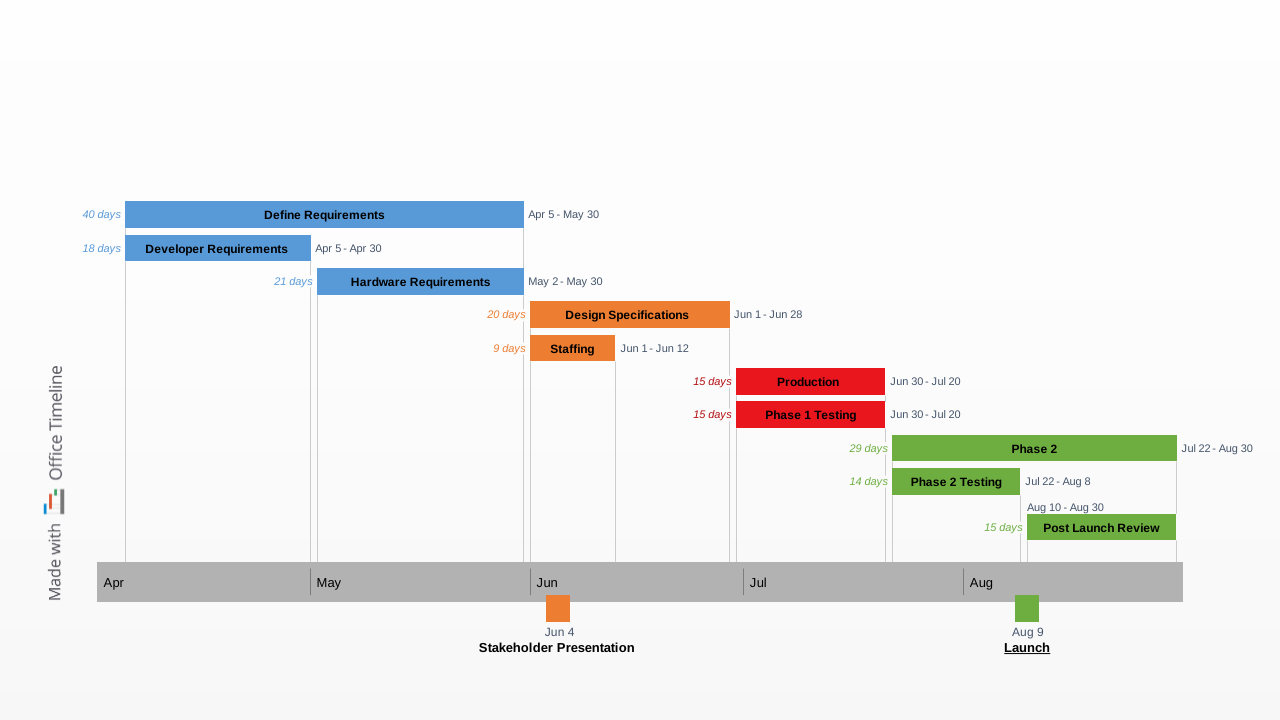
Visual Gantt chart slide that enables professionals to present project proposals, plans or reports in a straightforward, effective format.
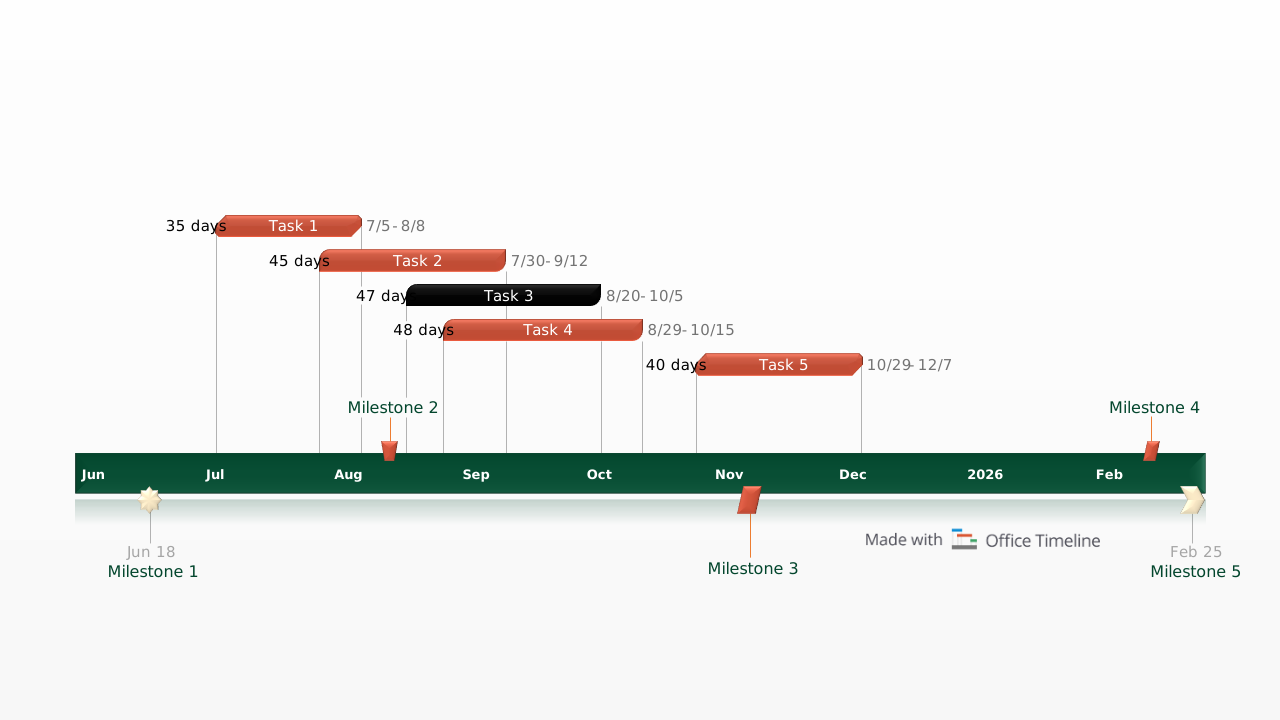
Generic schedule example with timescale set in weeks and task duration in days to give a high level overview of any construction project.

PowerPoint timeline template that coordinates multiple related projects on a single slide with swimlanes, milestones, and phases for program-level stakeholder communication.

High-level PowerPoint timeline template that summarizes a project's key phases, milestones, and deliverables in a single slide for executive presentations and stakeholder buy-in.

Customizable PowerPoint slide that maps your project implementation plan across phases with tasks, milestones, and swimlanes for clear stakeholder communication.

Flexible timeline example structured into three generic process stages set against an adjustable timeline backdrop, complete with fully customizable milestones.

A project plan template for PowerPoint showing a purple-toned Gantt-style layout with three color-coded swimlane rows, seven task bars, and six milestones spanning a five-quarter timeline from 2024 Q1 to 2025 Q2 on a single presentation slide.
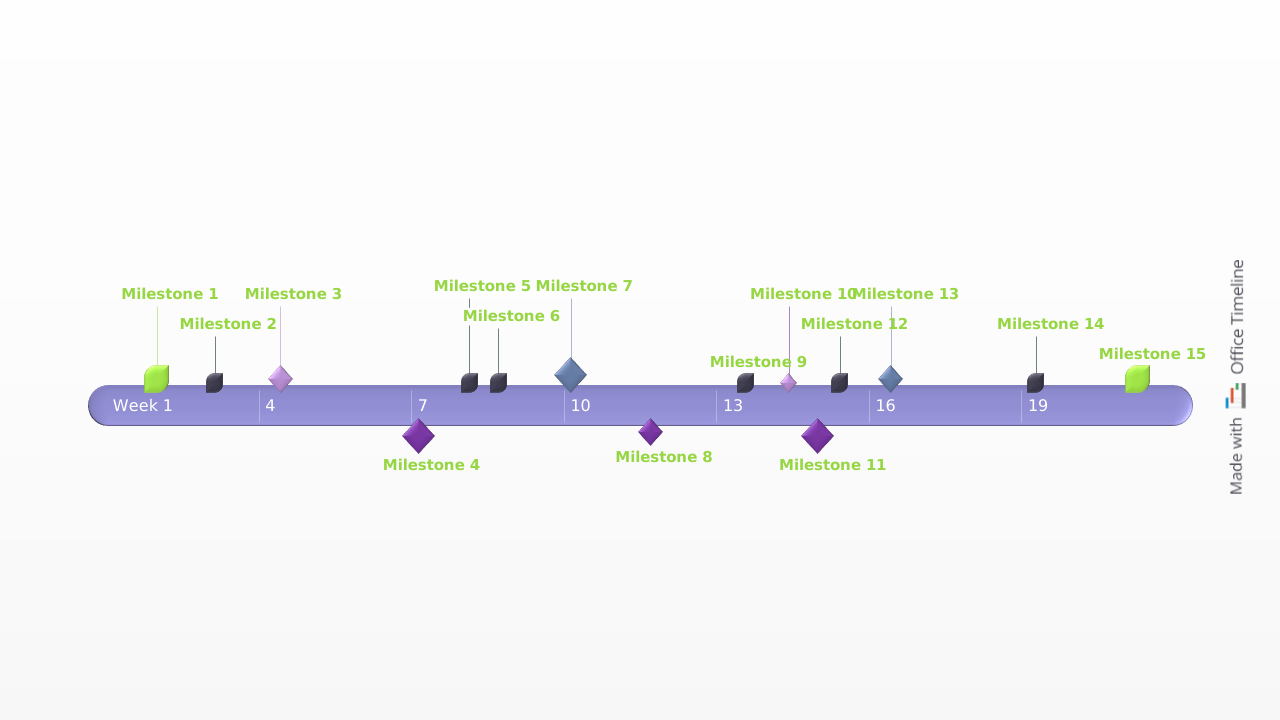
Milestone chart sample that focuses on the main sequence of events, targets and objectives that need to be achieved throughout a project’s lifecycle.
A well-structured project plan template keeps your team aligned and your timeline on track. These core elements provide the clarity you need to manage progress and communicate effectively:

Break your work into stages for easier tracking.

Highlight major checkpoints and deliverables.

List action items with deadlines, assignees, and priorities.

Visualize relationships between tasks to prevent delays.

Visualize the flow of work with a clear schedule.

Assign people, tools, and materials where needed.

A template helps you plan faster and execute more confidently. Here’s how to get the most value from it:
Try out Lucen Timeline to easily customize templates, apply branding, and bring in data from tools like Excel or Smartsheet – all right inside PowerPoint. Create polished, presentation-ready visuals in minutes.

Your download should start now. If it doesn’t start click here and check your inbox for tips to get started.